Introducción

This guide will demonstrate how to partially take apart the Acer Chromebook C740-C4PE, in addition to removing the heatsink.

  1. CFFcLSQAUXKTLTsp
    CFFcLSQAUXKTLTsp
    OUQEbmCHUlxEXuNJ
    jCpfwa4gGQHIvPNm
    • Make sure the laptop is turned off and laid down on a flat surface.

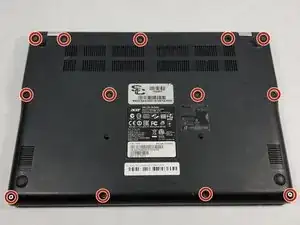
    • Unscrew the thirteen 10mm screws on the back of the device using a Phillips #0 screwdriver.

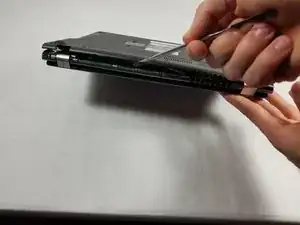
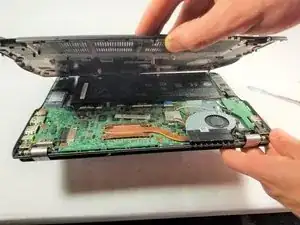
    • Use the spudger or any other prying tool to pry the back plate off of the device.

    • Be sure not to pry too hard as it may result in snapping the back plate.

  2. ln1YEWKXoqrNitop
    ln1YEWKXoqrNitop
    4LPKJKjlKXXAZpgl
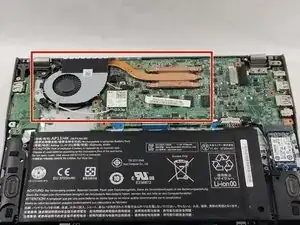
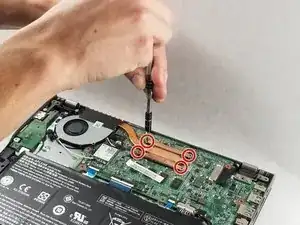
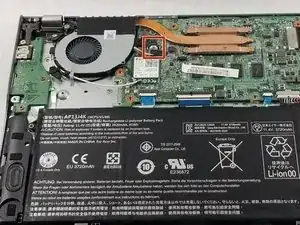
    • Remove the four 5mm screws on the heatsink using the Phillips #0 screwdriver.

  3. cyCPNlPaXWB32Uvm
    cyCPNlPaXWB32Uvm
    kkZX42pUMeNIBJyg
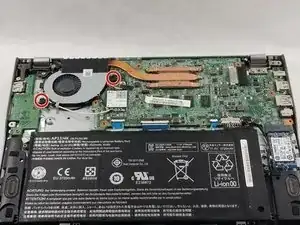
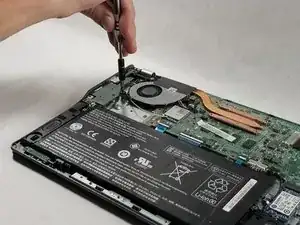
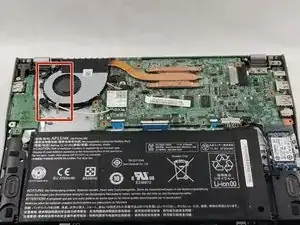
    • Loosen the two Phillips-head screws on the fan attached to the heatsink.

  4. 1cXfFmLN3BompiNe
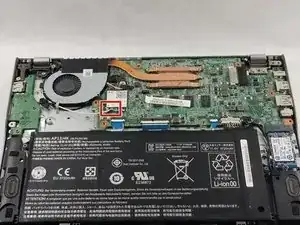
    • Detach the two antennae cables from the WiFi card by gently pulling on them.

  5. Tt3FOVXT4qZ35X3h
    • Gently pull the fan cable out of the motherboard.

    • Pulling too hard may break the wires or the connector itself.

  6. ib4ZS3bbMlykrNEa
    • Remove the cable routed through the fan.

    • Do not completely remove the cables as they are attached to the motherboard. Once they are no longer routed in the fan, leave them as they are.

  7. cTGN4dAB5vRc1CfQ
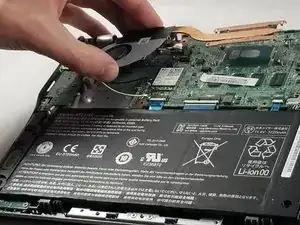
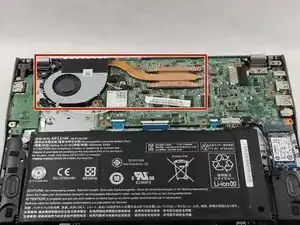
    • Remove the heatsink from the motherboard.

    • Before changing the heatsink/fan, you must clean off the thermal paste from the CPU and apply new thermal paste.

Conclusión

To reassemble your device, follow these instructions in reverse order.
Dylan Tocci

Miembro Desde 17/10/17

237 Reputación

Un comentario

What type of thermal paste is best used?

Tracey Arria -