Introducción

A battery is a power supply that provides power to the Acer Chromebooks hardware. This guide will show you how to remove the battery properly.

  1. jX1XpZmrpgCZ2KY5
    jX1XpZmrpgCZ2KY5
    WkfuGOYsPuFpggix
    • Make sure you turn off the laptop before starting.

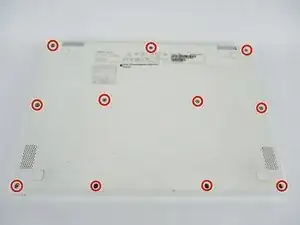
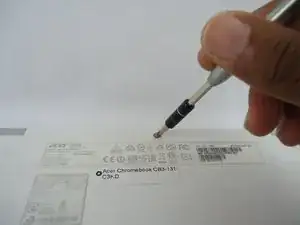
    • Unscrew and remove the (11) eleven 4mm J0 head screws on the underside of the laptop using the JIS #0 screwdriver.

  2. qEEJ3xtssXTIhd1v
    qEEJ3xtssXTIhd1v
    V6yeGLKyJM3ImunC
    uE3CMKNB1qbLC3xc
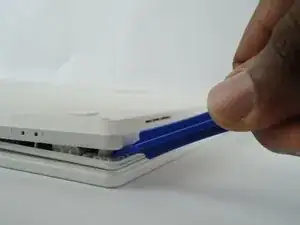
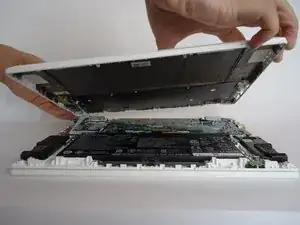
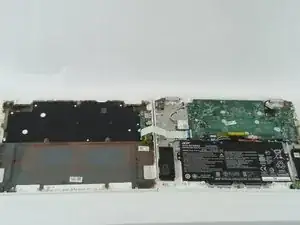
    • Use the plastic opening tool to remove the back cover.

    • Be careful not to damage the ribbon cable connecting the back cover to the laptop.

  3. OYu35xO5OSVu1xJt
    OYu35xO5OSVu1xJt
    omsG1FDUyVOtPk4m
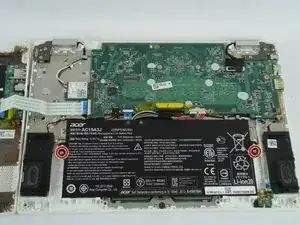
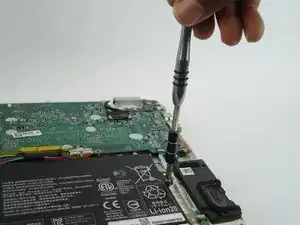
    • Unscrew the (2) two 3mm J0 Phillips head screws that hold the battery in place.

  4. 5k52pCrBKaZcIkNH
    5k52pCrBKaZcIkNH
    DRoaHLnxHGEdo4ku
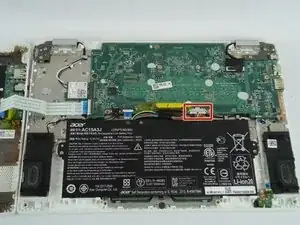
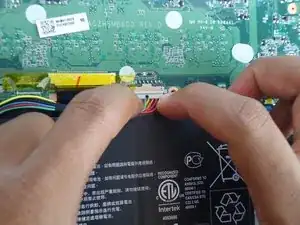
    • Disconnect the battery from the motherboard.

    • Carefully disconnect the cable parallel to the board, not at an angle. Otherwise, you could damage the port.

  5. ISeC1XDPyggFhjD5
    ISeC1XDPyggFhjD5
    OnomyJBUmC2sFLJZ
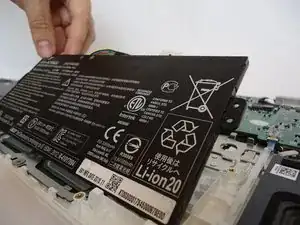
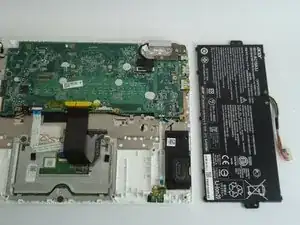
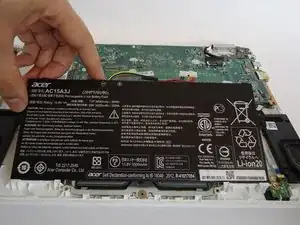
    • Carefully lift the battery from one side, and then lift it out of the laptop.

Conclusión

To reassemble your device, follow these instructions in reverse order.
Ashley Oxner

Miembro Desde 26/09/17

677 Reputación

0 comentarios