Introducción

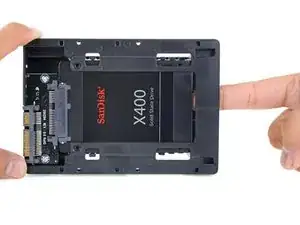
Sigue esta guía para actualizar el disco duro de tu iMac con un SSD. Incluye los pasos para instalar el sensor de temperatura del SSD para que los ventiladores del Mac trabajen a la velocidad correcta.

Guía solo de prerequisito. Actualización del SSD con sensor de temperatura para los iMacs de finales de 2009-2010.

  1. yw5L1XBSIoaFP2lJ
    yw5L1XBSIoaFP2lJ
    IfEYLXa1PVVgeHNR
    EGASiwaQRDU6G5sH
    • Sigue solo los siguientes diez pasos si estás reemplazando tu disco duro con un kit SSD.

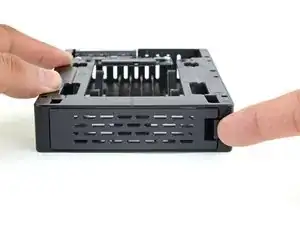
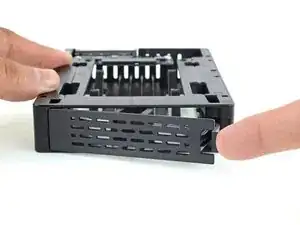
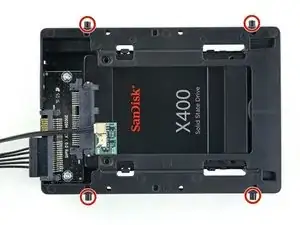
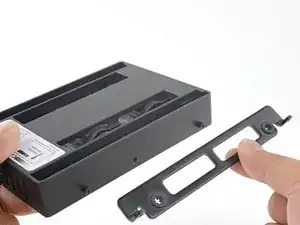
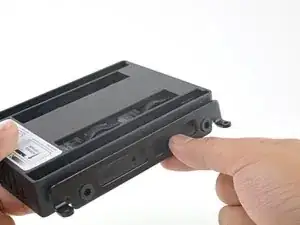
    • Empuja el pestillo de la placa delantera de la carcasa con tu dedo. Mientras sujetas el pestillo pulsado, saca la placa hacia fuera.

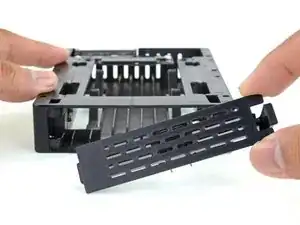
    • Quita la placa delantera.

    Quick and dirty hack : drill a hole in the bracket in the right place so you can screw the SSD to it (measure twice, drill once !) Move the rubber bit from the unused hole to the new one. As the SSD is very light and it’ll be hanging down from the bracket I think this is pretty safe. You’ll also need to find the right screws (M3?) with the proper length. Use mbpfan under linux (https://ineed.coffee/post/a-beginners-tu...) or whatever tool is available in OSX to control fan speed without a temp sensor.

    Christophe Nagel -

    There are several alternative mounts out there. I used this one:

    https://www.amazon.co.uk/Sabrent-Desktop...

    It worked excellently and seems less complicated than the one above.

    Ian Richardson -

  2. pUBuOR5jObRKcgTb
    pUBuOR5jObRKcgTb
    UOsa4yARWVQWPRf3
    wh1n1HnGSGhYLwfL
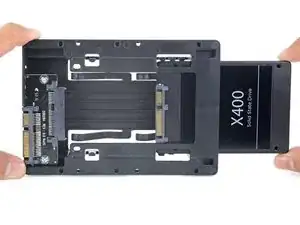
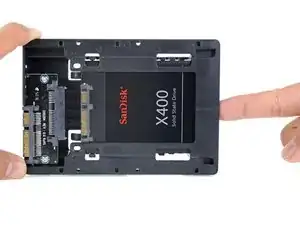
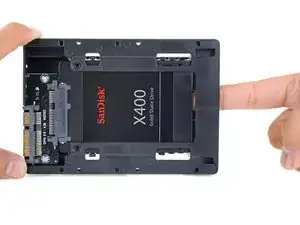
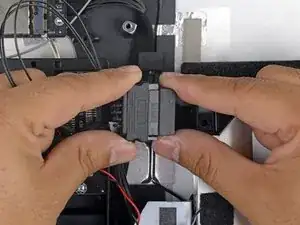
    • Alinea los pequeños conectores SATA para que el lado estrecho del conector en el SSD coincida con el lado estrecho en el conector del receptáculo.

    • Desliza la unidad hacia dentro a través del frontal del receptáculo hasta que el conector SATA quede totalmente dentro.

    • El SSD encaja en el receptáculo solo de una manera. Si los conectores no están alineados, rota el SSD e inténtalo de nuevo.

  3. JZJDQW2yqV5NdNB1
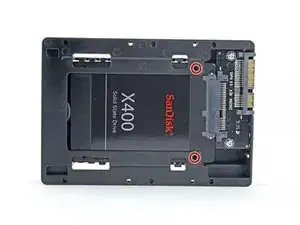
    • Puedes, opcionalmente, instalar dos tornillos Philips #1 que vienen en el kit del receptáculo para fijar el SSD en dicho receptáculo.

  4. SDBAUhNKT3OSAyfF
    SDBAUhNKT3OSAyfF
    3HUjNBmicf1qPBYx
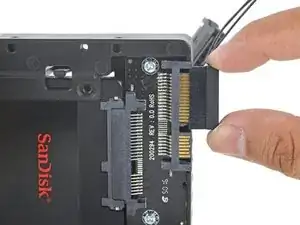
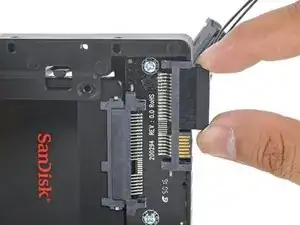
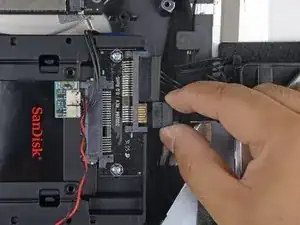
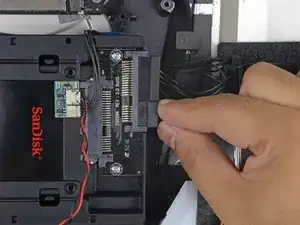
    • Enchufa el cable de energía SATA con sensor en el lado ancho del conector SATA del receptáculo.

    • El cable está diseñado para conectarse solo de una manera posible. Si no puedes conectarlo, rótalo 180º, e inténtalo de nuevo.

  5. Ru3qyqBMjGB6UWVZ
    Ru3qyqBMjGB6UWVZ
    IS51nDDgPwe4d6RK
    HUMtqZgnMp3JBSHb
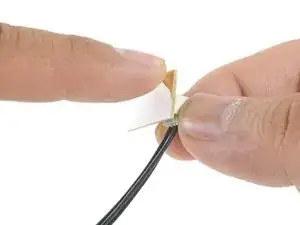
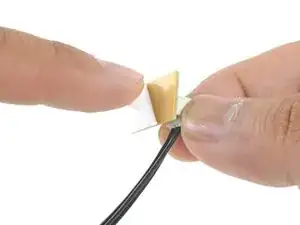
    • Despega el reverso del adhesivo de la pequeña placa del sensor de temperatura.

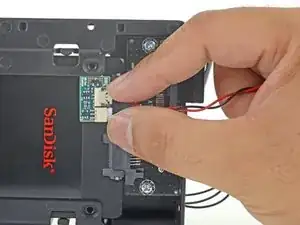
    • Adhiere la placa del sensor de temperatura a un área de metal despejada en la superficie del SSD, tan cerca como sea posible del conector SATA.

    • Dobla el sobrante de los hilos del sensor de temperatura para que no queden en medio cuando instales el receptáculo.

    Where do you get one of these sensor boards?

    guywoodland -

    I brought a cable on Amazon, all comes together! https://www.amazon.co.uk/gp/product/B017...

    dwright78 -

    I can use the thermal sensor of cd-rom ?

    I want to remove out the cd-rom .

    NT Gabi -

  6. 41WaKvAjeolJ4Glh
    • Instala los pines de montaje desde el disco duro antiguo en los lados del receptáculo.

    • Los agujeros en el receptáculo quizá no tengan roscas, así que atornillarlos puede que requiere un esfuerzo adicional. Tómate tu tiempo y atorníllalos despacio, asegurándote de que entran rectos.

  7. Rir2QSOxxJMEIvYX
    Rir2QSOxxJMEIvYX
    hrBxeqIODcNNfoob
    • Coloca cualquier soporte de montaje que quitaras del disco antiguo en el receptáculo.

  8. 3XaugpxxfC6gXUmK
    3XaugpxxfC6gXUmK
    RSjTC1aPMqGrYbd5
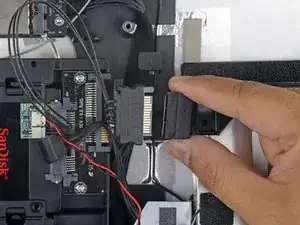
    • Conecta el cable de energía SATA del iMac con el nuevo cable de energía SATA con capacidad de temperatura.

    • Guía los los cables SATA por donde no interieran con ningún otro componente.

  9. uxUSWVSKOkpIIlhJ
    uxUSWVSKOkpIIlhJ
    IED16xrjpBiVOHof
    • Conecta el cable de datos SATA del iMac con el conector de datos SATA del receptáculo.

  10. eUabvnGF3JVdIqLK
    eUabvnGF3JVdIqLK
    xyk1Zy4eGUUtdGEp
    iLUBLDpP3MyXGek4
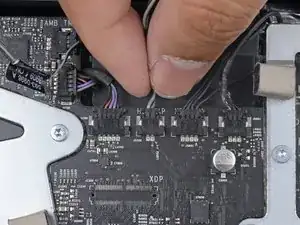
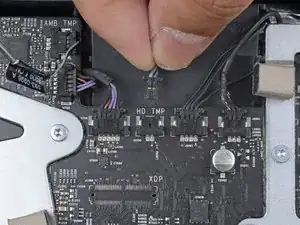
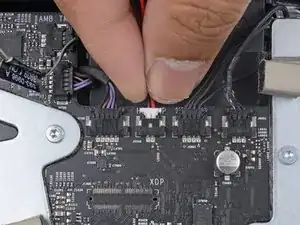
    • Busca un conector en la placa base etiquetado como HD TMP o HDD TEMP

    • Si tienes problemas al localizarlo, sigue el cable de temperatura de dos hilos que desconectaste del disco duro antiguo.

    • Si el cable de temperatura anterior aún está conectado a la placa aquí, desconéctalo y quítalo. Ya no lo necesitarás.

    • Conecta el cable rojo-negro de dos hilos del sensor de temperatura al enchufe de la placa base etiquetado como HD TMP o HDD TEMP.

    • El conector está diseñado para encajar solo de una manera. Si parece que el conector no encaja en el zócalo, dale la vuelta al conector y prueba de nuevo.

    • Guía el exceso de hilo para que no interfiera con ningún otro componente.

    Amazing guide, thanks for making it!

    I replaced my HDD with an SSD and am very happy with the result. Used an aluminium 2.5 to 3.5” adapter to properly locate the SSD in the machine. Using SSD Fan control app (free) and all is good.

    The video connector (flat delicate cable) was quite difficult to put back but otherwise the install was not difficult.

    Tim Biddulph -

    In step 10 you mention that when re-installing the temperature sensor cable when using an SSD just remember to “flip” the cable so it’s installed reversed from when you unplugged it. This will make the fan run properly and not in high speed mode. So if this is all it takes then why bother with a temperature sensor board? Do SSD’s generate enough heat to warrant a temp sensor?

    Great guide though; I plan on using this to swap out my HDD with a SSD soon. Will a third party migration program of HDD system to SSD work with the iMAC like it did for my HP computer?

    Thanks!

    Ken Short -

    Hi Ken,

    I’m not sure which part you are referencing in terms of flipping the cable to make the fan run properly. Step 10 only points out that the connector is keyed in a way such that you can only connect it in one orientation.

    Without the temperature sensor board, the fans will run at full speed. There are some hardware hacks that may keep that from happening, but I would suggest getting software fan control instead to dial your fan speed down.

    Third party migration software (such as Super Duper) should work. You may want to ask on the Answers forum to be sure.

    Arthur Shi -

    The problem (and solutions) are in reference to Apple using proprietary HDD connections. And incidentally, flipping the sensor connector is not a guaranteed fix, it is HDD dependant. Read:

    https://blog.macsales.com/27918-owc-in-l...

    And 3rd party Fan Controller software works fine, just be aware that Apple can effectively make 3rd party Apps non usable at any point, so what works fine today may not work at all tomorrow. Hardwired DOES overcome this possibility.

    Rob Pellew -

    I’m using Carbon Copy Cloning for all my HDD to SSD replacement and it’s working nice. Can take some time if there is much data on the HDD.

    Mikael Bjorkgren -

Conclusión

Para volver a montar tu dispositivo, sigue estas instrucciones en orden inverso.

Arthur Shi

Miembro Desde 03/01/18

219093 Reputación

0 comentarios