Introducción
Si tu PlayStation no se enciende, podría ser que la fuente de alimentación necesite ser sustituida. Esta guía te acompañará durante el proceso de sustitución de la fuente de alimentación.
Nota: Se ha utilizado de ejemplo un modelo SCPH-1001 para esta reparación. Este proceso puede cambiar ligeramente si tu modelo es uno posterior.
Herramientas

-
-
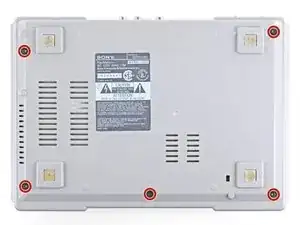
Dale la vuelta a la consola y con un destornillador Phillips # 1 los cinco tornillos de 15.8 mm de largo.
-
-
-
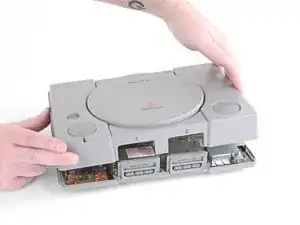
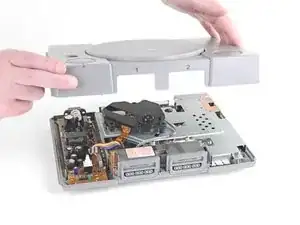
Mientras mantienes la mitad superior e inferior de la consola juntas, vuelve a colocar la consola boca arriba. Levanta la parte superior hacia arriba para quitarla.
-
-
-
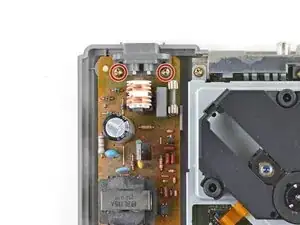
Quita los dos tornillos Phillips 1# de 14 mm que aseguran la fuente de alimentación a la carcasa de abajo.
-
-
-
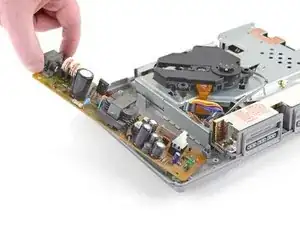
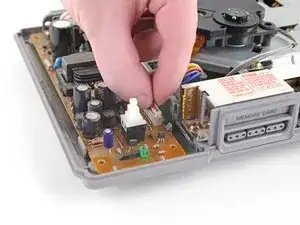
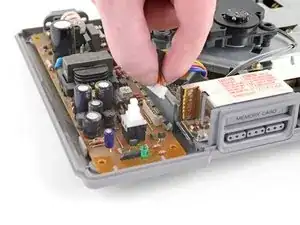
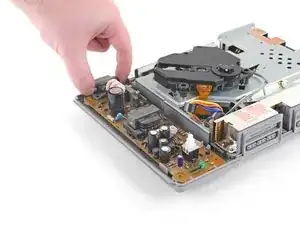
Levanta ligeramente el borde exterior de la fuente de alimentación, después rótalo entero fuera del pequeño clip de su borde interior para quitar la fuente de alimentación.
-
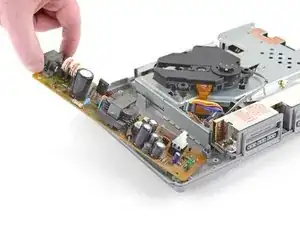
Compara tu recambio nuevo con la pieza original. Quizá necesites transferir componentes o quitar pegatinas adhesivas de la parte nueva antes de instalarla.
Para volver a montar tu PlayStation sigue estos pasos en orden inverso, desde el final hacia el principio.
Recicla las partes electrónicas sobrantes llevándolas al punto limpio más cercano.
¿La reparación no fue como esperabas? Échale un vistazo a Foro de respuestas de PlayStation para ayuda con la solución de problemas.

4 comentarios
Since working with the power supply, it's wise to state in writing to disconnect the AC cord, in addition to showing it disconnected as you have.
Collin -
Once I take out my power supply how do I fix the issue with the power supply
Tiago -
im done removing the power supply so whats next???btw i accidentally plugged my ps1 110v to 220v how to fix that issue???
kendofox -
Before anything unplug your PlayStation and try the power button couple a times to turn on the PlayStation.
Just check the fuse with a multimeter. It is a cylindrical tube with metal on it’s two corners. The easy way is to check continuity with a mutimeter which is a symbol with a speaker on it. Touch red and black probes and you will hear a beep. Connect the two ends of the fuse and if it beeps then fuse is ok. You can even check it while fuse is on the board. If ok and PlayStation is not working then there is a problem somewhere else on the power board, mostly…
Good Luck!!
gUru0026 -
The SCPH-9001 model does not have the Parallel Port panel to remove.
Aislinn -