Introducción
Si la pantalla táctil de tu Apple Watch está rota o no responde al tacto, no puedes apagarlo usando los controles deslizables para apagar. En su lugar, sigue esta guía para apagar tu Apple Watch usando el botón lateral y la corona digital. Después de apagar tu reloj, puedes continuar con las reparaciones.
-
-
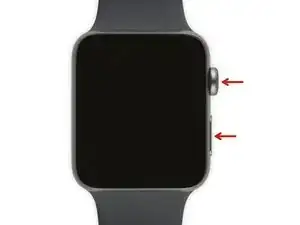
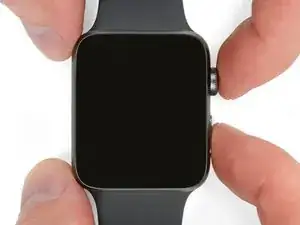
Mantén pulsado tanto el botón como la corona digital simultáneamente
-
Continúa presionando hasta que el Apple Watch se reinicie
-
-
-
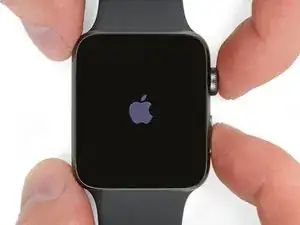
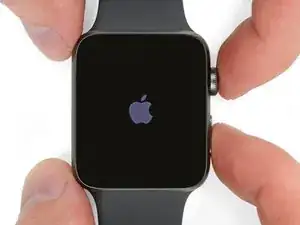
Cuando aparezca en la pantalla el logo de Apple, suelta la corona digital, continúa pulsando el botón lateral.
-
Cuando desaparezca el logo de Apple, suelta el botón lateral.
-
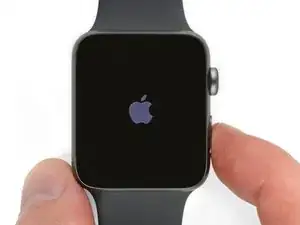
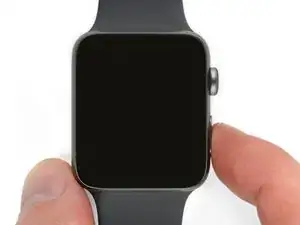
¡Eso es todo! Con tu Apple Watch apagado de manera segura, puedes continuar con las reparaciones.

5 comentarios
Hi Jeff, is this supposed to work with series 3 watches. All I see is the time and a red lightning bolt which then disappears and then reappears
Readers,
If a red lightning bolt is on screen, it needs charged. When charging, it’ll turn green. Note: if watch is drained, it may be a bit before it’s green. If watch is blank or has an Apple Magnetic Charger and red bolt, leave it on for 30m. It should be green by then. If not, and using a Non-Apple “knock off” Charger, try an Apple Magnetic Watch Charger, Apple USB Adapter, and a working wall outlet (NOT a laptop or power bank). If it won't charge or reads “accessory isn't supported”, check for plastic films on either side of magnetic charge pad, and remove it. Clean the back of the watch and unplug and disconnect everything for about 10s. Then plug in and try to charge it. Both are magnetic and “stick” together. You should see the green bolt after some charge time. If not, then force restart (Jeff’s step 1) until Apple logo, then let go. No logo? Try another Apple Charger, Apple Adapter, and/or wall outlet. It’s $159 for a screen fix on a $200 watch. If all of this fails, better to just buy a new one.
Alice -
bonjour
comment s
Nacache -
comment savoir si la batterie est defectueuse mon apple watch serie nike +affiche la pomme et celle-ci diparait serait la batterie ou la mise a jour je ne peux la synchroniser avec mon iphone vu qu’elle ne demare plus merci a vous de me rensseigner
Nacache -