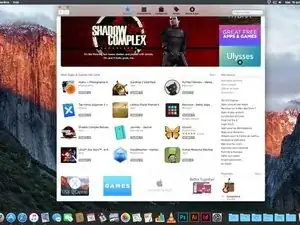
Introducción
Crear un USB de Arranque para Mac OSX El Capitán, Yosemite, Mavericks, MacOS Sierra, MacOS High Sierra MacOS Mojave, MacOS Catalina, macOS Big Sur, macOS Monterey y macOS Ventura.
(La descripción de este proceso también puede encontrarse en la página de ayuda de Apple, siguiendo este enlace: https://support.apple.com/es-es/HT201372
Partes

-
-
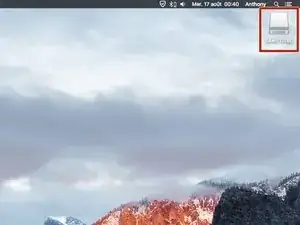
Al final de la descarga, sal de la instalación que se iniciará automáticamente.
-
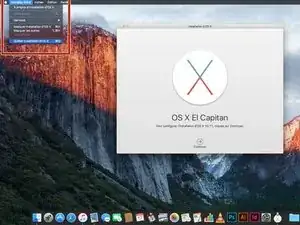
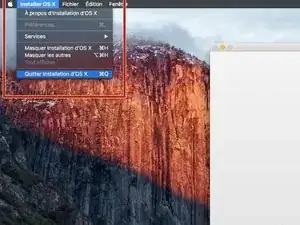
Haz clic en Instalar OS X y luego en Salir de la instalación de OS X.
-
-
-
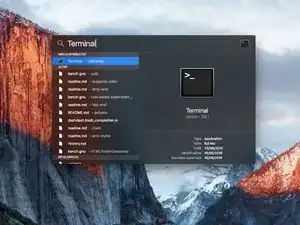
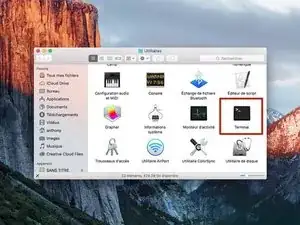
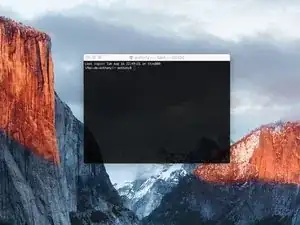
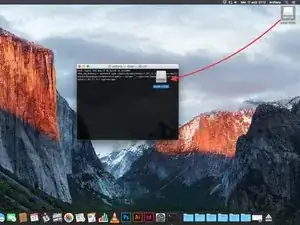
Busca en Spotlight o ve a "Aplicaciones / Utilidad" para iniciar la Terminal.
-
Haz clic sobre el programa encontrado para iniciar la Terminal.
-
-
-
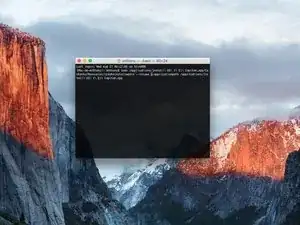
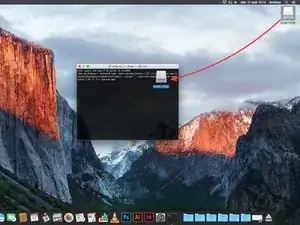
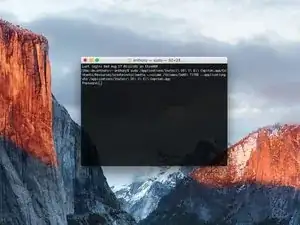
En la Terminal, escribe una de las siguientes líneas de comando (ten en cuenta que el nombre del sistema operativo es el del que quieres instalar en el USB, y no el de tu Mac) :
-
Para El Capitán: sudo /Applications/Install\ OS\ X\ El\ Capitan.app/Contents/Resources/createinstallmedia -- volume /Volumes/MyVolume --applicationpath /Applications/Install\ OS\ X\ El\ Capitan.app
-
Para Yosemite: sudo /Applications/Install\ OS\ X\ Yosemite.app/Contents/Resources/createinstallmedia --volume /Volumes/MyVolume --applicationpath /Applications/Install\ OS\ X\ Yosemite.app
-
Para Mavericks: sudo / Aplicaciones / Install \ OS \ X \ Mavericks.app/Contents/Resources/createinstallmedia --volume / Volumes / MyVolume --applicationpath / Applications / Install \ OS \ X \ Mavericks.app
-
Para Sierra: sudo /Applications/Install\ macOS\ Sierra.app/Contents/Resources/createinstallmedia --volume /Volumes/MyVolume --applicationpath /Applications/Install\ macOS\ Sierra.app
-
Continua al siguiente paso.
-
-
-
Para High Sierra: sudo /Applications/Install\ macOS\ High\ Sierra.app/Contents/Resources/createinstallmedia --volume /Volumes/MyVolume --applicationpath /Applications/Install\ macOS\ High\ Sierra.app
-
Para Mojave: sudo /Applications/Install\ macOS\ Mojave.app/Contents/Resources/createinstallmedia --volume /Volumes/MyVolume
-
Para Catalina: sudo /Applications/Install\ macOS\ Catalina.app/Contents/Resources/createinstallmedia --volume /Volumes/MyVolume
-
Para Big Sur : sudo /Applications/Install\ macOS\ Big\ Sur.app/Contents/Resources/createinstallmedia --volume /Volumes/MyVolume
-
Para Monterey : sudo /Applications/Install\ macOS\ Monterey.app/Contents/Resources/createinstallmedia --volume /Volumes/MyVolume
-
Para Ventura: sudo /Applications/Install\ macOS\ Ventura.app/Contents/Resources/createinstallmedia --volume /Volumes/MyVolume
-
-
-
Después de cambiar la ruta, presiona la tecla "Enter".
-
Ingresa tu contraseña de usuario.
-
Presiona "Enter" tras ingresar tu contraseña.
-
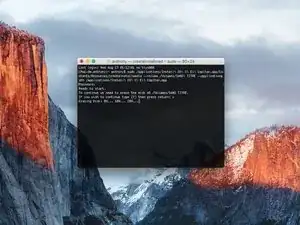
Comprueba el nombre y la ruta de tu unidad USB. Si ambos son correctos, presiona la tecla "y", y luego "Enter".
-
Se iniciará la creación de la nueva unidad, sé paciente hasta que concluya el proceso.
-
-
-
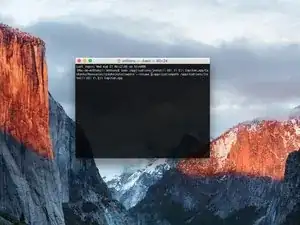
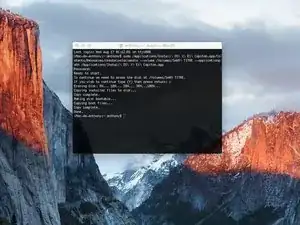
Cuando la Terminal muestre el mensaje "Done", la creación de la unidad de arranque habrá finalizado.
-
Ahora podrás iniciar tu unidad de arranque pulsando "alt" al encender tu Mac.
-

84 comentarios
if it is possible with power iso i have installed this one on my system. http://standaloneinstaller.com/download-...
You mean create a USB key from Windows ?
Absolutely possible because I successfully created a Big Sur USB installer on my Windows 10 PC with UUByte DMG Editor.
However, you should download the macOS dmg file first. This software can quickly burn DMG file to USB and you will get a bootable macOS USB disk in a few minutes.
BTW, it also has a Mac version you can try out.
Johin114 -
I'm thinking of using this method to revert back to an older os due to my mac slowing down with Sierra. Will I be able to install just Yosemite or el capitan? Without installing previous os upgrades? This way I can have a fresh mac book.
Hello,
Yes you can but with this method, we must make a clean install.
So, please sure you save all your data to another hard drive.
Réparer ma clé usb
I have previously downloaded this file, but it does not show up on my purchased list. Also tried Apple Support downloads, but they only have “Update” versions to download.
Peter Simons -
If, you’re on macOS Majove, it’s impossible to download previous versions of Mac systems. Excepted, macOS High Sierra but, I don’t know for how long.
Anthony Fassler -
If you have issues logging into the (App Store -> purchased) due to 2FA, get the code sent to your device and append it to your Apple ID password to log in
Joe Verba -
You can download older versions of the OSX. Here are the download-links (unfortunately an article in german, but you can find the download-links below):
https://www.macwelt.de/a/high-sierra-sie...
Gerrit -
If you already have Mojave and just want to download the installer, you might not able to until you disable auto update.
Just head to the Mojave page:
https://apps.apple.com/ph/app/macos-moja...
Then click the download button.
Software Update will come up, click Advanced and uncheck the auto update.
You will be able to download now.
Edmar Herrero -
Does not work anymore :-(
wanda_name -
Hélas , en effet : j’ai été prise de vitesse car je pensais devoir acheter un MAC neuf , et quand j’ai vu les performances à prix égal à celui payé en 2013 , j’ai dit NON !
Comment continuer de me servir de mon MAC BBOK PRO ?
Votre site répond à toutes nos question , même l’assistance en ligne de APPLE est incompétente !
Merci
GULLY -
I’m trying to make a bootable usb for El Capitan for a SSD - my current working mac is High Sierra - is this doable? I keep getting errors because El Capitan is too old to run on my working mac.
Claire -
Hi Claire did you get any response about this enquiry?
Gabriel Davila -
https://support.apple.com/fr-fr/HT201260
tidrol_69 -