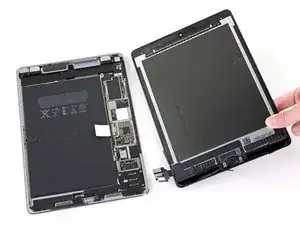
Introducción
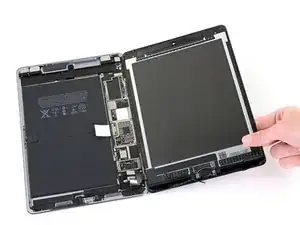
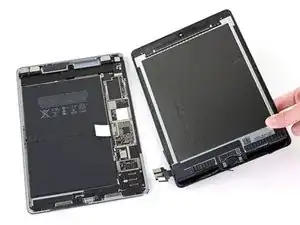
Solo requisito previo. Esta guía muestra cómo desconectar el ensamblaje de la pantalla del iPad Pro.
Herramientas


-
-
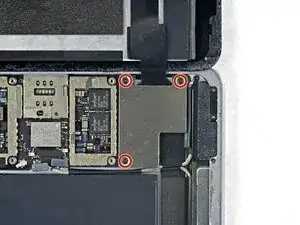
Utiliza un destornillador Phillips para quitar los tres tornillos Phillips de 1,3 mm que sujetan el soporte del cable de la pantalla.
-
-
-
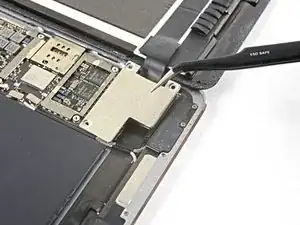
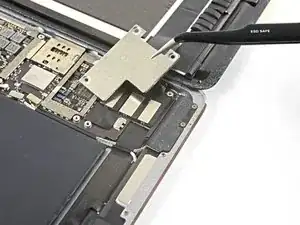
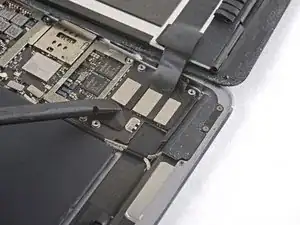
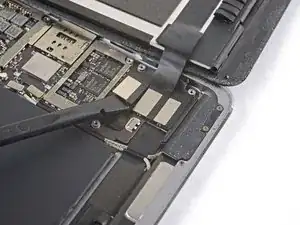
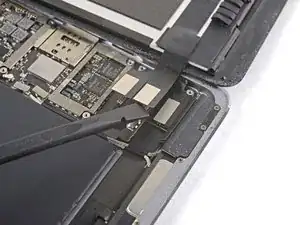
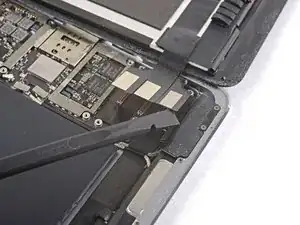
Usa el extremo plano del spudger para desconectar el conector del ensamblaje de la pantalla del zócalo de la placa base.
-
Conclusión
Para volver a armar tu dispositivo, sigue estas instrucciones en orden inverso.

i think we need to talk about the battery situation here. apple change up the style of battery connector on this model as well as some others. if someone can add to this list and add the appropriate photos in the right spot should help someone else. the battery tabs are open towards the battery side and inserting a tool in this area can pry them open further and damage or rip off the tab. some have found that by lifting on either side of the battery tab, they would not even encounter the tabs.
greg -