Introducción

Aprenderás a quitar la rueda de desplazamiento del soporte.

  1. 6WMstbCnH3PhThkP
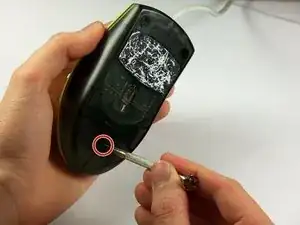
    • Sostén el mouse para que la parte inferior quede hacia arriba.

    • Retira el único tornillo Phillips n.° 1 de la mitad inferior del mouse.

    باز کردن پیچ زیر موس

    h sh -

    There may be a sticker covering the screw hole.

    Eric Jensen -

  2. hDwERLZWVWAfdpEN
    hDwERLZWVWAfdpEN
    FNtJNYIZBK3ADw41
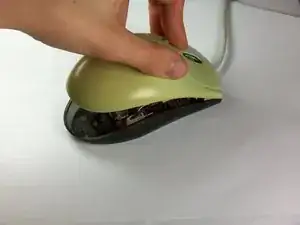
    • Coloca el mouse de modo que la parte inferior descanse contra una superficie dura.

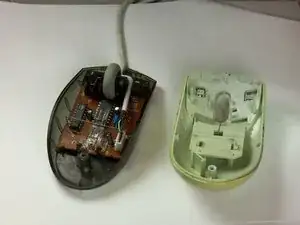
    • Levanta la cubierta superior del mouse con cuidado y retírala.

    جدا کردن قاب رو و زیر موس

    h sh -

    The cover doesn’t lift straight up on my model - once you raise the back slightly as shown, gently pull it backward (parallel to the table top, away from the cord) to disengage two plastic clips that connect the bottom to the top.

    Eric Jensen -

  3. L4xLpPJ61EikRSJG
    L4xLpPJ61EikRSJG
    AhXtWhTjZODCTEeS
    Omgj4nRMIeUakGeu
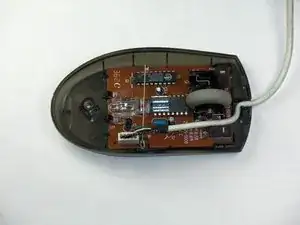
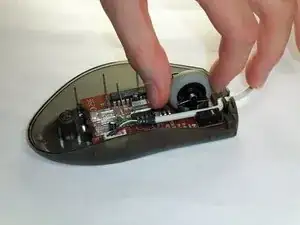
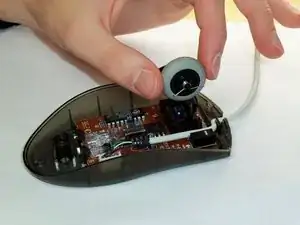
    • Ubica la rueda de desplazamiento en el mouse.

    • Coge la rueda de desplazamiento con el pulgar y el índice.

    • Levántala suavemente para quitar la rueda de desplazamiento del mouse.

    خارج کردن چرخ اسکرول موس

    h sh -

    Good information!

    My mouse is like new again.

    Many thanks

    Arie Dekker -

  4. SRELHGKXilgwQNYm
    SRELHGKXilgwQNYm
    lJuKSc5uMPHpCSiv
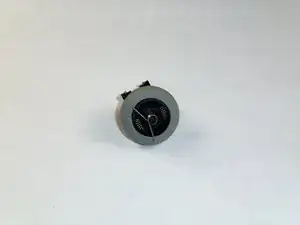
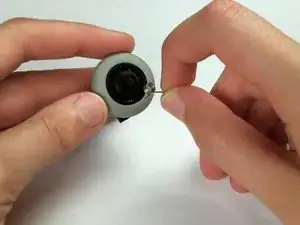
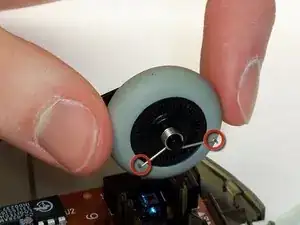
    • Ubica el resorte en la rueda de desplazamiento y retíralo con cuidado.

    نحوه قرارگیری فنر سمت راست چرخ اسکرول

    h sh -

  5. ZOqv2FQI4aeIJQBN
    ZOqv2FQI4aeIJQBN
    TnTUsubvcKJNIXRO
    • Coloca el resorte de reemplazo en el lado correcto de la rueda (que se muestra en las imágenes) con las puntas hacia abajo.

    نحوه قرارگیری فنر سمت راست چرخ اسکرول

    h sh -

  6. cfQquEF2rm4AH1WP
    cfQquEF2rm4AH1WP
    lGBYfciDS3YNEc5E
    nqcHh2PVdenuCrAL
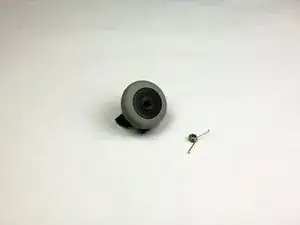
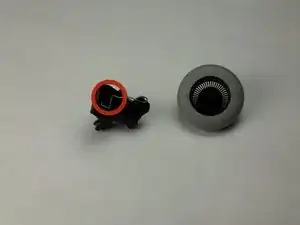
    • Utiliza las imágenes para ubicar dónde está el resorte de resistencia.

    • Este resorte se caerá fácilmente.

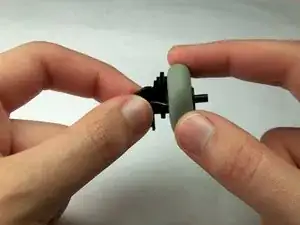
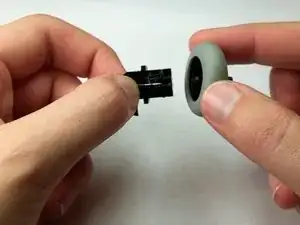
    • Toma la rueda de desplazamiento y su soporte y sepáralos suavemente.

    نحوه قرارگیری فلز سمت چپ چرخ اسکرول

    h sh -

Conclusión

Para volver a armar tu dispositivo, sigue estas instrucciones en orden inverso.

Maximilian Betkowski

Miembro Desde 11/01/13

235 Reputación

7 comentarios

Excellent! I took an MBJ58 apart to remove accumulated gunk, and the resistance spring jumped onto my worktable before I noticed where it came from. Thanks for the help, well done!

Marty Swartz -

Heh, me too. Couldn't for the life of me figure out how it went back in. Thanks for the guide!

Steve Bennett -

Same thing happened to me...saved me a trip to the store for a new mouse!!

thanks for taking the time to post these photos!

Bill McFarland -

huh, thank you very much, amazing guide, the only for this product in Internet , and amazingly accurate

leartzajmi -

the resistence spring falled off on mine how do i out it back on help

Tay Carr -

سلام، عالی بود، خیلی ممنون

hi, very good Education. very thanks

h sh -

Guida utile e ben dettagliata che mi ha consentito di prolungare la vita del mio mouse e soprattutto capire come sistemare le molle !

Fulvio Serlenga -