Introducción
El teclado de superficie es uno de los intentos de Microsoft de llevar un teclado de estilo portátil al espacio del escritorio. Originalmente introducido junto con Surface Studio, este teclado ha sido defendido y odiado por igual por varios críticos de tecnología. Este desmontaje proporcionará información sobre la construcción del teclado y las decisiones de diseño de Microsoft.
Herramientas


-
-
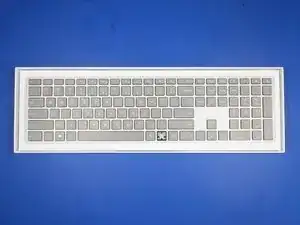
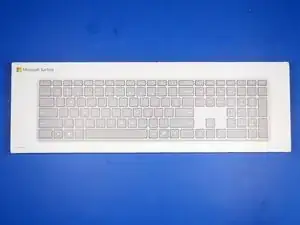
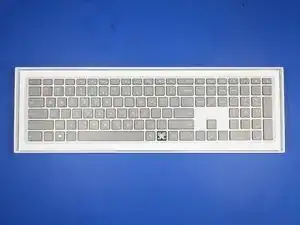
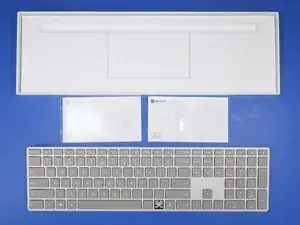
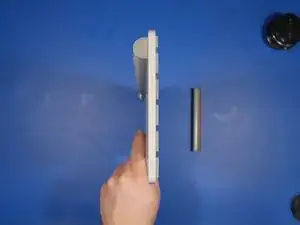
La caja es una representación a escala del producto. Es casi un punto en.
-
Es una caja - no es un teclado - no es una caja ...
-
-
-
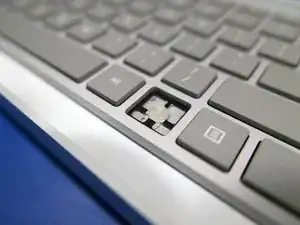
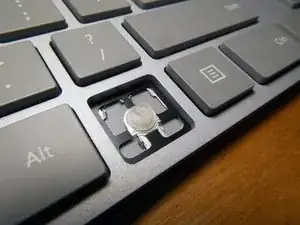
¿Por qué el derribo? Recibí este teclado de un listado "usado" de eBay, y resultó que tenía una tecla rota.
-
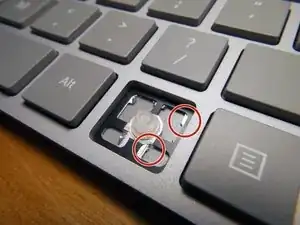
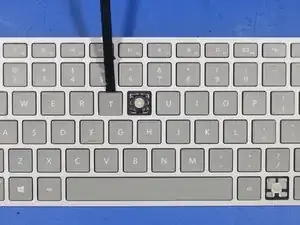
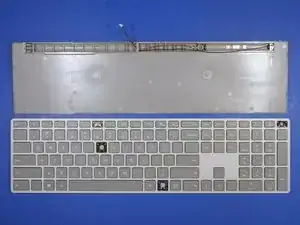
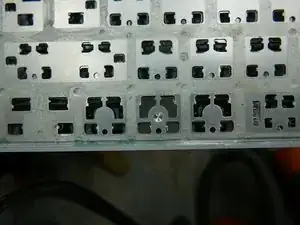
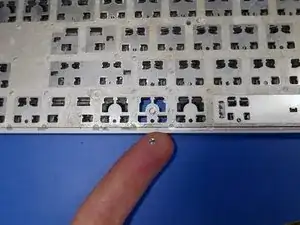
Las lengüetas de las teclas que sujetan la tecla a la base del teclado se cortaron, haciendo que la reparación de la clave de Windows no sea prácticamente imposible.
-
-
-
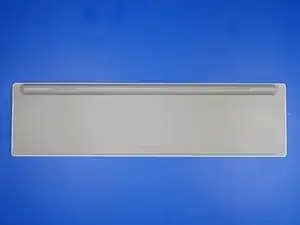
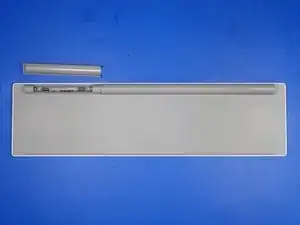
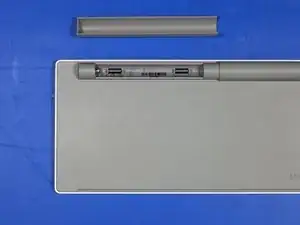
La parte posterior del teclado presenta un compartimiento para baterías sin tornillos y no mucho más.
-
La cubierta de la batería se mantiene en su lugar mediante imanes de neodimio y el recubrimiento de plástico metalizado en la cubierta.
-
-
-
Antes de desarmar un producto, me gusta tomarme el tiempo para analizar la construcción exterior y la construcción general del artículo. Esto me da una mejor idea de cómo el producto fue ensamblado y producido en masa.
-
La mejor manera de hacerlo es buscar costuras o imperfecciones en la construcción del edificio.
-
¿Se dobla o flexiona la parte cuando se aplica una pequeña tensión? ¿Hay grandes lagunas en la construcción? ¿Hay algún adhesivo obvio que cubra los sujetadores?
-
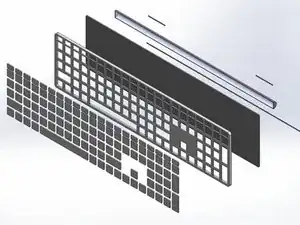
Así es como me imaginé el teclado para ser construido en mi cabeza. Tuve la sensación de que se trataba de un ensamblaje gigantesco pegado y encajado, pero necesitaba verificar eso primero.
-
-
-
Después de inspeccionar las costuras, reviso debajo de las calcomanías y los pies de goma pegados. Todavía no hay signos de tornillos.
-
-
-
Sería bastante inflexible poner tornillos debajo de las llaves. Por suerte ese no es el caso aquí.
-
Para retirar una llave, coloque un spudger de plástico debajo de la llave desde el borde superior. Aplique un poco de presión hacia abajo sobre el spudger para levantar la llave. La tecla debe hacer estallar sonidos y desbloquear los clips metálicos debajo de la tecla que lo sostienen en el marco del teclado.
-
-
-
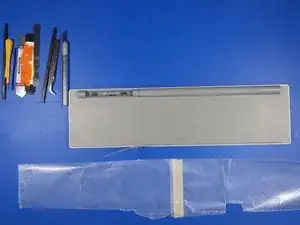
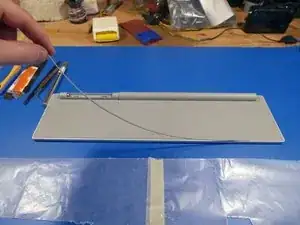
Temiendo lo peor, corté una tira de papel encerado y quité completamente la parte inferior de goma del teclado.
-
Todavía no hay tornillos a la vista.
-
-
-
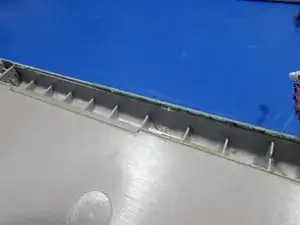
El ajuste y acabado de este teclado es bastante bueno, de hecho, demasiado bueno. Prácticamente no hay espacio para colocar una herramienta de palanca en ninguna costura del teclado.
-
-
-
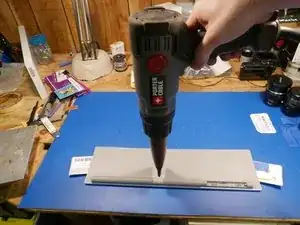
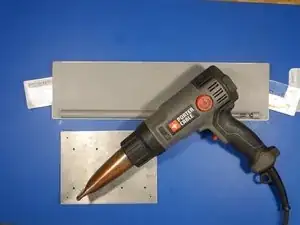
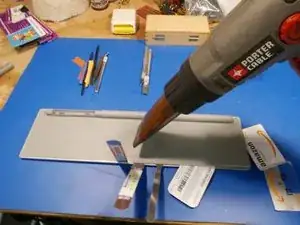
Con la cantidad de cinta adhesiva de doble cara y pegamento dentro de este teclado, sería conveniente utilizar una herramienta iOpener o una pistola de calor antes de comenzar a abrir el teclado.
-
Utilicé una pistola de calor un poco más tarde en el proceso de palanca porque temía derretir y deformar el plástico trasero del teclado. Por suerte, ajustar la pistola de calor a su posición más baja activó el pegamento lo suficiente para volverse flexible.
-
-
-
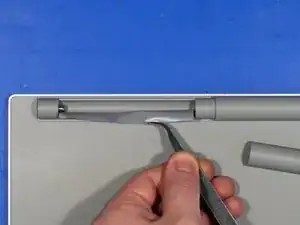
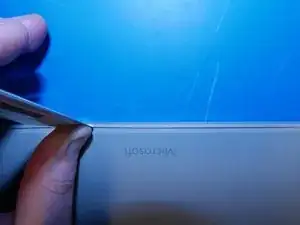
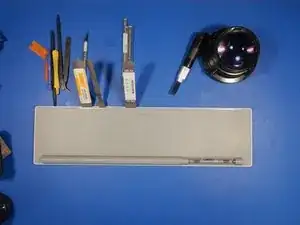
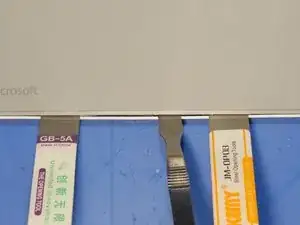
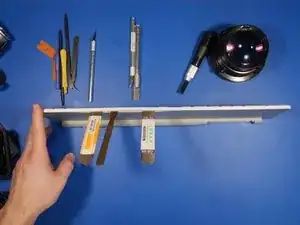
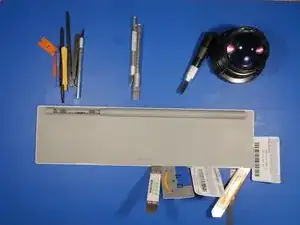
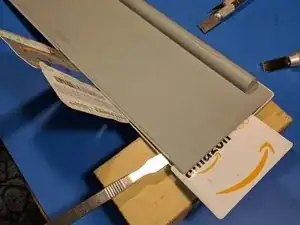
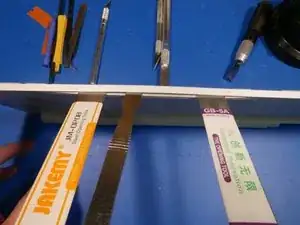
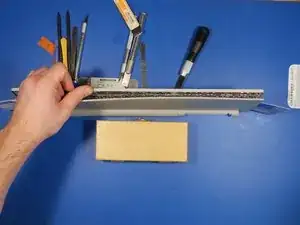
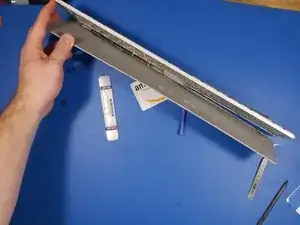
Ahora, por la brecha. ¡Prepara tu aluvión de herramientas de palanca! Usé spudgers de plástico, spudgers de metal, tarjetas de plástico y cuchillos X-ACTO para abrir esto.
-
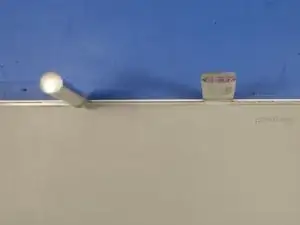
El espacio entre la cubierta de aluminio y la placa trasera de plástico era tan apretado que tuve que usar una cuchilla X-ACTO con la hoja número 18 de cabeza cuadrada para ampliar el espacio lo suficiente como para deslizar mi spudger de metal.
-
-
-
Solo después de aplicar calor pude llegar a cualquier lugar con la palanca.
-
Lo pondré de esta manera: ¡dos herramientas de palanca de metal simplemente no son suficientes! Afortunadamente tuve algunas tarjetas de regalo de repuesto por ahí: D.
-
-
-
Con unas cuantas rondas más de calor y haciendo palanca finalmente estaba llegando a algún lugar.
-
-
-
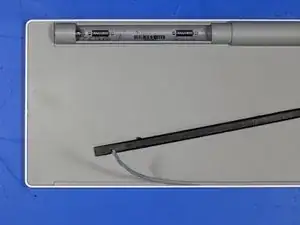
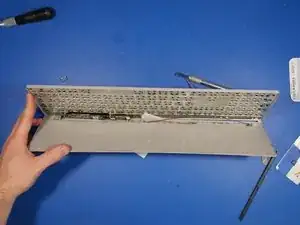
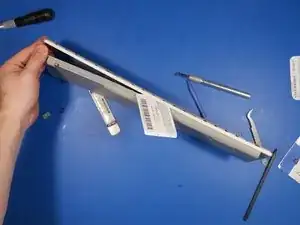
Las dos mitades principales comenzaron a separarse con cierta persuasión.
-
Tarjetas de regalo realmente son útiles. Permiten alguna acción de palanca sin dañar las partes emparedadas. Si usara un spudger de metal para este paso, podría haberme arriesgado a rasgar el único cable de cinta dentro de este teclado. Guarde sus tarjetas de regalo!
-
-
-
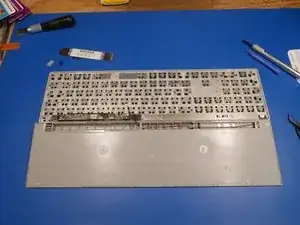
Finalmente aparte!
-
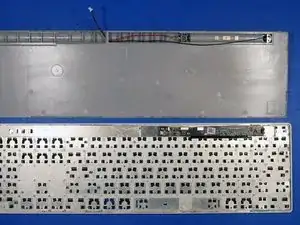
Con el teclado separado, es evidente que Microsoft usó cinta adhesiva de doble cara alrededor de cada tecla y pegamento en el borde exterior del teclado.
-
-
-
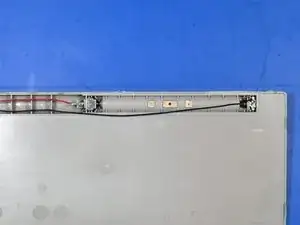
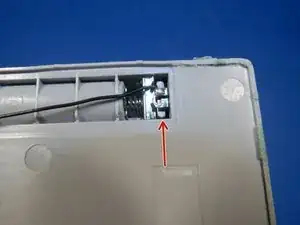
Primer plano del compartimiento de la batería.
-
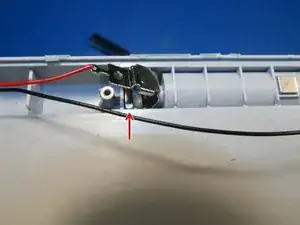
¡Imanes de neodimio en ambos terminales y en la parte superior del compartimiento!
-
Los imanes superiores sujetan las baterías AAA a la parte superior de la sección de la batería de plástico. La única forma de extraer fácilmente las baterías de la carcasa es tocar con fuerza la parte superior del teclado.
-
-
-
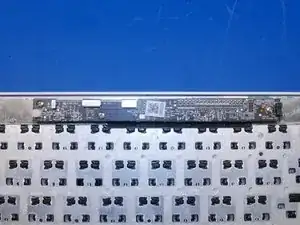
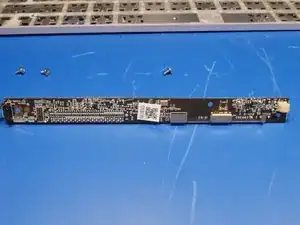
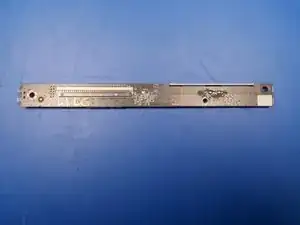
El PCB principal es bastante pequeño y mide 12 mm x 170 mm.
-
La parte posterior de la PCB es escasa con solo un conector de cable de cinta y algunas juntas de soldadura.
-
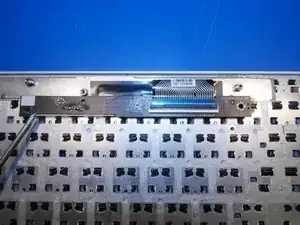
La placa de circuito flexible para las llaves del domo de goma termina en un cable de cinta de múltiples cables que se conecta a la PCB principal.
-
-
-
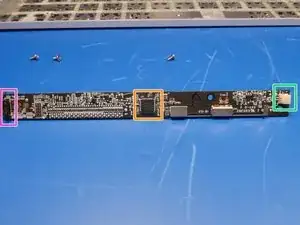
El lado superior de la PCB está más densamente empaquetado que el lado posterior. Hay un chip principal, algunos componentes pasivos, un conector de batería, el interruptor Bluetooth y la antena Bluetooth.
-
Semiconductor nórdico nRF51822.
-
Conector de batería de 2 pines JST.
-
Botón para el emparejamiento de Bluetooth.
-
-
-
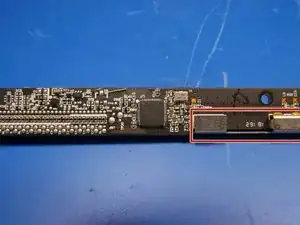
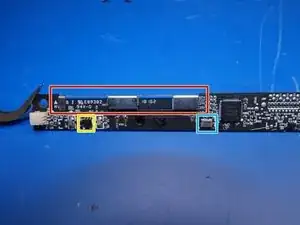
Una mirada más cercana a la antena bluetooth. A pesar de que esto se parece más a un soporte que a una antena, se ha dimensionado adecuadamente para el ancho de banda de 2.4ghz.
-
Reloj en tiempo real.
-
Microchip Microchip VUA Potencia IC / Regulador de voltaje.
-
-
-
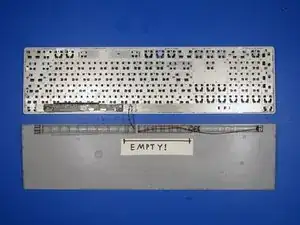
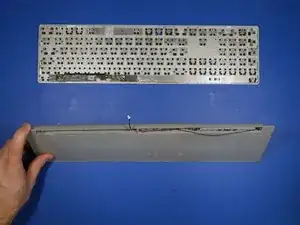
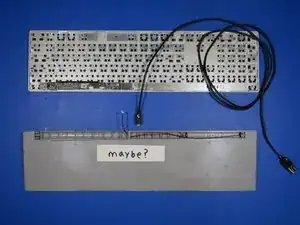
Es bastante interesante que Microsoft haya dejado intencionalmente un espacio acanalado vacío en el compartimiento inferior del teclado.
-
¿El teclado moderno de Microsoft a alguien?
-
-
-
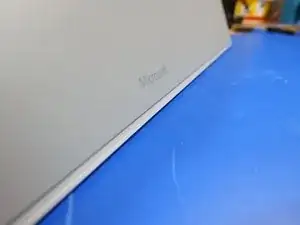
Continuando con el análisis del teclado de superficie, hay algo especial que Microsoft ha ocultado a sus clientes: a simple vista.
-
-
-
Adaptaciones líricas entrantes *
-
¿Por qué escribir era para ser difícil?
-
¿Por qué no eres una fuerza de elección?
-
¿Por qué el mundo entero ama mi voz?
-
¿Por qué trato de decirles que es mi golpe de teclado, hijo?
-
¿Y sabes por qué hicieron la nueva surface?
-
Porque no hay luz de fondo en los viejos, ¡por eso!
-
-
-
Una de las mayores quejas del teclado de superficie es que no tiene retroiluminación.
-
Es bastante triste que Microsoft haya elegido diseñar un teclado teniendo en cuenta varias iteraciones intencionales, en lugar de producir el mejor teclado delgado que pudieron.
-
Un cambio rápido de diseño, como agregar un agujero debajo de cada tecla, una capa de difusión óptica y algunos LEDs habría agregado una retroiluminación simple y funcional.
-
Para una mayor investigación sobre este teclado, echa un vistazo a mi Proyecto de hackeo de teclado de Surface.
-



13 comentarios
Man, how rude to use glue for a keyboard! I wanted to open my Surface Ergonomic keyboard in hopes it had JTAG or other diagnostic port that would enable me to twiddle with its brain, since macOS does not believe it is a keyboard but rather just a generic bluetooth HID :(
Thank you for sacrificing your keyboard to spare me the pain of discovering the hard way that my keyboard is glued together
No problem! I’m glad you enjoyed the teardown. I sure wish they used screws instead of adhesive. It would make retrofitting a backlight far easier.
If I discover anything interesting from probing that 10 pin unpopulated header I’ll be sure to provide an update.
hey Anthony, i have the same problem with one of the keys (the big “0” on the numerical part). Did you find a solution for fixing the “key tabs that hold the key” that sheared of of mine as well?
Hi Bas! Unfortunately, I did not attempt to repair the broken aluminum key tabs that hold the key in place. However, I can point you in the right direction if you want to get creative and try a DIY fix. Carefully pop another key off your keyboard with something wood or plastic (like a plastic spudger) and analyze the metal locking tab design Microsoft implemented. Find another piece of aluminum of the same thickness and carefully cut out that tab shape. Try adhering your designed tab to the location where the broken aluminum key tab is situated. Epoxy or titanium putty should bond aluminum to aluminum. I would use a toothpick or sewing pin as an adhesive applicator. I think you will have success if you take your time and be patient. Good luck!
Thanks Anthony… i will do my best. I was thinking along that way as well, but also about replacing the key with a fully or partially silicon alternative (using a printed 3D mold). I dont mind seeing the repair. I really enjoyed your Salvage Circuitry website and the disassembly of the keyboard. 0 out of 10 for opening?
how to connect this keyboard without a button. I have it with a broken button. someone will be grateful.