Introducción

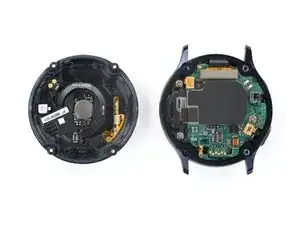
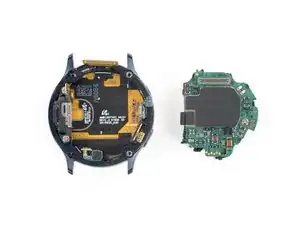
Usa esta guía para quitar el conjunto central de tu Samsung Galaxy Watch Active2.

  1. PpZOv4HwIXocgyLa
    PpZOv4HwIXocgyLa
    URGisUyoLxnnOdxd
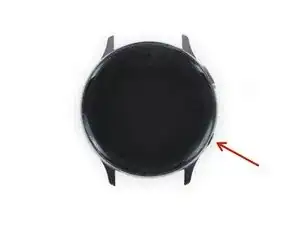
    • Apaga el Galaxy Watch Active2 manteniendo presionado el botón inferior durante aproximadamente 3 segundos. Deberías sentir una vibración corta.

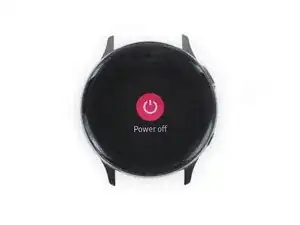
    • Cuando aparezca el símbolo de "Power off", toca el centro de la pantalla para que se apague. Deberías sentir una vibración más larga para confirmar.

  2. uu5BVXM3mPVqtxCV
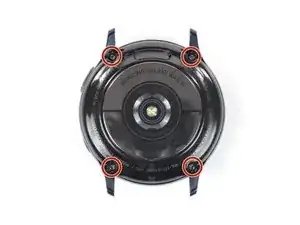
    • Usa un destornillador Tri-point Y00 para quitar los cuatro tornillos de 4 mm de largo en la parte posterior del reloj.

    Y1.5 works just as good

    BRIAN MIRANDA -

  3. gaLLXZL6PtTfeKTr
    gaLLXZL6PtTfeKTr
    R12EOStuFS1gSrnJ
    pEvRLZfPye6TlF5x
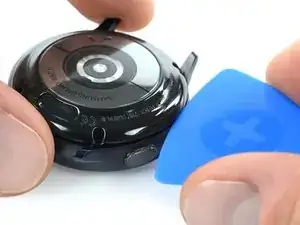
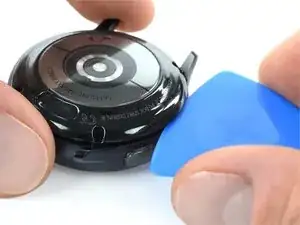
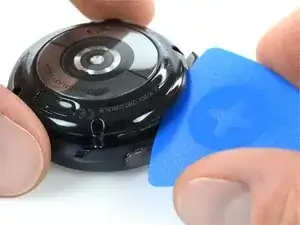
    • Usa una púa de apertura y colócala entre la tapa trasera de plástico y la carcasa de metal cerca de los botones.

    • Empuja la púa de apertura en el espacio para separar la tapa trasera de la carcasa.

    • No quites la tapa trasera del todo todavía. Hay un cable que lo conecta a la placa base.

    There is a glue-ish gasket keeping it closed. I used an exacto knife to start it opening.

    BRIAN MIRANDA -

    This was super helpful thank you! Perfect timing

    this is trash -

    Waarmee kan ik de achterste oplaadplaat weer vast lijmen op de achterste behuizing

    Ilona Smit -

  4. bpWZC4dQSQhyoeRG
    bpWZC4dQSQhyoeRG
    HBeHnBVjm3DQi5vK
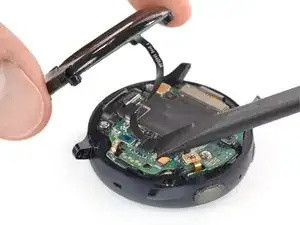
    • Levanta con cuidado la tapa trasera para acceder al conector del conjunto de sensores.

    • Usa un spudger para desconectar la matriz de sensores de la placa base.

    Ou je peu me procurer le tourne vis tri point 000

    grenierlulu -

  5. IgBIqAvjWTgdSyaX
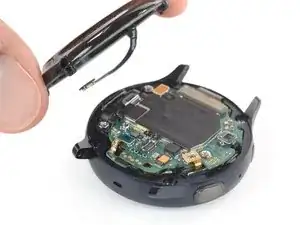
    • Retira la tapa trasera.

  6. hLMRrQcln2F44EQC
    hLMRrQcln2F44EQC
    nO2YThO42whDToCV
    J1U56kAhiy32Q3hP
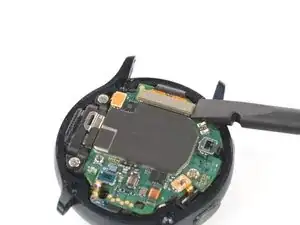
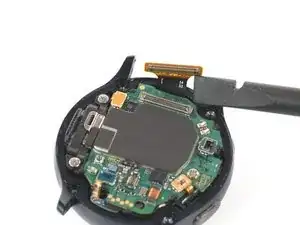
    • Utiliza un spudger para desconectar la pantalla y el altavoz

  7. ZyS3IXZroO6LiUpm
    ZyS3IXZroO6LiUpm
    vZEaGvB25hI1MnBW
    edFTAGtRlQHABfbw
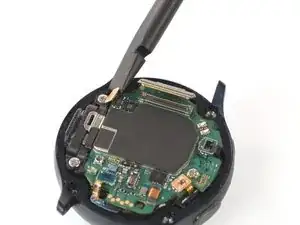
    • Usa un spudger para desconectar el sensor barométrico, los botones y el micrófono.

  8. 4qX2lhcADWyrkPW6
    4qX2lhcADWyrkPW6
    Ti3ToIYjPAZSBcck
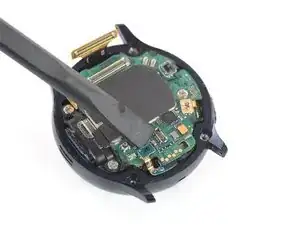
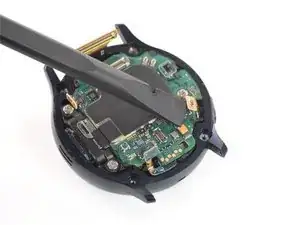
    • Coloca un spudger debajo de la placa base en la parte superior derecha al lado del conector de la pantalla.

    • Gira ligeramente y haz palanca con el spudger para aflojar el conjunto central.

    • Puede que te ayude revisar también los comentarios debajo de esto y el siguiente paso si tienes dificultades.

    I would not suggest to do so. There are components underneath the motherboard as well. There are none in this specific corner, but the core assembly does not come out that easily and people might try other corners and positions. Rather unscrew the motherboard and remove the battery from the core assembly directly.

    Nicola Tambascia -

  9. yUc2Y4nQihhPqWvT
    yUc2Y4nQihhPqWvT
    QNKTxIJwKFhonAco
    sdqNalvtlsoNgOk3
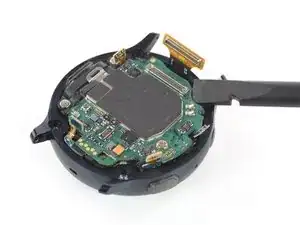
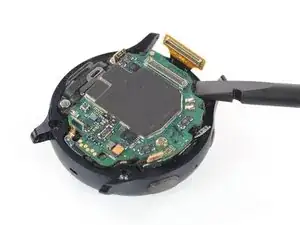
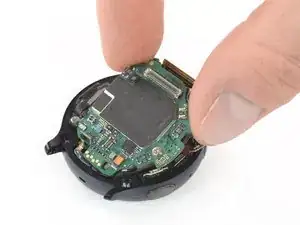
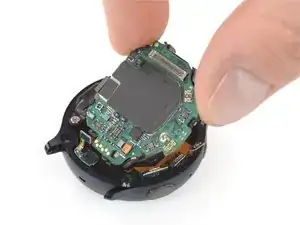
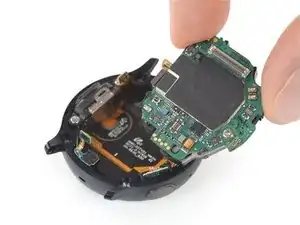
    • Toma el conjunto central y deslízalo con cuidado para sacarlo de debajo de los cables.

    • Retira el conjunto central

    I had to remove that screw on the core assembly using a Phillips 000. When I initially tried lifting, the core assembly started to bend. Mine also has a connector under the core assembly near the thumb in the picture. The connector goes from the underside of the core assembly to the screen/body. It prevents me from removing the core assembly as I'm not sure how it should be removed examining it

    Louis Finney -

    This step is really difficult, and I'm still not sure it was necessary. The core assembly is really packed in there, and it took me several attempts, lifting from various corners. Don't pull by the circuit board. It will bend if you're not careful. You've got to get under the core assembly. I had the most luck starting next to the display connector at the top, then moving to the sensor on the other end of the board (barometric sensor), then moving to the speakers on the left, and finally lifting from multiple points once it was out far enough. In really hoping I didn't damage anything.

    Karl Arp -

    I think the comments here should be added to the step before.

    Nicola Tambascia -

Conclusión

Para volver a armar tu dispositivo, sigue estas instrucciones en orden inverso.

Tobias Isakeit

Miembro Desde 31/03/14

108306 Reputación

0 comentarios