Introducción

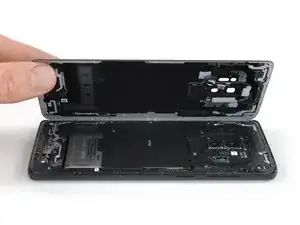
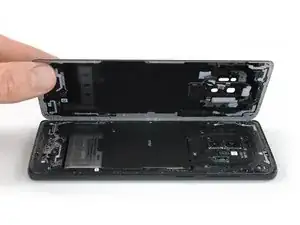
Usa esta guía para remover el cristal trasero del Samsung Galaxy S9 Plus.

Abrir el teléfono Samsung Galaxy S9 Plus dañará los sellos impermeables en el dispositivo. Si no reemplazas los sellos adhesivos, tu teléfono funcionará normalmente, pero perderá su protección contra el agua.

Necesitarás adhesivo de reemplazo para volver a adherir los componentes cuando vuelvas a ensamblar tu dispositivo.

  1. SPUojd6GbtYKZRiM
    • Apaga tu teléfono.

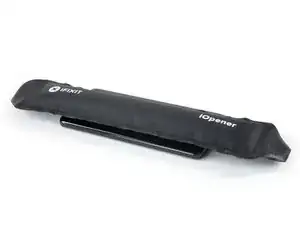
    • Usa un iOpener para ablandar el adhesivo debajo del cristal trasero. Aplica el iOpener durante al menos dos minutos. Puedes repetir este paso durante la extracción de la tapa trasera.

    • El adhesivo del Samsung Galaxy S9 Plus es muy fuerte. Se puede usar un secador de pelo, una pistola caliente o una placa caliente si no puedes abrir el dispositivo con el iOpener. Ten cuidado de no sobrecalentar el teléfono. La pantalla AMOLED y la batería interna son susceptibles de sufrir daños por calor.

    I don't know how much longer should I use for the min heat gun.

    Hui Chen -

    Only heat it up so you can still handle the phone. That depends on your heat gun. Wearing (ESD-)gloves might give you some extra degrees.

    Tobias Isakeit -

    It is very very hard to remove the back glass due to the adesive… I don't know if it is possibile (at least for everyone) to remove it wothout broking the glass

    Luigi -

    This is nearly impossible without breaking the glass or risking overheating. I would say apply heat repetitively for 6-8 minutes. The very most adhesive is across the bottom so push the pry stick way in. I generally start on the rear side.

    Thomas Hayes -

    Whoah NO. It will damage the camera and other sensitive electronics.

    D Harlo -

    Heating the back is essential, challenging, frustrating and, for first-timers such as myself, seemingly impossble, but I will say don't give up...I'll have another comment later.

    cbclistener -

  2. PQKIKM1KtiktSPx4
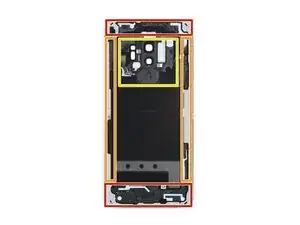
    • En los siguientes pasos, cortarás el adhesivo que sujeta la tapa trasera.

    • El adhesivo dentro de la tapa trasera está colocado como se muestra en la imagen.

    • Tendrás que cortar el adhesivo en las áreas que se muestran:

    • Porciones gruesas de adhesivo

    • Áreas delgadas de adhesivo

    • Evita hacer palanca o cortar en este área para proteger el cable flexible del sensor de huella digital.

    The yellow portion labeled "Avoid prying in this area" is also pretty heavily glued. I had luck using heat to soften it, but I messed up my fingerprint sensor because the image above is mirrored - I sliced through the right side because the image says it's on the left. The fingerprint sensor cable is actually on the right (when viewing the back side of the phone) on the same side as the phone's volume control.

    Nick Tipton -

  3. vxtP6Nsx2M66cjIW
    vxtP6Nsx2M66cjIW
    VlE33pPfTcFIgD5v
    • Si la tapa trasera de cristal del teléfono está rasgada, la ventosa no podrá adherirse. Intenta levantarla con una cinta resistente o pega con adhesivo instantáneo la ventosa y permite que se pega así puedes proceder.

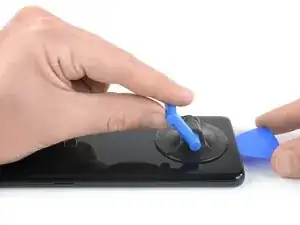
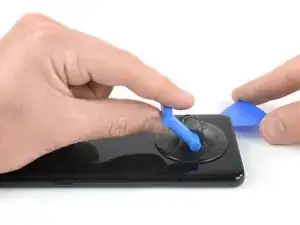
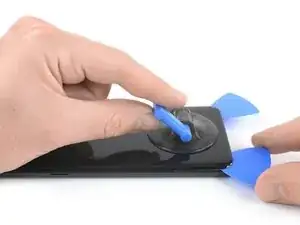
    • Presiona una ventosa sobre la tapa trasera.

    • Levanta el borde inferior de la tapa trasera con la ventosa con fuerza y firmemente para crear un espacio entre la tapa trasera y el marco.

    • Esto podría requerir bastante fuerza. Si tienes problemas, aplica más calor para ablandar más el adhesivo e intenta de nuevo. El adhesivo se enfría muy rápido así que puede ser que tengas que calentarla repetidamente

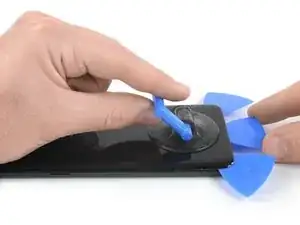
    • Inserta una púa de apertura en la grieta y deslízala hacia la esquina derecha inferior.

    This is the most challenging part. The suction cup can barely hold for the amount of force required...but here's a tip, especially for the first-timers like me. It's not obvious in this image, but the back, curved as it is as it attaches to the frame, is curved because the surface under the back is also curved. Therefore, using an angle for the pick that's a bit tilted up will help to get under the back, and get the cutting of the adhesive started.

    Don't let that give you too much confidence, though. Sufficient heating of the back, to make the adhesive soft enough to yield to the several picks, is essential. Go slow, if you go too fast, or don't have enough heat, you WILL break the glass...as I did. Replacements, fortunately, are easy to find and not too expensive.

    cbclistener -

  4. svFeofEQKnT6GS4A
    svFeofEQKnT6GS4A
    aBxYvHrhFq14ill4
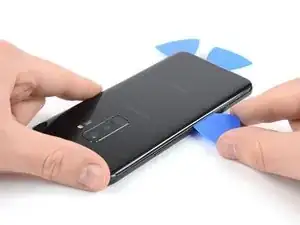
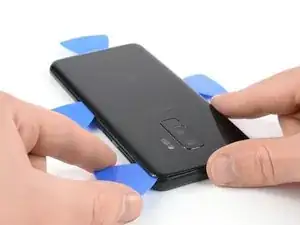
    • Inserta una segunda púa de apertura y deslízala hacia la esquina izquierda inferior.

    • Inserta una tercer púa de apertura en el extremo inferior del teléfono. Esta púa de abertura se queda aquí durante la extracción del cristal trasero para prevenir que el adhesivo se vuelva a sellar.

  5. BxPqWDXMu24ddD55
    BxPqWDXMu24ddD55
    RISoupVRvj25yEIr
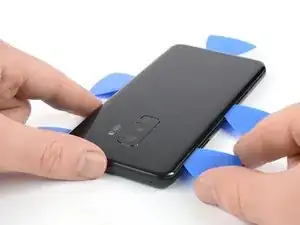
    • Comienza a deslizar la punta de la púa de apertura desde la esquina izquierda inferior a lo largo del lateral del S9 Plus.

    • Deja la púa de apertura en su lugar luego de cortar el adhesivo hasta la mitad del lado izquierdo del teléfono.

    • Desliza la púa de apertura desde la esquina derecha inferior hacia la mitad del marco y déjala allí.

  6. 4GiKTMQKxXFCIhbm
    4GiKTMQKxXFCIhbm
    AELcqeWTvaUkbSHP
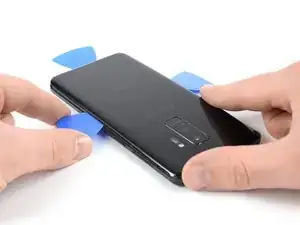
    • Inserta una cuarta púa de apertura en el lado derecho del marco y deslízala hacia la esquina derecha superior.

    • Desliza una quinta púa de apertura a lo largo del lado izquierdo del teléfono hacia la esquina izquierda superior.

    • Usa la púa de apertura para cortar el adhesivo restante debajo de la parte superior del cristal trasero.

    • No abras completamente el teléfono aún. El cable flexible para el lector de huella digital está todavía conectado a la placa madre.

  7. 5VjRBIulGhpUhxQn
    5VjRBIulGhpUhxQn
    XoUpbUYyDom3N4NF
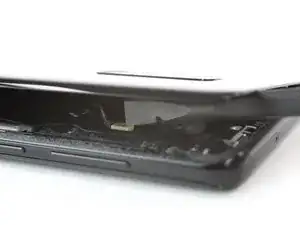
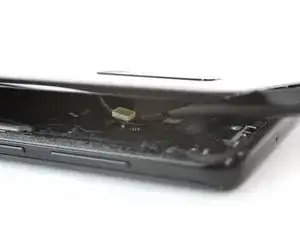
    • Con cuidado levanta el lado del cristal trasero donde se ubica el botón de volumen.

    • Usa el borde de un spudger para levantar y desconectar el cable flexible del sensor de huella digital.

    On my G965U, the fingerprint reader remained in the phone, and instead of disconnecting the flex cable from the motherboard, it was only necessary to disconnect the flex cable from the back glass where it was glued lightly

    lyellread -

    I also have a G965U model S9+, and its fingerprint read also remained in the back glass.

    Nick Tipton -

  8. hwKdSb1q5wbfJcQ4
    • Remueve el cristal trasero.

    • Al volver a ensamblar, sigue esta guía para reemplazar el adhesivo y reinstalar el cristal trasero.

    • Si quieres reemplazar tu cristal trasero, sigue esta guía para transferir el bisel de la cámara trasera incluyendo la huella digital.

    Is it necessary to replace the rear glass adhesive? I have given up on water resistance, just want it to hold in one piece.

    Zachary Shaw -

    Hi Zachary,

    in order to assure that the rear glass sticks to the rest of the phone assembly you have to replace the rear glass adhesive once you removed the rear glass. However you can use a narrow and strong double sided tape, tesa tape or our precut adhesive card. All of these will do their job however as you just mentioned you will lose the water protection of your phone. Before installing all of these it is very important to remove the old adhesive backings (for example with high isopropyl alcohol 90% or higher).

    Sadly it's not possible to replace the rear glass without new adhesive.

    Dominik Schnabelrauch -

Conclusión

Sujeta la tapa trasera nueva con adhesivo pre-cortado con cinta adhesiva de doble cara.

Para volver a ensamblar tu dispositivo, sigue estas instrucciones en orden inverso.

Luego de instalar la tapa trasera, aplica presión fuerte y constante a tu teléfono durante varios minutos para ayudar que el adhesivo tenga una buena adhesión como colocar una pila de libros pesados sobre el teléfono.

Una vez que hayas completado la reparación, sigue esta guía para probar tu reparación.

Dominik Schnabelrauch

Miembro Desde 23/11/16

169012 Reputación

0 comentarios