Introducción
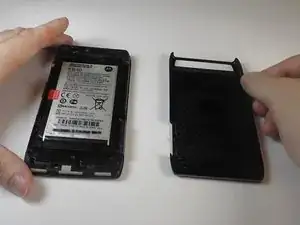
To replace your bulletproof cover that apparently wasn't so life proof.
Herramientas

-
-
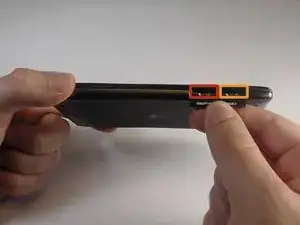
Remove the SIM card.
-
Remove the microSD card.
-
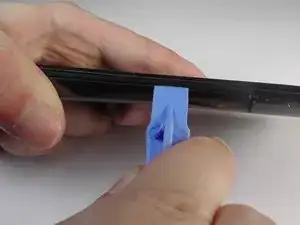
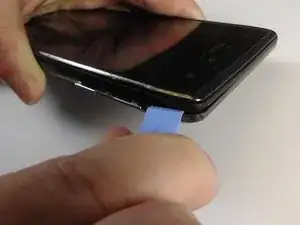
Insert the plastic opening tool between the back cover and the front piece of the case, freeing the plastic clips between the phone.
-
Do this along the back right side of the phone cover until you reach the top.
-
-
-
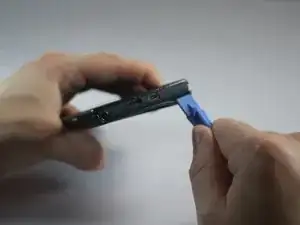
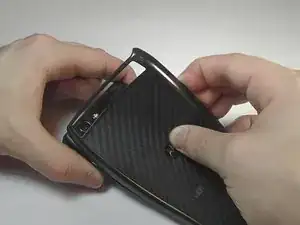
Use the plastic opening tool to carefully work your way around the top of the phone, freeing the plastic clips.
-
Continue using the tool and pry down the remaining side and the bottom of the phone.
-
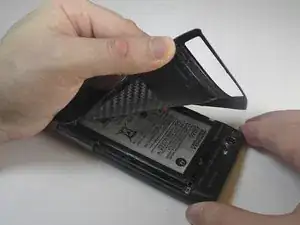
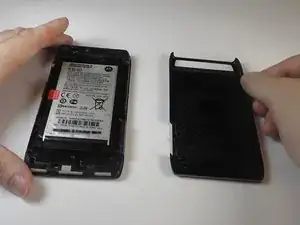
To reassemble your device, follow these instructions in reverse order.

2 comentarios
Ok so I have the cover off of the back of my Droid Razr Maxx HD? But where is it that I can purchase the new back cover? I figured you guys would have at least a hyper link to somewhere I could buy it? Instead of just having instructions on how to remove the backing? Thanks Very Respectfully, Joey K
I have same problem. Need new back cover.