Introducción
This guide starts at the end of this guide: OnePlus 7 Pro Battery Cover Replacement
Herramientas


-
-
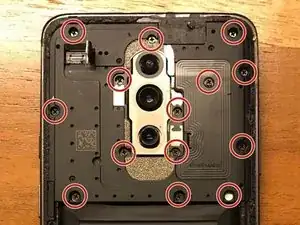
Remove all 14 screws of the upper plate.
-
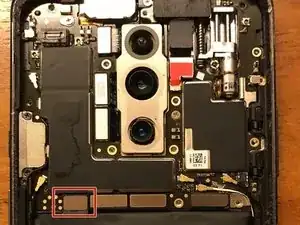
As soon as all screws are removed, you can take of the upper plate.
-
Conclusión
To reassemble your device, replace the battery cover and follow these instructions in reverse order.

Un comentario
It didnt mention how to open the back cover in the first place? Which is the hardest part and the one that require the most skills and specialized tools.