Introducción
Guía pre-requisito solamente para remover la pantalla de tu Pixel 2.


-
-
Si tu pantalla de cristal está rasgada, coloca cinta sobre el cristal para prevenir lastimarte y que se rompa más. Esto además hace que la superficie sea lisa lo que permite que la ventosa se adhiera.
-
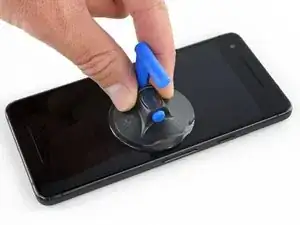
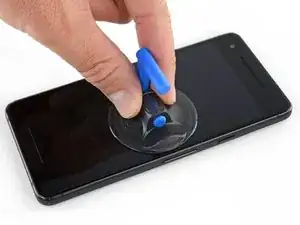
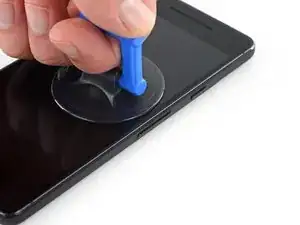
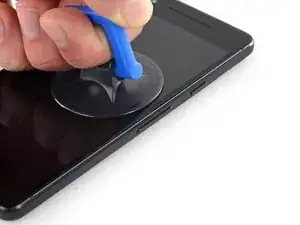
Aplica una ventosa lo más cerca posible del borde del teléfono donde se encuentra el botón de volumen evitando el borde curvado.
-
-
-
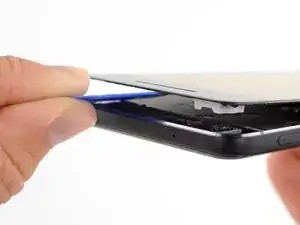
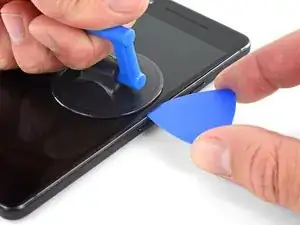
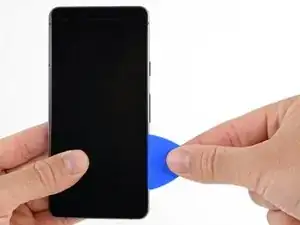
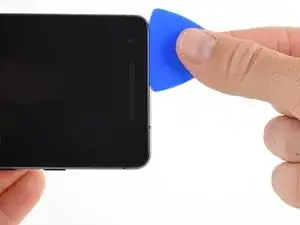
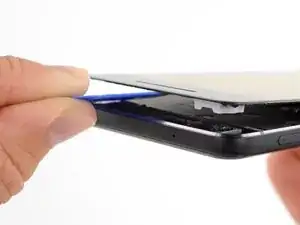
Tira de la ventosa con presión constante y firme e inserta una púa de apertura entre el panel frontal y caja trasera.
-
-
-
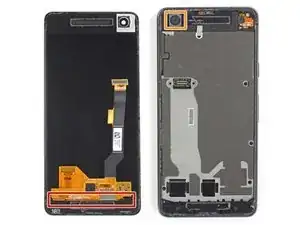
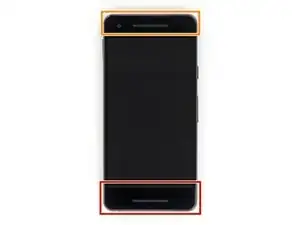
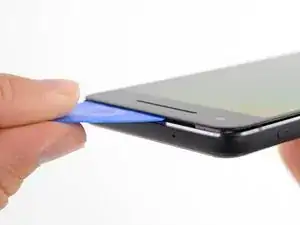
No insertes la púa más de 6 mm dentro del borde inferior del teléfono. Si la púa contacta la porción doblada del panel OLED, la pantalla puede resultar dañada.
-
Solo haz cortes muy poco profundos en la esquina izquierda superior. Hacer palanca muy profundamente puede dañar la cámara frontal.
-
-
-
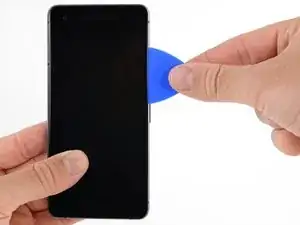
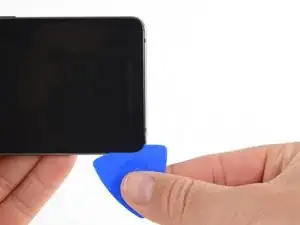
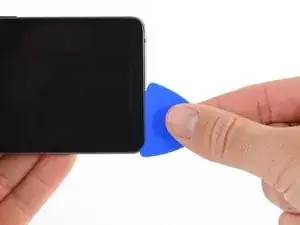
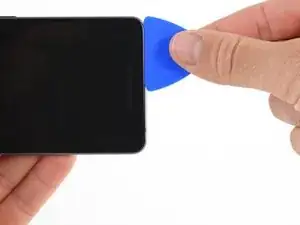
Desliza la púa de apertura a lo largo del lado derecho del teléfono para separar el adhesivo de pantalla.
-
-
-
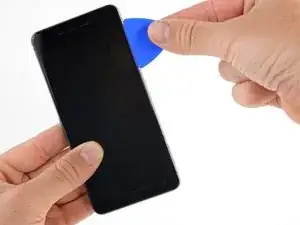
Desliza la púa de apertura alrededor de la esquina superior derecha a lo largo del borde superior del teléfono.
-
-
-
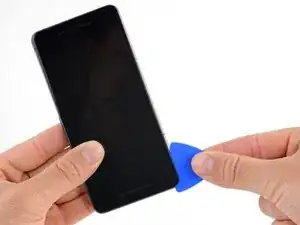
Desliza la púa alrededor de la esquina superior izquierda y a lo largo del borde izquierdo del teléfono.
-
-
-
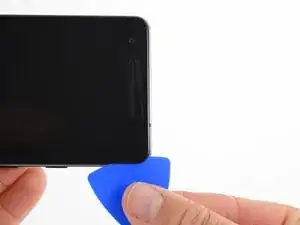
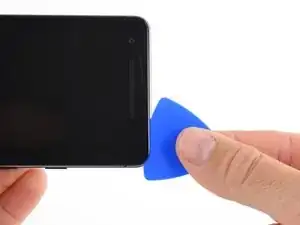
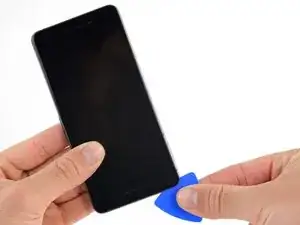
Desliza la púa alrededor de la esquina inferior izquierda y a lo largo de la parte inferior del teléfono.
-
-
-
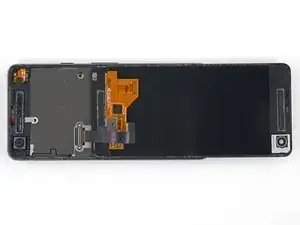
Con cuidado coloca la pantalla de forma plana sobre la caja trasera como se muestra, asegurándote de que no se rompa o arrugue el cable plano de la pantalla.
-
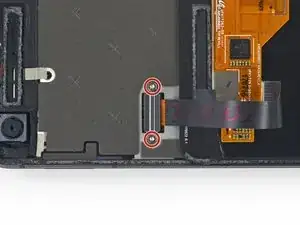
Remueve los dos tornillos de 4.00 mm T5 Torx que sujetan el soporte de cable de la pantalla.
-
-
-
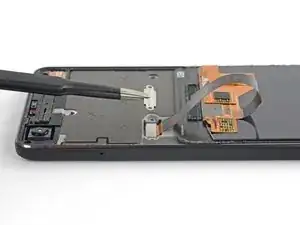
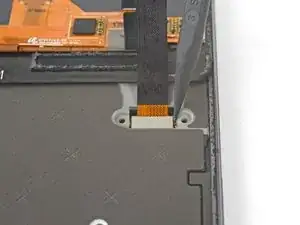
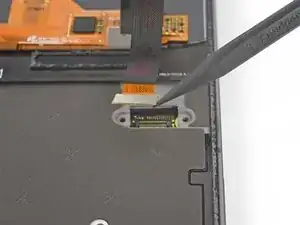
Usa la punta de un spudger para levantar el conector del cable de la pantalla y sacarlo de su zócalo en la placa madre.
-
Para volver a ensamblar tu dispositivo, sigue estas instrucciones en orden inverso.

My screen is severly cracked. I would recommend clear packaging tape as it is wide enough to accomodate the suction cup. Thinner cellophane tape won’t seal properly.
John Tippitt -
Does the Google Pixel 2 have be powered off before removing the digitizer screen? Its not mentioned in this article...
Will the phone be damaged if the power is still on when disconnecting the broken screen?
Alex -
Replacing the battery in my Pixel 2 was successful because I read the comments. They are invaluable in this endeavor.
David Castro -
Suggest procedure revision:
Step 1: Read all steps and associated comments before proceeding.
Step 2: Ensure they supplied you with the right F$%^ING TOOLS in the kit before proceeding.
I'm F$%^ED because any store around me that might have this T4 Torx bit is already closed and my screen is already off. My kit came with a T2 Torx bit which is not used anywhere in this entire process.
Jens Davidsen -
I bought one of the kits and it had everything needed to change the battery except the alcohol, including spudgers, screwdriver, torx (2 sizes), tweezer, alcohol dispenser, glue strips and die-cut glue card that fit the phone case perfectly. I followed these instructions and read the comments. Applied alcohol and patience, took my time and got the job done without any damage to the phone. Thank you ifixit!
Jeffrey Price -