Introducción

Conector flexible principal superior

  1. LxHSKiiRcjM1dTpR
    LxHSKiiRcjM1dTpR
    cw15dPAlaDVS2Uqj
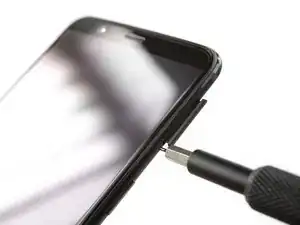
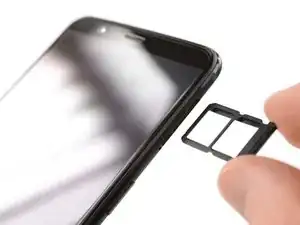
    • Antes de comenzar, apaga el teléfono.

    • Remueve la bandeja de la tarjeta SIM.

  2. ARneM6bQboVSGvf6
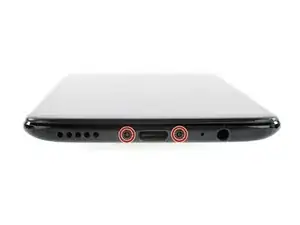
    • Remueve los dos tornillos Torx T2 (2.5 mm de largo)

    • El OnePlus 5T no utiliza mucho adhesivo para asegurar la tapa trasera, sin embargo las abrazaderas son muy fuertes y requieren algo de fuerza durante el procedimiento de apertura.

    Could you clarify the statement “The OnePlus 5T doesn't use a lot of adhesive“? Do you mean that it uses adhesive, but only a little? Or do you mean that it doesn’t use any adhesive at all to secure the back, just the clamps?

    Avram Grumer -

    Hi Avram,

    there is a little bit of adhesive underneath the edges of the back cover, however it doesn’t require heating to soften it. In case the back cover doesn’t come of straight away it won’t help to apply an iOpener to further soften the adhesive but requires a little bit more force to open the plastic clamps.

    Dominik Schnabelrauch -

    i have tried t2 srewdrivers multiple times but they doesn’t seem work, could those be different screws?

    Mr Kono -

    I had the same problem. I tried a T1 screwdriver, that fit perfectly.

    That said, the 'tools' section of this repair doesn't mention any torx screwdriver. That should be updated to include the T2 (or T1, for me!) screwdriver.

    Akka -

    I purchased the entire kit to do my battery replacement and found the opening tool was not capable of opening my One Plus 5t phone. I tried the tool for at least 30 minutes and couldn’t even get it started. Luckily I had a set of “plastic tools” for removing door panels from cars while doing stereo work. These tools have nice sharp points and are much longer and thicker, providing much better grip and leverage. With these tools, I had the back off the phone in just a few minutes. All the rest of the process was easy to follow and everything worked out great.

    David Dery -

    I have all of the necessary parts/tools for replacement. Upon removing the two screws from the bottom, one came out no problem first try. The second bolt slipped andbis now completely stripped out. Any advice?

    Derek Basham -

  3. Wvq1Uels1ydD4gHO
    Wvq1Uels1ydD4gHO
    EsjxRGZy351XTSZT
    5NDh6rBZGUSlZZdL
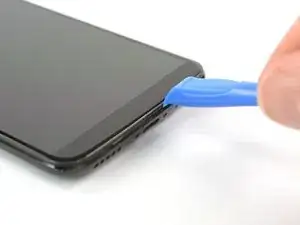
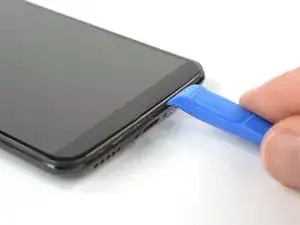
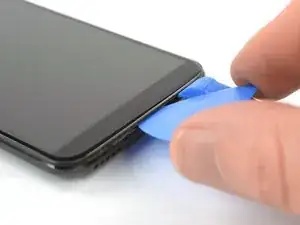
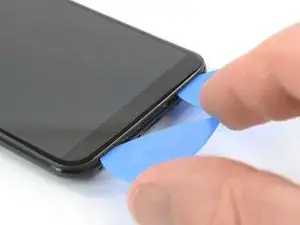
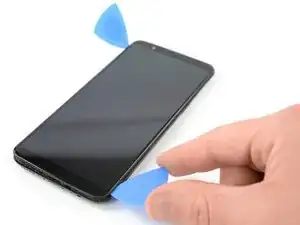
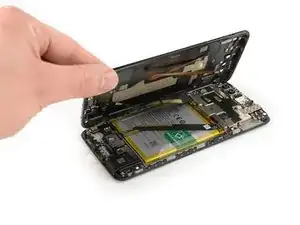
    • Inserta una herramienta de apertura entre la pantalla y la cubierta trasera en el extremo inferior del teléfono.

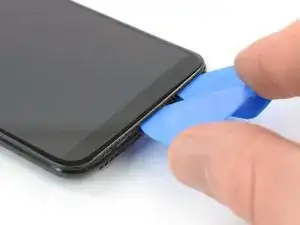
    • Usa la herramienta de apertura para crear un espacio entre la tapa trasera y la pantalla.

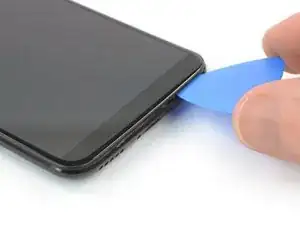
    • Inserta una púa de apertura en el espacio que creaste con la herramienta de apertura.

    Don’t make the same mistake as i did and put the opening tool between the screen and glass rather than the screen and body. Make sure its the second line from the top where you insert your tool

    Hayden Rooney -

    This part is very difficult, i have been trying to open the phone up, still cannot.

    Taz -

    The easiest way to open the back cover, is by starting from the bottom right corner, try find a plastic tool that is slim enough to go through the display and back cover.

    Taz -

    I too had troubles with this step. I recommend having a look at the guide for opening up the back cover of the Oneplus 5 before proceeding. It has a lot of helpful images and the instructions go into far more detail than this one does.

    OnePlus 5 Back Cover Replacement

    Iceblade02 -

    This step was the hardest step for me. I could only succeed with suction cup pliers and a metal pry tool, which unfortunately scratched the device’s edges a little.

    Haggai Eran -

    I found this hard. Look carefully and use a bright light. There are two small ridges. I worked ages on the top one which isn't actually a gap. You need to work on the bottom one of the two. I used a very small metal screw driver with a thin flat blade. I pushed this in to open the gap a fraction then put a plastic tool in the now slightly opened gap and worked it round.

    Duncan Putman -

    For opening up the device, OnePlus 5 Back Cover Replacement that Iceblade02 mentions is excellent. The tools in the kit also correspond to it since the new kit that I received last week had no guitar picks and instead had the suction cup.

    Anirudh Ramanathan -

    Be sure you are getting below the screen's LOWER lip, as in the photo, as HaydenRooney mentions.

    Try to minimize flexing of the screen when you are wedging, the clamps (like snaps or tabs) will demand force and you want to avoid turning that into screen flex. There are several forum posts here about device working-but-dark after a repair. Too bad user input is rather folded away on ifixit, and few will see these.

    Professor Z -

  4. uGVHiIEDn6ZXv4AU
    uGVHiIEDn6ZXv4AU
    5FQouJJstYPBjhfc
    1GkhVTDislVhWL2J
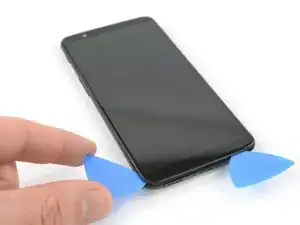
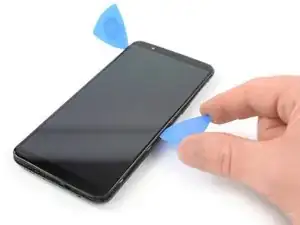
    • Desliza la púa de apertura hacia la esquina derecha inferior del teléfono.

    • Inserta una segunda púa de apertura y deslízala hacia la esquina inferior izquierda.

  5. SGpZYRjercLcF1kD
    SGpZYRjercLcF1kD
    hDWgumDbhAII5RC2
    v6UHrvDAUFN4axMf
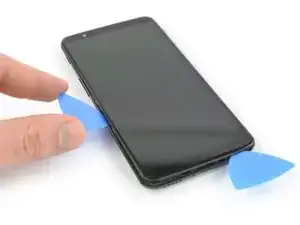
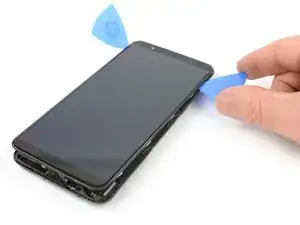
    • Desliza la púa de apertura alrededor de la esquina inferior izquierda y luego hacia arriba a lo largo del borde izquierdo del teléfono para abrir las abrazaderas de plástico que aseguran la tapa trasera.

  6. EOVFtIPUeUWATCE2
    EOVFtIPUeUWATCE2
    My66WfLlkrWZtmTa
    XVdrfYDR4LOF3b5c
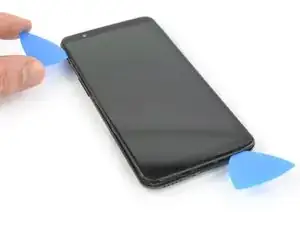
    • Desliza la púa de apertura alrededor de la esquina inferior derecha y luego hacia arriba a lo largo del borde derecho del teléfono para abrir las abrazaderas de plástico que aseguran la tapa trasera.

  7. 2WWFDdfylDZArCP3
    2WWFDdfylDZArCP3
    fQ5VpDSOAVyfdcF1
    vl6Yusv6DqyKEPyn
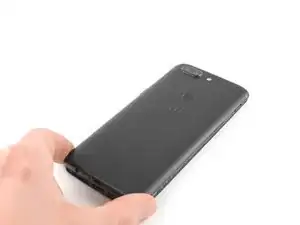
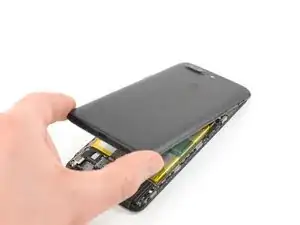
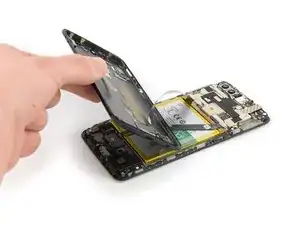
    • Intenta no quitar la tapa trasera del todo todavía. Los cables flexibles del puerto de carga, de los auriculares y huella digital siguen conectados a la placa madre.

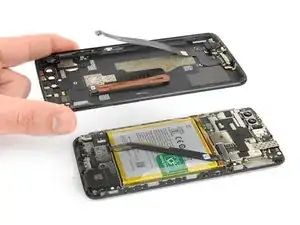
    • Da la vuelta al teléfono y levanta con cuidado el extremo inferior de la tapa trasera para separarlo del conjunto del teléfono. Dóblalo hacia la izquierda y manténlo en un ángulo de 80°.

  8. 1vqeLDjxS6hguE5r
    1vqeLDjxS6hguE5r
    NBYCODIFvIMf5MjR
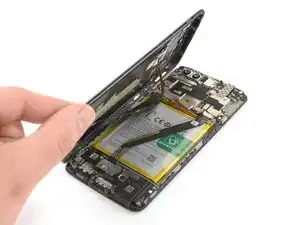
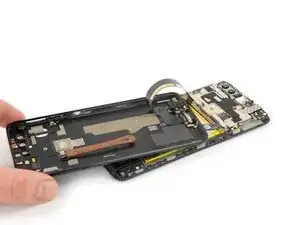
    • Usa un spudger para levantar y desconectar el cable flexible de la huella digital.

  9. 6QaItEJdF5IifEVy
    6QaItEJdF5IifEVy
    LylHAFPItwWiVTJU
    LXMDDG3UPRUMkCvO
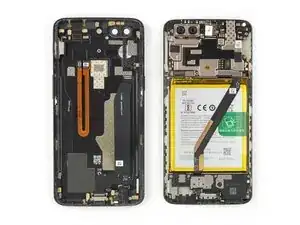
    • Gira la tapa trasera alrededor de 180° y colócala para alinear el extremo inferior de la tapa trasera con el borde superior de la batería.

  10. ROi1WRDSSVb2UJDA
    ROi1WRDSSVb2UJDA
    vKwBpmUQsokoKi6D
    gpM4gOVAUoEdUygt
    • Usa un par de pinzas para quitar el pequeño escudo metálico que cubre la batería y el puerto de carga y los conectores del cable flexible de la toma de los auriculares.

  11. ULkBQEMD2kiPwPqh
    ULkBQEMD2kiPwPqh
    xhaBK12Vd4EyIyQ4
    • Utiliza un spudger para levantar y desconectar el puerto de carga y el cable flexible de la toma de los auriculares.

  12. XZ51MpYgIbIC5Yys
    XZ51MpYgIbIC5Yys
    EeOXNPsJYVhxN5w1
    • Remueve la tapa trasera.

  13. gBIlbZyL2MPVojvO
    gBIlbZyL2MPVojvO
    gFbQKWFGlQR3cVs6
    • Usa un spudger para desconectar el cable flexible de la batería.

  14. RQL4RAltCNtMSQhB
    RQL4RAltCNtMSQhB
    NaHjn3wKAZyUoEOJ
    bZfyCeWofIBHCEZy
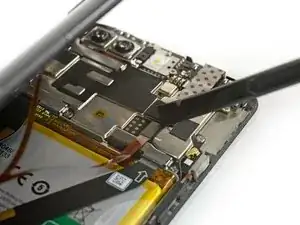
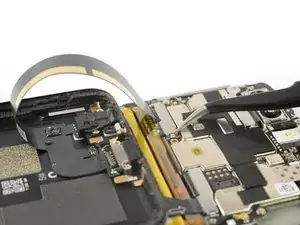
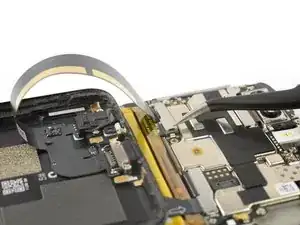
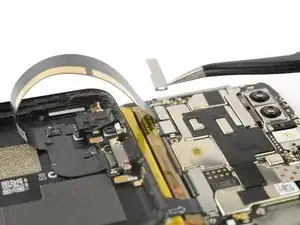
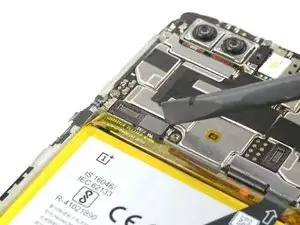
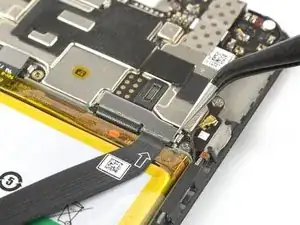
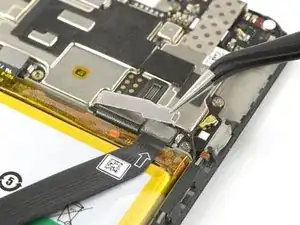
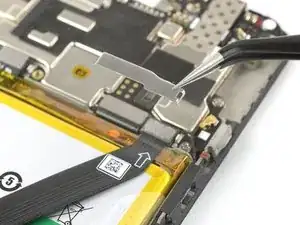
    • Usa un par de pinzas para desatascar y quitar el pequeño escudo metálico que cubre los conectores de los cables flexibles principales y de interconexión.

    • El escudo metálico se mantiene en su lugar con un adhesivo suave. En caso de que tengas problemas para quitarla, puedes aplicar un iOpener caliente para aflojar el adhesivo que hay debajo.

    The main flex cable connector (step 16) came off with the metal shield and I was able to reapply without ever separating the two.

    Eric Smith -

  15. 33UckSDIreOmVjL3
    33UckSDIreOmVjL3
    kEAiEvjiqAlxhfdO
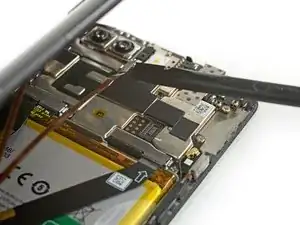
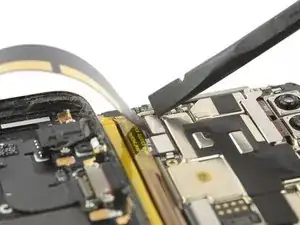
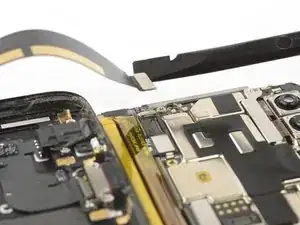
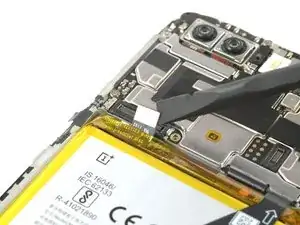
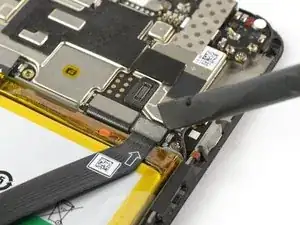
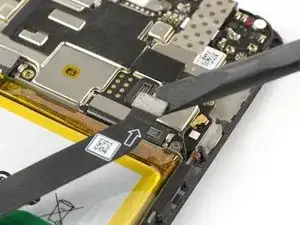
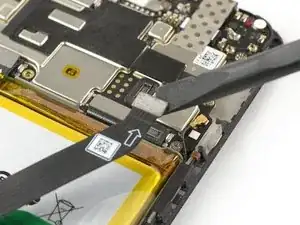
    • Usa un spudger para levantar y desconectar el cable flexible principal.

Conclusión

Para volver a ensamblar tu dispositivo, sigue estas instrucciones en orden inverso.

Dominik Schnabelrauch

Miembro Desde 23/11/16

169012 Reputación

0 comentarios