Introducción
Utiliza esta guía para reemplazar el adhesivo del Apple Watch Serie 3 y vuelve a sellarlo.


-
-
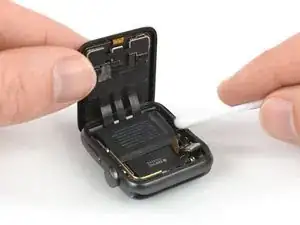
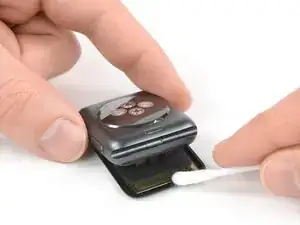
Aplica un poquito de alcohol isopropílico (>99%) en un bastoncillo de algodón o usa una almohadilla de limpieza para remover suavemente los residuos de adhesivo en la parte superior del junta del force touch.
-
-
-
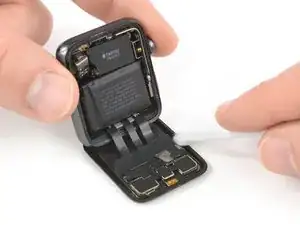
Gira el Apple Watch boca abajo para que la pantalla quede plana mientras levantas la caja.
-
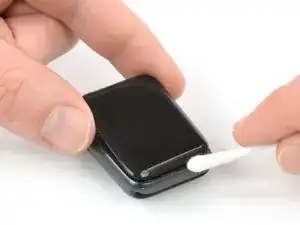
Remueve los residuos en la parte posterior de la pantalla.
-
-
-
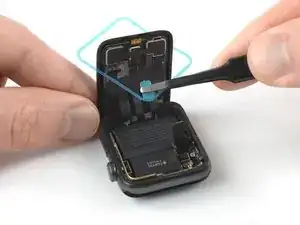
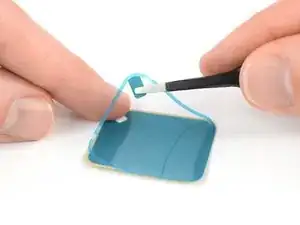
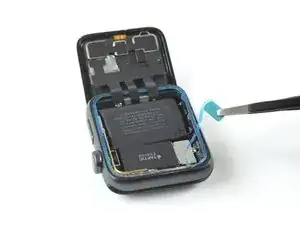
Usa un par de pinzas para remover con cuidado el adhesivo de reemplazo con el film protector azul del papel de respaldo.
-
-
-
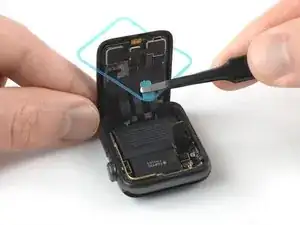
Sostén el adhesivo de reemplazo diagonalmente para pasarlo por la pantalla.
-
Inclina ligeramente la pantalla hacia adelante para poder alinear el adhesivo con el marco.
-
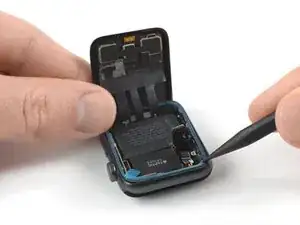
Coloca el adhesivo de reemplazo en la parte superior de la junta de force touch y usa el extremo puntiagudo de un spudger para moverlo y presionarlo en su lugar.
-
-
-
Reconecta la batería como se ve en la guía de reemplazo.
-
Remueve el film protector del adhesivo.
-
-
-
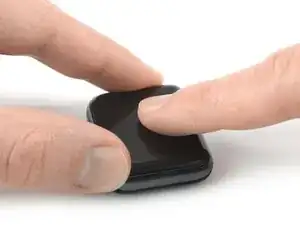
Alinea la pantalla y presiónala firmemente sobre el adhesivo.
-
Alternativamente, puedes usar abrazaderas de tornillo de banco alrededor del perímetro de su dispositivo para colocar el nuevo adhesivo.
-

7 comentarios
My adhesive gasket I ordered from you doesn’t not look like the one you use. I don’t see how it could work either.
My adhesive was larger than the rim so it had about 5-6 mm bump of extra plastic when I got it in the edge all around. Need it to be sealed so I didn't want to cut anything. Fail.
Yes mine was also larger than the adhesive seal that is advertised here.
I bought 6 adhesive strips expecting to foul up some. I tried following this procedure on three of the sets, but on each set I ended up with one corner not quite long enough to seat properly. On the fourth set I altered the procedure and it finally worked the first time.
1. Take off the screen. Yes I know, but do it anyway.
2. Take off only the blue adhesive around the periphery. Do not remove center area.
3. Place sticky side on force gasket. Seems small, but fit perfectly.
4. Remove entire inner rectangular portion of adhesive strip
5. Replace screen
6. Re-Attach battery
7. Follow rest of procedure
marilyntlinton -
The isopropyl alcohol can only remove so much of the old adhesive. After the first pass with the q-tip use an iFixit Opening Tool to carefully scrape off the old adhesive. There is always some left on the case.
Vangelis Angelakis -