Introducción

Solo Prerequisito

  1. oh6QmDClHy3Es55f
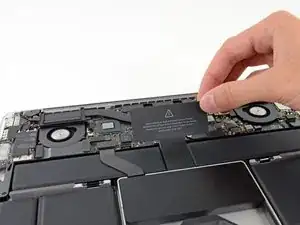
    • Remueve la cubierta de plástico adherida a la placa de contacto de la batería.

  2. AvPUsRLbmXLZWSlb
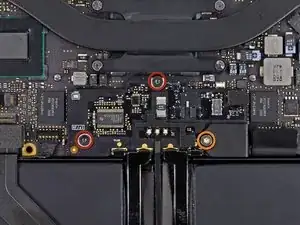
    • Remueve los siguientes tornillos que sujetan la placa del conector de batería a la placa lógica:

    • Dos tornillos T6 Torx de 2.8 mm

    • Un tornillo Torx T6 con reborde de 7.0 mm

  3. eYeaxKQXRIv43WNX
    eYeaxKQXRIv43WNX
    INge1d6OYG2XdrMr
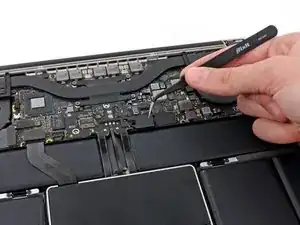
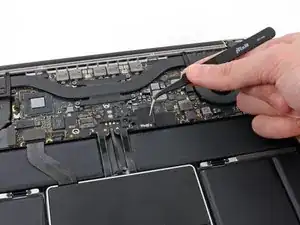
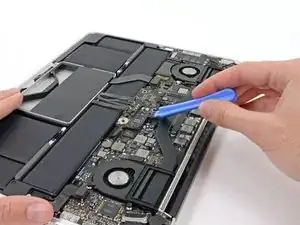
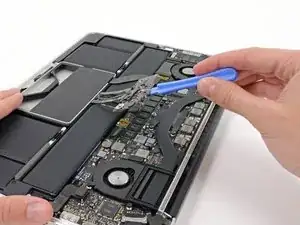
    • Utiliza una pincita para remover la pequeña tapa de plástico ubicada cerca de la parte inferior derecha de la placa de conector de batería.

    Is adhered to screw beneath, so lift firmly and slowly.

    Andrew -

    when doing this with metal tweezers as instructed in the video, it was difficult to get off and apparently while i was trying to do it, the tweezers went too far under and i believe made contact with the screw underneath? there was a zzz noise, an orange flicker and a little stream of smoke that came out. i freaked out and put everything back together to see if the laptop even still worked, it turned on and everything but died right away (i drained it before doing the repair anyway, so i was surprised it turned on at all).

    i finished the battery repair and did several other things while in there. i have charged it all the way as recommended and will use it later on to see how everything is, im hoping that it’s a okay, but could someone explain to me what happened and the possible consequences?

    Kait D -

  4. 3h3p5bF5gSsxU3H1
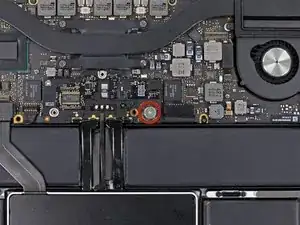
    • Remueve el tornillo T6 Torx de cabeza ancha de 6.4 mm que sujeta el conector de batería al ensamblaje de la placa lógica.

  5. KnflDJ6YcW61sb3S
    KnflDJ6YcW61sb3S
    Y3LPyukbnPaH2Qua
    • Con cuidado, levanta la placa de conector de la batería de la placa lógica.

    • Se recomienda doblar los cables de batería ligeramente, para mantener la placa suspendida por encima de la placa lógica y fuera del camino.

    • No pliegues la placa completamente o dobles los cables ya que esto podría dañar la batería.

Conclusión

Para volver a ensamblar tu dispositivo, sigue estas instrucciones en orden inverso.

Walter Galan

685928 Reputación

0 comentarios