Introducción
Para este reemplazo no necesitas ninguna herramienta, sin embargo, una herramienta de palanca puede facilitarte el reemplazo.
Asegúrate de que el mouse esté apagado antes de reemplazar la batería. Esto reducirá la posibilidad de dañar los componentes internos con una oleada de energía de la batería nueva.
Herramientas


Partes
-
-
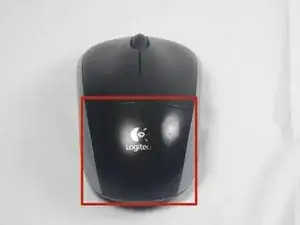
La tapa del compartimento de las pilas se encuentra en la parte superior del ratón. La costura que atraviesa horizontalmente el mouse es la parte superior de la cubierta.
-
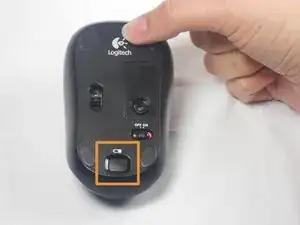
Hay un botón para abrir la cubierta. Se encuentra en la parte inferior del ratón. es posible que debas presionar con fuerza este botón para abrir la cubierta.
-
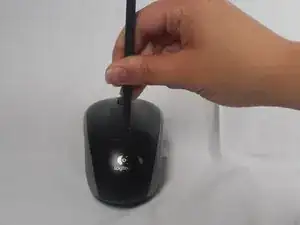
Si el botón no funciona, deberás hacer palanca para quitar la tapa. Puedes usar sus uñas o una herramienta de palanca para hacer esto, como se ve en la tercera imagen.
-
-
-
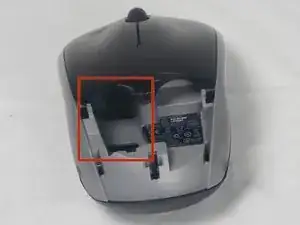
Recuerda insertar la batería nueva en la misma orientación que la anterior. El extremo positivo (más) debe estar de espaldas a los botones.
-
Para volver a armar tu dispositivo, sigue estas instrucciones en orden inverso.

9 comentarios
I disassembled this exactly as stated and now I can't get the cover back on?
I am a electronic technologist and this is a poor design for a mouse. No wonder the later version is different.
Thanks for the information. It worked perfectly for me. Easy removal. Images and instructions were very helpful.
The battery lid lifts up from the back. It does not slide back.
Bob Peters -
U need to keep clean…& battery compartment needs gently pried off. Make sure to put back lid cover, pushing down on black prong..OR will not make contact.
cconradmoore -
Thanks to u, i succeeded
aresa0519 -