Introducción

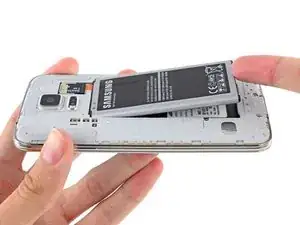
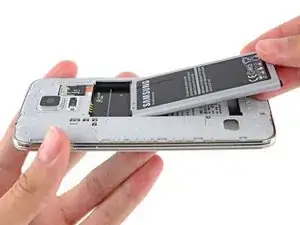
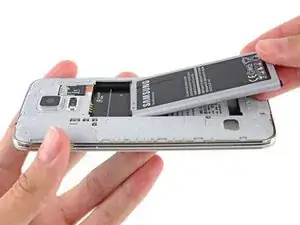
Usa esta guía para remover o reemplazar la batería en tu Samsung Galaxy S5.

Si tu batería está hinchada, toma precauciones adicionales.

  1. 3mEZDqNpHP1NAoQS
    3mEZDqNpHP1NAoQS
    xTO64DCaMsQFpJBm
    HC3JrUgL6QVjhELX
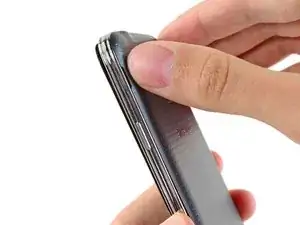
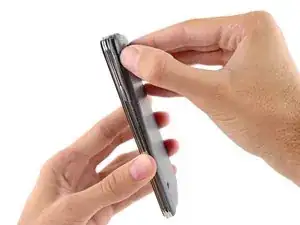
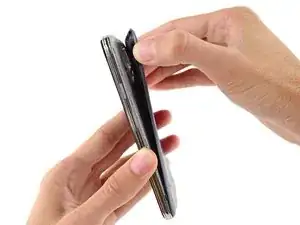
    • Inserta una uña o una herramienta plástica en la muesca ubicada a la izquierda de la cámara trasera.

    • Gentilmente presiona y gira la tapa posterior de la parte trasera del teléfono.

  2. fbRApTyubdGpQqcI
    fbRApTyubdGpQqcI
    YQWaDPslkNAgJIpd
    dk6dXbpPRGWWgFDv
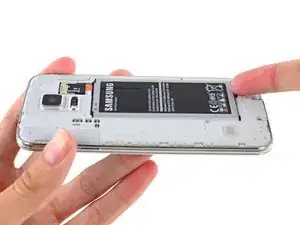
    • Introduce una uña o herramienta de apertura de plástico en el hueco en la esquina derecha inferior de la batería y levanta.

    • Remueve la batería del teléfono.

    The battery will need to be charged after it is placed in the phone. No one told me that and I bought a battery and thought it was bad. Keep the phone off and insert the charger. You will need to charge it for several hours before you can use the phone.

    Diane Schumacher -

Conclusión

Para volver a ensamblar tu dispositivo, sigue estas instrucciones en orden inverso.

Sam Goldheart

Miembro Desde 19/10/12

457951 Reputación

10 comentarios

This is too complicated :(

Jaydon -

Extremely easy

taesusman -

I replaced the battery in my phone because it drained fast, and drained completely in any temp below 50, I put the new battery In but when I try to turn it on the farthest I get is the screen that says "Samsung galaxy s5" help?

mw -

Do I also need to remove the sim card? Or can I just put a new battery in?

nancysapone -

Thanks am replacing glass as well...easy to get the battery and sim out.

rob taylor -

Wow, the photo was very helpful. I couldn't see how to get in the back - but the explicit instructions with the photo really helped. :)J

janita_jk -

I didn’t need any tutorial to replace the battery of the Galaxy S5 and all you need is your finger and nails to remove the back cover which is designed to be removable.

On the other hand to replace the battery of the iphone X we need to apply heat and use several specific tools to be able to remove the cover and access the battery after several steps that will remove the waterproof seal and the warranty.

Yet the iphone X has a 6/10 for reparability vs a 5/10 for the GS5…

Sam Coss -

Battery replacements are very important, but the repairability score is for the entire device—not just a single component.

Jeff Suovanen -

Can it work without a backcover but with a battery?

Suhaima -

I got this when my galaxy tab A6 was charging. It was the⚠️ showing on my battery so I unplugged and plugged it in again and it worked! Do that guys!

camaro spyker -