Introducción
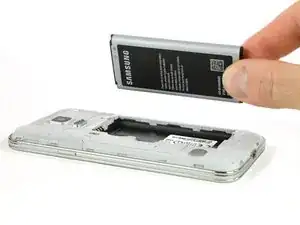
Usa esta guía para remover o reemplazar la batería en tu Samsung Galaxy S5 mini.
Si tu batería está hinchada, toma precauciones adicionales.
Herramientas

Partes
-
-
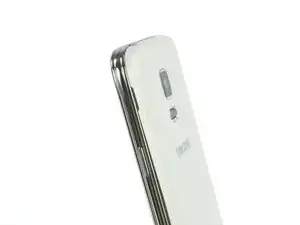
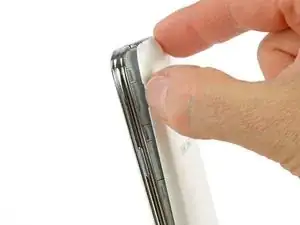
Inserta una uña o una herramienta de apertura de plástico en la ranura ubicada por arriba del botón de encendido.
-
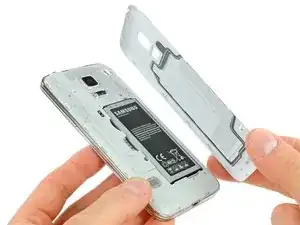
Tira suavemente del panel de la parte posterior del teléfono
-
-
-
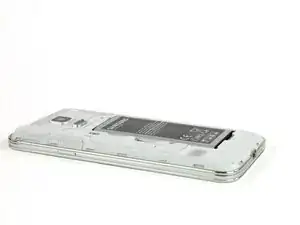
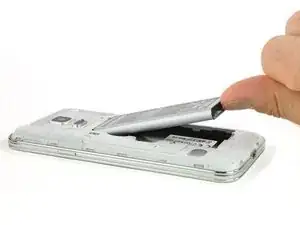
Inserta tu uña o herramienta de apertura de plástica en la ranura en la parte inferior de la batería.
-
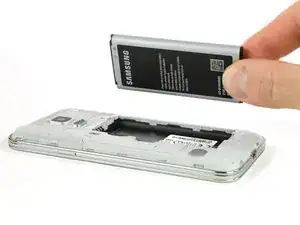
Con cuidado levanta la batería para sacarla del teléfono.
-
Conclusión
Para volver a ensamblar tu dispositivo, sigue estas instrucciones en orden inverso.

2 comentarios
that was so so hard!
But battery not charging properly
Hi, Yesterday I added a comment (although I can’t it on the site right now) I stated that the back on my S5 Mini was stuck on, not held by clips as you say in your S5 instructions. This was wrong. ''''
''''I wrongly thought my phone was an S5 Mini when in fact it’s an S6. I had forgotten that I had upgraded to the S6 some time ago and had not disposed of the S5 box etc. I will now rest my three remaining brain cells before attempting the repair of the S6.
Richard Kelsall -