Introducción
Herramientas

-
-
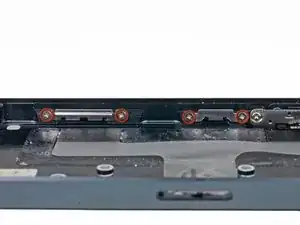
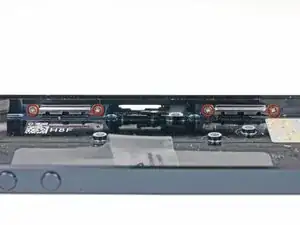
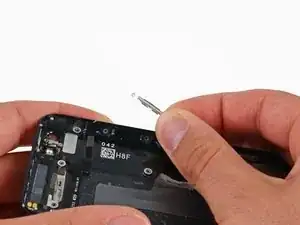
Remueve los ocho tornillos Phillips de 1.3 mm que sujetan los clips del panel frontal a los lados internos de la caja trasera.
-
Conclusión
Para volver a ensamblar tu dispositivo, sigue estas instrucciones en orden inverso.

Don't accidentally remove the volume switch screws here. That comes later, and two of those screws are different from these and it's hard to tell them apart.
Chris Dotson -
hello guys,
i have recently encountered a problem with my iphone 5. the front panel is lifting away from the body of the phone and i can see the backlight assembly behind it. i figured the problem is from the front panel clips not holding the screen in place thus it is popping up. please if i have diagnosed it incorrectly and there is another cause for my problem, let me know.
for the time being, i am considering purchasing a used rear case on ifixit grade C as i only need the clips holding the screen in place. i want to make sure that the clips indeed come with the rear case when you purchase it, if not can someone please tell me where i can get them?
thanks in advance
sally96 -