Introducción
Pre-req para desconectar la batería sin removerla.
Herramientas

-
-
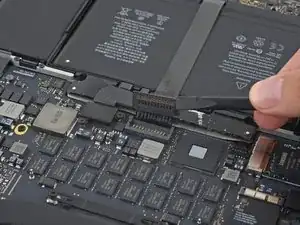
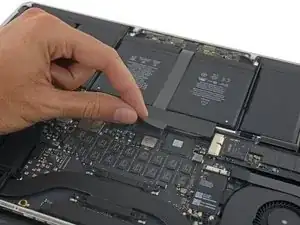
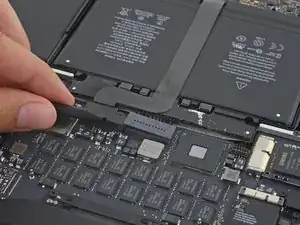
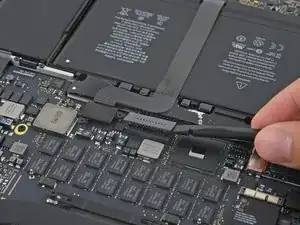
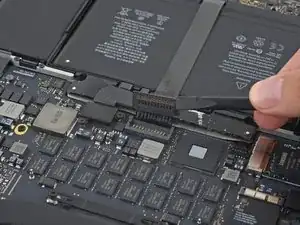
Usando el extremo plano de un spudger, levanta suavemente el conector de la batería directamente fuera de su zócalo en la placa lógica.
-
Dobla los cables de la batería hacia afuera y fuera del camino, asegurándose de que el conector de la batería no entre en contacto accidentalmente con la placa lógica.
-
Conclusión
Para volver a ensamblar tu dispositivo, sigue estas instrucciones.

2 comentarios
So. replacing the battery on this model is quite a lot easier than on previous 15" Retina Macs?
Aha, ”battery *connector* replacement". Sorry...
You only need to remove the tape to the edge of the flap. This is enough to be able to pry the battery connector up.
Aaron Freidus -
+1 to above comment
Andrew Saunders -
Note that the photo is taken from the hinge side - the other way to the photo in step 3
Toby Thurston -
I chanced it, didnt disconnect the battery and all is well even after giving the insides a good vacuuming before changing the SSD.
Dermot O Logical -
It is just the top layer of tape that you want to lift, you need to seperate it from the bottom layer.
Kelv -
You don’t actually need to remove the tape or even peel it off at all. Just pull up the battery connector up with the tape still attached.
AJ Lorenzo -
pay attention that the macbook in this picture is presented the “wrong side”: if you accidentally remove the tape covering the trackpad cable and thereby also take the trackpad cable out of the zif-socket, your keyboard and trackpad won’t work anymore. putting the trackpad cable back into the (tiny) socket will fix the issue though.
sam -