Introducción

Prerrequisito para quitar la placa lógica.

  1. jWXmBog4lKr4HqkV
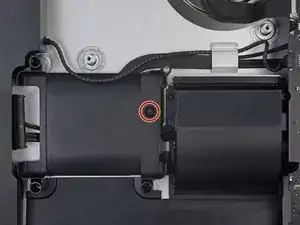
    • Retira el tornillo Torx T8 de 7.3 mm que fija la bandeja del disco duro al gabinete trasero.

    it`s a t10 screw..! ;)

    happymac venezuela -

    I found it easier to connect SATA cable before fixing tray.

    Mārtiņš Jansons -

  2. qUxSodfw5NxJMghA
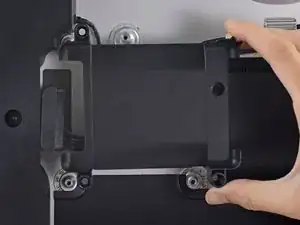
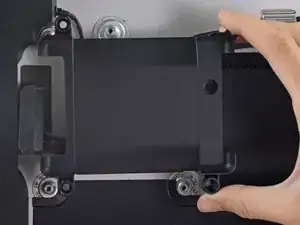
    • Retira la bandeja del disco duro.

    I am following these procedures for the following: iMac Retina 4K - 21.5" - 3GHz Quad Core - Radeon Pro 555 2GB - 4GB/4GB (8GB total - 2 slots) 2400MHz DDR4 SO-DIMM - Mid 2017 - Model: MNDY2LL/A - iMac18,2 - A1418 - 3069. In my case, the SATA cable is clipped into the bottom of the hard drive tray. Pull the hard drive tray up slightly and angle to reveal clips. SATA cable pops out from the side of each clip.

    iannai29 -

    Better yet, after reading Step 49 - no need to remove SATA cable from the bottom of the hard drive tray.

    iannai29 -

Conclusión

Para volver a armar tu dispositivo, sigue estas instrucciones en orden inverso.

Evan Noronha

Miembro Desde 06/02/15

219277 Reputación

0 comentarios