Introducción

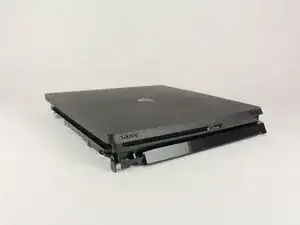
Usa esta guía para quitar o reemplazar la fuente de alimentación de tu PlayStation 4 Slim.

  1. HVTGYelJeUQRNBTL
    HVTGYelJeUQRNBTL
    6Z3td3NoCXXHhZQI
    4ybs2g5RHLPUHZ6a
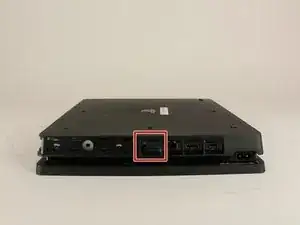
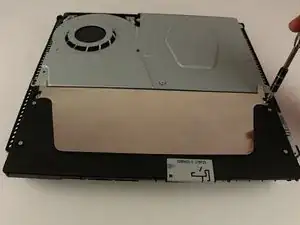
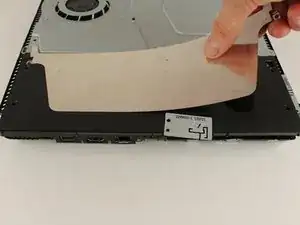
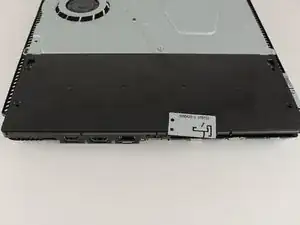
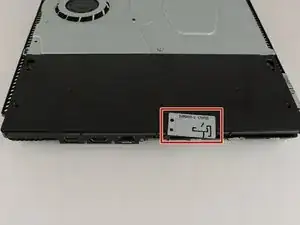
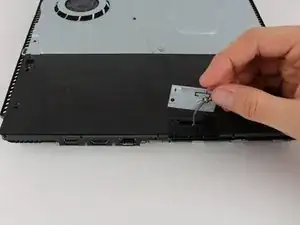
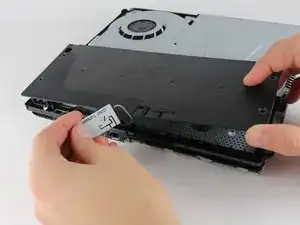
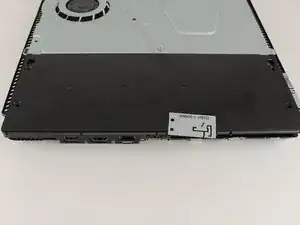
    • Localiza la pegatina de garantía que está al lado de los tres puertos en uno de los lados de la consola.

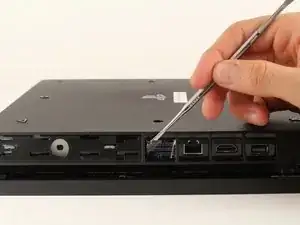
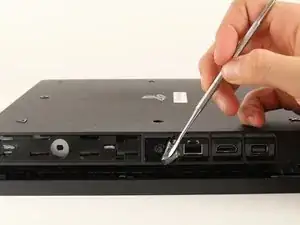
    • Retira la pegatina de garantía levantándola con ayuda de cualquier tipo de espátula de plástico.

    • Quitar la pegatina de garantía NO anula la garantía de ninguna forma.

    Remove the screw directly to the left of that one in the picture as well. Should be silver.

    Elizabeth Johnson -

    ihr seid so ein scheiß haufen das stimmt über haubt nix

    Toaster 95 -

    einfach alles stimmt nicht

    Toaster 95 -

  2. iuwUc5FNjBXlxWDZ
    iuwUc5FNjBXlxWDZ
    NddVVDLyNaEUIPME
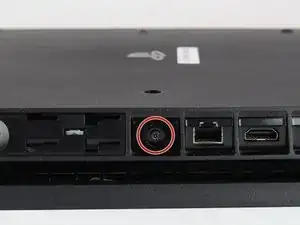
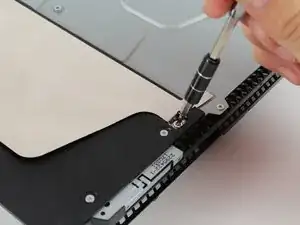
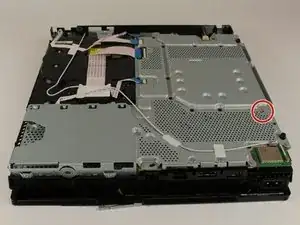
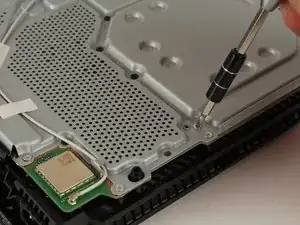
    • Desatornilla y retira el tornillo Torx de 5mm con un destornillador de seguridad Torx T8 girando en contra de las agujas del reloj.

    Are you SURE that it’s counter-clockwise?

    The Stuff -

    Try T9. Fits better.

    Otter -

    T8 fits like a glove for me

    Daniel Henderson -

    Is there anything else you can use

    randomweeb -

    A small flathead screwdriver will work

    shawng6363 -

    There is a small metal rod in the middle of the screw that isn’t allowing my t8 inside. Any insight on this?

    gavinstoutconner@icloud.com -

    Some T8 bits have a hole in the middle that will allow that rod to go through; some do not. If you have a set of multiple bits, check if there are any others labeled T8 or TR8 with that hole in the middle.

    Nicholas -

    There is a metal thing inside of the screw slot any insite on this?

    Tristan York -

  3. SlFEBbB2b3bIl6BX
    SlFEBbB2b3bIl6BX
    oRDOW1Bq6YK4gBJW
    Qs6ybIWcbq4tnNZZ
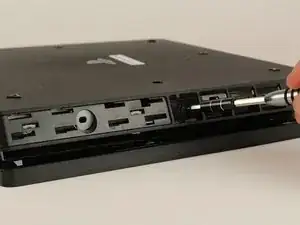
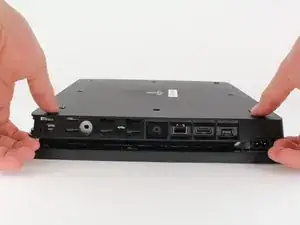
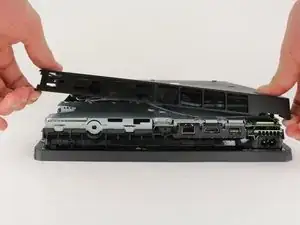
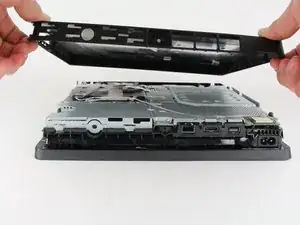
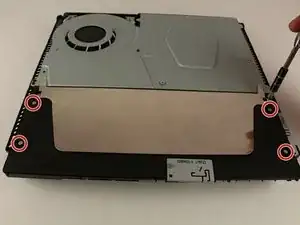
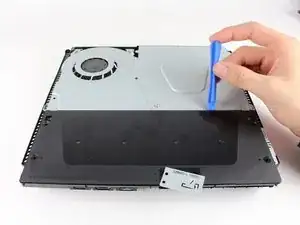
    • Sitúa la PS4 boca abajo con el lado del tornillo que acabas de retirar mirando hacia ti.

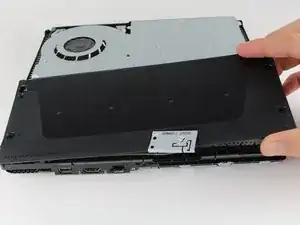
    • Haz palanca con las manos hacia arriba (con cuidado)en las dos esquinas mas cercanas a ti.

    • Esto puede requerir hacer un poco de fuerza para abrirlo, pero oirás un click fuerte cuando la tapa se suelte.

    • Retira la tapa inferior arrastrándola hacia las esquinas inferiores y levantándola.

    It says to place it upside down, but didn't you do so in the previous step? I've been trying to unscrew the screw with my screwdriver that I got from here and if I had to had the system right side up, I'm afraid I might've stripped the screw from all the force I tried to use to get the screw out that will NOT budge. It didn't even move the slightest after removing the warranty sticker.

    Vidal Santos -

    There is a single clip on the left side about 5cms in, and another clip on the right side equidistant to the one on the other side. Jamming a spudger in there first, and lifting those clips helped, and then I had to slide down to lift a total of 4 clips on each side (each about 4cms apart). Then push the cover away from you, if that makes more sense than “sliding it towards the back corners”, since the back corners are technically facing you.

    Emil Fisk -

    It would be easier if you just lifted the top cover of the PS4.

    Poobler -

    The earlier comment by Emil Fisk is spot-on. I found it impossible to remove the cover without first using a spudger to release the four clips on each side.

    midahed -

  4. eG12cRbDuv1GVtZd
    eG12cRbDuv1GVtZd
    IZBxPl2oH5CkN4DP
    2SpqZiosbjQ2HxGj
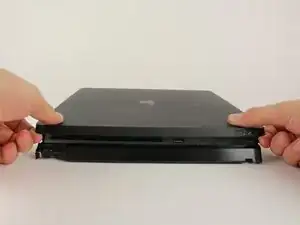
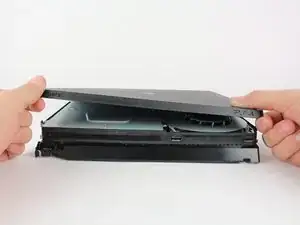
    • Coloca la Playstation 4 Slim con el lado derecho hacia arriba, con el logotipo de PS en la parte superior y el lado con las palabras "SONY" y "PS4" hacia ti.

    • Haz palanca con los dedos en las dos esquinas que están orientadas hacia usted.

    • Es posible que haya que hacer un poco de fuerza para abrirlo y se oirá un clic bastante fuerte cuando se separe la tapa superior.

    • Retira la tapa superior deslizándola hacia las esquinas traseras y levantándola.

    Undo 4 clips on each side by using a spudger. And then lift the front corners up and pull towards you to undo them.

    Emil Fisk -

  5. 3AeQgjbtK1pLrGkY
    3AeQgjbtK1pLrGkY
    iSoWBxqGEIukqO2C
    4Vw4unbMo24VFLiR
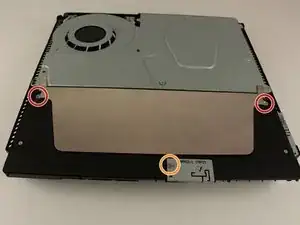
    • Desenrosca y retira los dos tornillos (el izquierdo de 31,0 mm y el derecho de 24,0 mm) utilizando un destornillador T8 con un movimiento en sentido contrario a las agujas del reloj.

    • Desenrosca y retira el tornillo de 3,0 mm utilizando un destornillador Phillips nº 1 con un movimiento en sentido contrario a las agujas del reloj.

    UK model seems to be different here. There's no Philips screw where there is on your image.

    MaFt Morley -

    This regards EU models in general, i think. My danish version is the same.

    William Villadsen -

    The screw on the left was 31mm, and the one on my right side was only 19mm.

    Emil Fisk -

  6. HrP1ICwvSbBshwxh
    • Retira los cuatro tornillos Philips de 16 mm que sujetan la fuente de alimentación.

    Es gibt diese Schrauben bei meiner Ps4 Cuh 2116A nicht und ich bekomme das Teil so nicht raus. Kann mir jmd helfen?

    Julian S. -

    Only 2 Phillips actress here on my UK

    MaFt Morley -

    Only 2 phillips screws on the US one as well.

    Sean Douglas -

  7. IELoveMUpqIKoH5N
    IELoveMUpqIKoH5N
    JfyvhNxHrQeavq3f
    • Retira la lámina metálica de la parte superior de la fuente de alimentación agarrando y levantando con las manos.

    Is this metal sheet required for the unit to power on?

    AlexT -

    I think the metal sheet protects the rest of the console or something from heating too much.

    BloodSpark22 -

    Kann man diesen Metallblech einzeln kaufen? Finde im Internet nichts

    SoN GoKu -

    A quoi sert la tôle métallique qui recouvre le ventilateur et l’alimentation svp

    Ittady92 -

  8. PNA4otMPJIQOHWDT
    PNA4otMPJIQOHWDT
    gTmbqA3sa4ExOM6K
    • Retira la antena de la parte superior de la fuente de alimentación guiando el cable con los dedos a través de las ranuras situadas debajo del panel metálico.

    What does this mean for part do? This part is not present in my console nor is the space where it's supposed to reside as shown in the picture above.

    The Hondo -

    Me neither, guess they are different models.

    Daniel Henderson -

    There was a longer clip 8mm long on the left side which had to be pulled straight out. However, be careful when pulling out the antenna. My cable was soldered to the metal plate.

    Emil Fisk -

    It is easier to wiggle the cable out from the plastic power supply housing in step 10.

    Emil Fisk -

  9. xoXm3taPYINyFEjd
    xoXm3taPYINyFEjd
    IvVUKwfba1q3oWup
    • Voltea la Playstation 4 Slim sobre su parte trasera.

    • Desenrosca y retira el tornillo de 4,0 mm utilizando un destornillador Phillips nº 1 con un movimiento en sentido contrario a las agujas del reloj.

    Forgot to mention to remove the hard drive.

    The Stuff -

  10. whHYWRP6SIDDsmug
    whHYWRP6SIDDsmug
    qUvGBKWo2LhFsk3m
    4WCDCpkIr6P2lECc
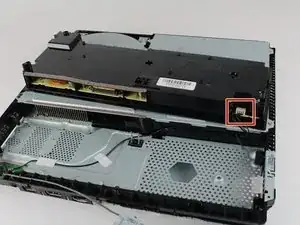
    • Utiliza una herramienta de apertura de plástico para hacer espacio entre la fuente de alimentación y la consola, metiéndola y moviéndola entre los dos.

    • Levanta la fuente de alimentación y colóquela sobre la chapa metálica con las manos.

  11. TNOBblu5PIbOJR4B
    TNOBblu5PIbOJR4B
    GLVgk3vwjAfTVyGM
    PAndD6pDYuGxIrrA
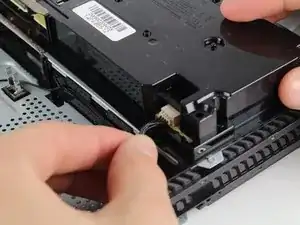
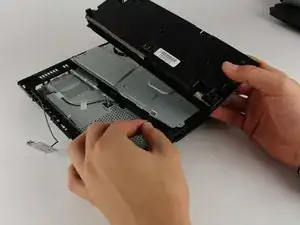
    • Desconecta el cable de conexión de la fuente de alimentación sujetándolo firmemente con los dedos o con unas pinzas y tirando de él.

    • Retira la fuente de alimentación completamente agarrando y levantando con las manos.

    Your guide is good but detail. Could be alot better for a start you forgot to mention the screw on the other side that must also be removed to let the power supply out of ps4 slim

    Chicky Boy3 -

    Could you replace a ps4 slim model CUH-211B with a N16-160P1A power supply

    Aiden Thrash -

    Just because I feel like this needs to be stated clearly, “Do no attempt to pull the plug out by the wires!”

    Pull from the plastic, male end of the plug or you’re going to end up have a very bad day.

    Matthew D. H. -

    Literally no way I can do it by the plastic, the only way is wires. Gotta risk it I guess

    Misha FV -

Conclusión

Para re-ensamblar tu dispositivo, sigue estas instrucciones en orden inverso.
Hernan Rodriguez

Miembro Desde 24/01/18

3236 Reputación

4 comentarios

Can the N15-160P1A power supply work on a PS4 system that originally came with N17-160P1A?

derasky4u -

My PS4 not turning on

Khai Stering -

This was awesome. Thanks for the assist

Christopher Gorgon -

I need help figuring out what I did to my ps4 and what needs replacement I had the new nba 2k 22 in the disc drive and the game was partly finished downloading so as it was doing that I brought shinobi striker which I previously had to use someone’s account to play it so the game popped up as light so I deleted it the first time and redownloaded it and it still said lite so then I deleted again but this time I double tapped the PlayStation button and it went to Home Screen slowed down then froze so I unplugged it plugged it back up and it wouldn’t turn on

Deontay -