Introducción
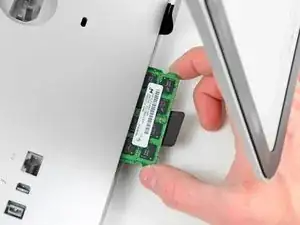
Usa esta guía para actualizar la memoria RAM en tu iMac.
Herramientas


Partes
-
-
Desenchufa el cable CA de tu iMac junto con cualquier otro dispositivo periférico.
-
Coloca su iMac boca abajo sobre una superficie suave y limpia como se muestra.
-
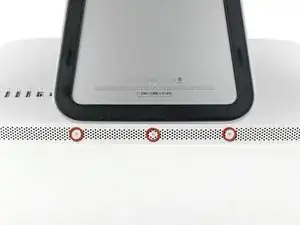
Afloja los tres tornillos Phillips que sujetan la puerta de acceso al borde inferior de su iMac.
-
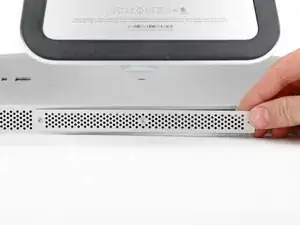
Retira la puerta de acceso.
-
-
-
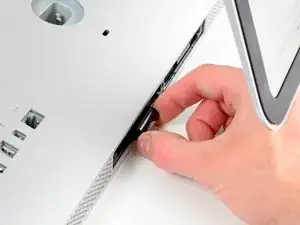
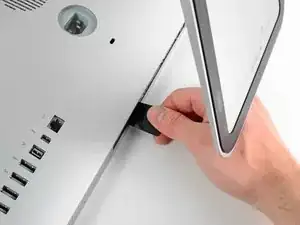
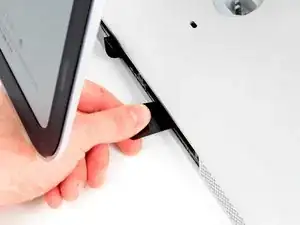
Desliza suavemente la lengüeta extraíble de plástico negro de la RAM hacia afuera de la ranura de RAM.
-
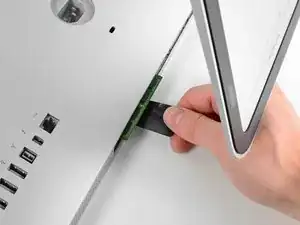
Tira de la lengüeta de plástico negro del borde inferior del iMac para expulsar los módulos en ese lado del compartimiento de RAM.
-
-
-
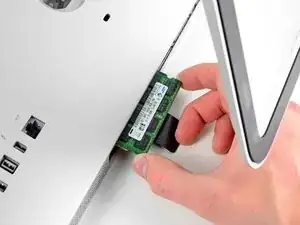
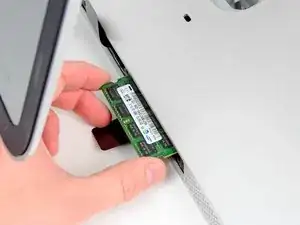
Desliza el (los) módulo (s) RAM anterior (s) de sus ranuras en la bahía de RAM y déjalos a un lado.
-
-
-
Repite el proceso en los pasos anteriores para eliminar los módulos de RAM del otro lado de la bahía de RAM.
-
-
-
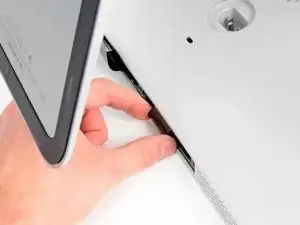
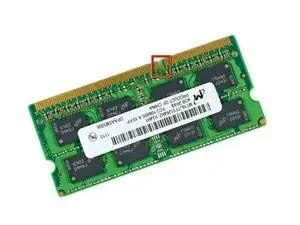
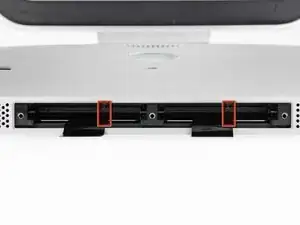
Asegúrate de que la pequeña muesca cortada en cada módulo de RAM (que se muestra en la primera imagen) coincida con la protuberancia en cada ranura de RAM (que se muestra en la segunda imagen).
-
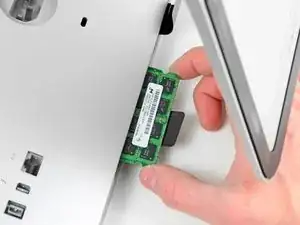
Para reensamblar tu dispositivo, sigue estas instrucciones en el orden inverso.

10 comentarios
Can i ad up to 32gb?
I need to know this as well.....
From what I read in the specs for this model it can support up to 16GB
You can't put 8GB modules in these slots. I tried. Apparently the architecture does not support addressing the extra memory in each slot. My iMac would not successfully boot or run for very long before rebooting. So, you have 2GB and 4GB module options, in pairs, among the 4 slots. That should provide 4GB (two 2GBs), 8GB (four 2GBs or two 4GBs), 12GB (pair of each) and 16GB (four 4GBs) options for total RAM.
I'm no expert, but this was my experience.
Larry -
My iMac is a i3 core, can I do the same thing with the same chips?
Thank you for the fix manual. I managed to change my memories in 5 minutes.
Tho it was a mistake to be in a hurry to try all, cause at begining I got the 3 beep warning and iMac didnt want to boot.
I opened again, tried 2x4GB instead of the initial 4x4GB, and it worked.... tried again 4x4GB but swaping memories (not that its something relevant but supposed helped me reconnect all better).
Now my oldie iMac has 16GB instead of 4GB and it works great.
Thank you!
Before beginning unplug your iMac.
Henry Barnett -
The screws are not phillips #1 as implied above. My phillips#2 bit fit.
John McWilliams -
Yes phillips #2 is the correct Bit
Heath -
Whenever I go this “deep” into any computer that has a motherboard battery, like the CR2032 for this iMac, I’ll add a new battery to my workflow. I’m in the “neighborhood” anyway.
The battery is in a spring-loaded compartment, which requires patience and persistence.
I make sure to test the new battery before installation. (The “3-2-1 Rule” applies: 3 of something means 2, 2 means 1, and 1 means none - I keep spare batteries on hand.)
When I took part in my dual-drive adventure, I also added a thorough dusting (outside/outdoors) - phew!
Carrick -