Introducción
¿Tiene tu batería problemas y necesita ser reemplazada? ¡Esta guía te guiará a través de los pasos necesarios para tener una batería nueva en tu Nintendo 3DS XL en muy poco tiempo!
Herramientas


-
-
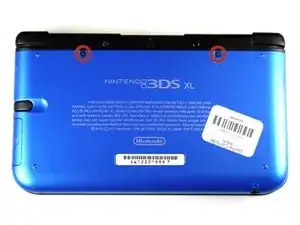
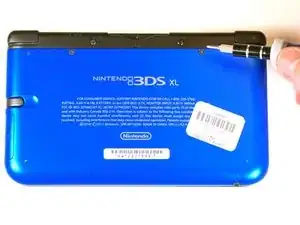
Desatornilla los dos tornillos de 4.2 mm que están localizados arriba de la cubierta.
-
Los tornillos tienen arandelas (rondanas) de seguridad que evitan que los tornillos se desprendan de la cubierta . Deja las arandelas en los tornillos; no es necesario removerlas para esta guía de reparación.
-
-
-
Coloca el dispositivo de manera que la cubierta quede hacia arriba.
-
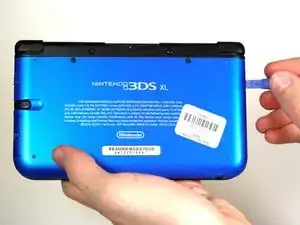
Usa una herramienta para abrir de plástico para desprender la cubierta empezando desde la esquina derecha.
-
Sostén la orilla de la cubierta para asegurarte de que no se cierre de nuevo.
-
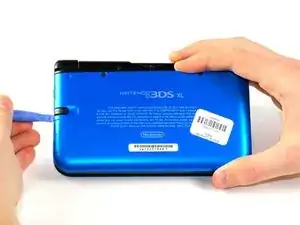
Revisa la pequeña sección debajo del compartimiento del stylus. Manipula la cubierta en ese punto si aún no se ha desprendido.
-
Quita la cubierta del dispositivo y deja la batería a un lado.
-
-
-
Inserta la herramienta para abrir de plástico en la apertura localizada en el lado derecho de la batería.
-
Empuja la bateria fuera de la carcasa.
-
Levanta y retira la bateria fuera de la carcasa.
-
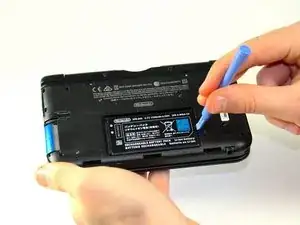
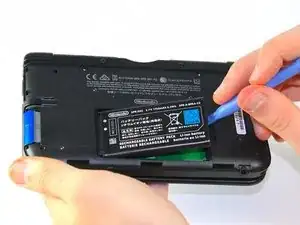
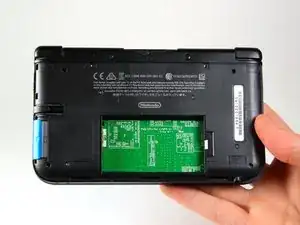
Para volver a armar tu dispositivo, sigue estas instrucciones en orden inverso.

5 comentarios
Time estimate: 3 - 9 hours Difficulty: Very difficult ??????
More like 30-90 seconds, and that's if you have to search for a screwdriver.
机器无法开机怎么办?是电池的问题吗?
It should be noted that the bottom three clips on the bottom of the backplate can’t just be snapped in, they need to be slipped in, so when removing the backplate, it should be tiled away from the system and then pulled up from the bottom, and those three clips on the bottom should be the first clips in when you’re putting it back together, sliding them in with the backplate at an angle, and then the rest of the clips just snap in.
Nice tip. Ty.
Note: If your top or bottom screen was working before disassembly and doesn't work after reassembly, then it's likely that the connector is loose or dirty or damaged or not clipped or PLACED UPSIDE-DOWN. I had this issue with my Super3DS XL(2015) and it turns out that the reason why my top screen wasn't working after put together, was because I had the top LCD connector upside-down. After I correctly put the connector in, It worked again!
justjustintuber -
what type screwdriver do i use?!? its so small!!!!
Matthew -
I had success using a #00 Phillips head
Jake S -
Can't clip the front of the back cover back in
Macro Man -