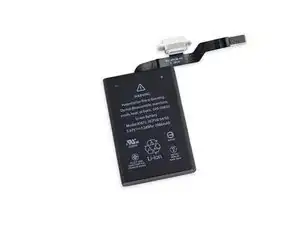
Introducción
Advertencia: ¡El reemplazo de la batería puede ser peligroso! ¡Ten mucho cuidado al seguir esta guía!
Drena la batería por debajo del 25 % para evitar la fuga térmica de la batería.


-
-
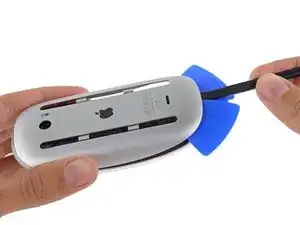
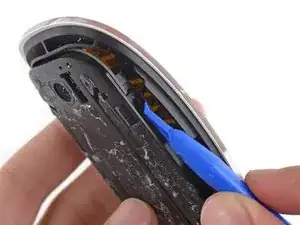
Usa una herramienta de palanca o un spudger para desbloquear cuatro clips de plástico alrededor del perímetro del compartimiento interior
-
-
-
Retira los dos tornillos de cabeza Phillips que sujetan la cubierta de metal sobre el conector del cable.
-
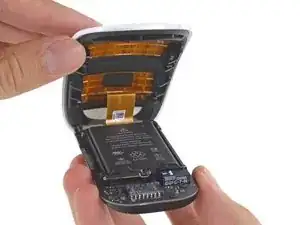
Desconecta el cable de la placa y deja a un lado la mitad superior del mouse.
-
-
-
Usa protección para los ojos cuando manipules y apliques el removedor de adhesivo. (La protección para los ojos está incluida en tu kit).
-
Los guantes protectores también están incluidos en tu kit. Si te preocupa la irritación de la piel, ponte los guantes ahora.
-
-
-
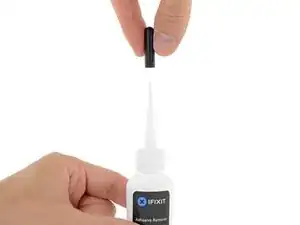
Retira el tapón de goma negro de tu botella de removedor de adhesivo.
-
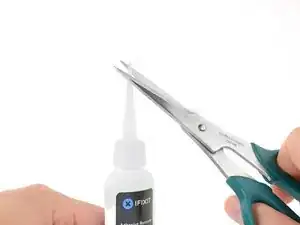
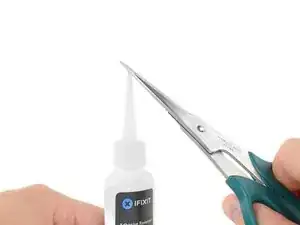
Usa tijeras para cortar la punta sellada del aplicador.
-
-
-
Aplica 2 gotas de removedor de adhesivo de manera uniforme.
-
Espera 2-3 minutos para que el removedor de adhesivo líquido penetre debajo de la batería.
-
-
-
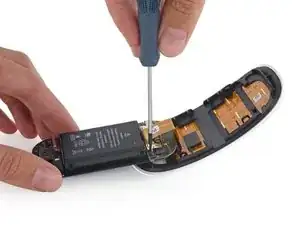
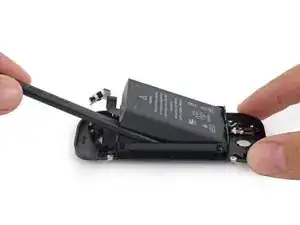
Coloca un spudger debajo de la batería y sácalo del pegamento.
-
Extrae el puerto de carga de su lugar.
-


Para volver a armar tu dispositivo, sigue estas instrucciones en orden inverso.
Lleva tus desechos electrónicos a un R2 o e-Stewards reciclador certificado.

9 comentarios
I may be wrong because I don’t own this device, but from what I’ve read from other tutorials, it does not look like it’s necessary to do steps 1 and 2. The tutorials I’ve read just split the mouse in 2 without messing with the bottom of the mouse. Doing so means they don’t need to worry about damaging the bottom or working with the adhesive.
I have fixed it!
Thanks for the note!
Die Anleitung ist leider sehr unvollständig.
Nachdem das Maus Kabel und das Batterie Kabel entfernt wurde, ALLE Schrauben entfernen (4er und 5er Torx), die Platine, den Schalter und die Metall Spange demontieren. Den Ladestecker abschrauben, Achtung! darunter befindet sich eine Metallhülse / Führung für den Ladestecker, gleich mit entfernen.
Jetzt darf nur noch die Batterie zu sehen sein.... Ab in den Backofen und auf 50 Grad Celsius erwärmen, das reicht aus, um die Batterie ohne Schaden am Gehäuse zu entfernen. Die Klebestreifen befinden sich links und rechts auf den langen Seiten. Diese im warmen Zustand sofort ablösen und auf die neue Batterie kleben.
Beim Zusammenbau darauf achten, die etwas längeren Schrauben gehören zum Schalter! Die Stecker vorsichtig ohne Gewalt einstecken, wenn alles richtig ist, gehen sie ganz leicht herein.
So, ich hoffe das ich nichts vergessen habe, Viel Glück
Translation:
Unfortunately, the instructions are very incomplete.
After the mouse cable and the battery cable have been removed, remove ALL screws (4 and 5 Torx), dismantle the board, switch and metal clasps. Unscrew the charging plug, attention! Below it is a metal sleeve / guide for the charging plug, immediately remove it.
Now only the battery can be seen.... Put it in the oven and heat it up to 50 degrees Celsius, that's enough to remove the battery without damaging the housing. The adhesive strips are located on the left and right on the long sides. Remove them immediately when warm and stick them to the new battery.
When assembling, make sure that the slightly longer screws belong to the switch! Gently plug in the plugs without force, if everything is correct, they go in very easily.
So, I hope I haven't forgotten anything, good luck
Thank you very much! This is absolutely correct.
English translation by Google:
Unfortunately, the instructions are very incomplete.
After removing the mouse cable and the battery cable, remove ALL screws (4 and 5 Torx), disassemble the circuit board, the switch and the metal clasp. Unscrew the charging plug, caution! underneath is a metal sleeve / guide for the charging connector, remove it at the same time.
Now only the battery should be visible... Put it in the oven and heat it up to 50 degrees Celsius, that's enough to remove the battery without damaging the housing. The adhesive strips are on the left and right of the long sides. Remove this immediately when warm and stick it on the new battery.
When assembling, make sure that the slightly longer screws belong to the switch! Insert the plugs carefully without force, if everything is correct they will go in quite easily.
Well, I hope I haven't forgotten anything, good luck
Lol we posted the same thing at the time
I did first and passed out