Introducción

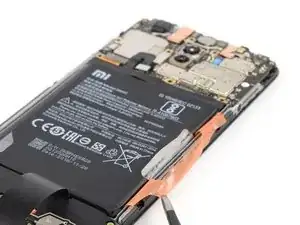
Usa esta guía para reemplazar una batería gastada o agotada en tu Xiaomi Pocophone F1.

Si tu batería está hinchada, toma las precauciones adecuadas Por tu seguridad, descarga la batería por debajo del 25% antes de desmontar su teléfono. Esto reduce el riesgo de un evento térmico peligroso si la batería se daña accidentalmente durante la reparación.

Necesitarás adhesivo de repuesto para volver a colocar los componentes cuando vuelva a ensamblar el dispositivo.

  1. OrBsnxNOVYqWAssJ
    OrBsnxNOVYqWAssJ
    Fhrnk1Yt2hus65uZ
    aPgvoL5TyiTNPWDD
    • Antes de empezar, apaga tu teléfono.

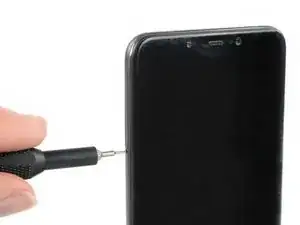
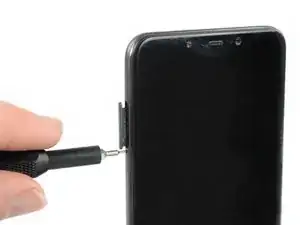
    • Inserta una herramienta para expulsar la tarjeta SIM o un clip en el pequeño orificio de la bandeja de la tarjeta SIM en el borde izquierdo del teléfono.

    • Presiona con firmeza para expulsar la bandeja.

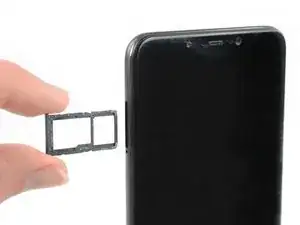
    • Retira la bandeja de la tarjeta SIM.

    • Cuando vuelvas a insertar las tarjetas, asegúrate de orientarlas correctamente en la bandeja.

  2. UbOnC62UBKS6WfSB
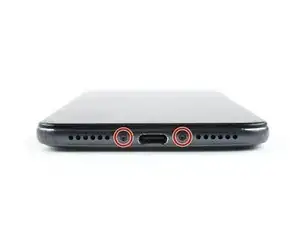
    • Remueve los dos tornillos de 2.7 mm Torx T3 del borde inferior de tu teléfono.

    They are Torx T3 screws

    Niklas Abel -
  3. miNVJADZUKWiUmSy
    miNVJADZUKWiUmSy
    CKbfTaVWTAUFfqkW
    IHqsjnLAECDSJcip
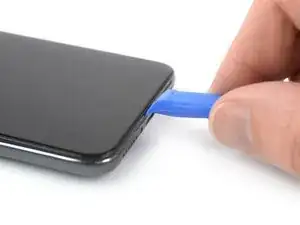
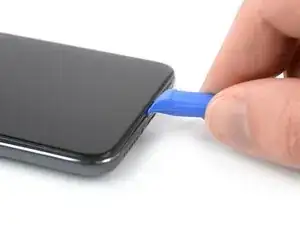
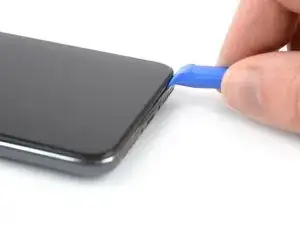
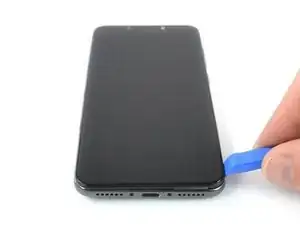
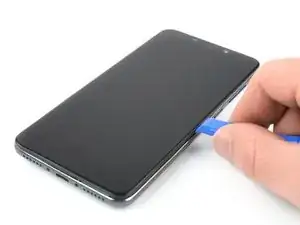
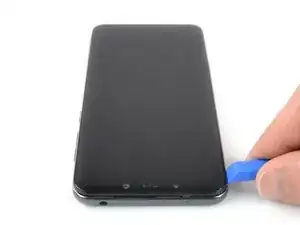
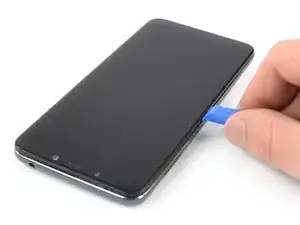
    • Inserta una herramienta de apertura entre la pantalla y la tapa trasera en el borde inferior de la pantalla.

    • Desliza la herramienta de apertura hacia la esquina inferior derecha para liberar los clips de plástico que sujetan la tapa trasera en su lugar.

    Be careful to identify the correct groove to attack with the opening tool. The correct groove is the one adjacent to the screen and not the one embossed on the back cover.

    geoffrey -
  4. 3ZBlWNKswQYaRPTN
    3ZBlWNKswQYaRPTN
    QCM2hqPA6tYbl3Do
    NBZ1UF1VXjmMWpZm
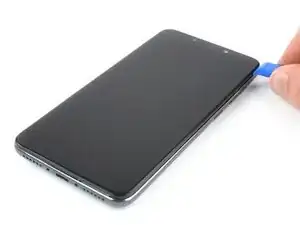
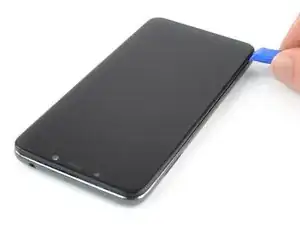
    • Desliza la herramienta de apertura alrededor de la esquina inferior derecha.

    • Desliza la herramienta de apertura a lo largo del borde derecho del Pocophone F1 para liberar los clips de plástico.

  5. TKigUGZXOk1OGCJ6
    TKigUGZXOk1OGCJ6
    BH2IyZAA1NpOPvlL
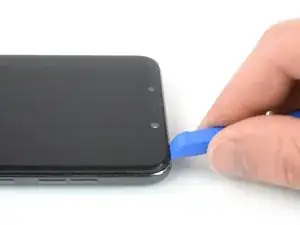
    • Desliza la herramienta de apertura a lo largo del borde superior del teléfono para liberarlos clips de plástico que sujetan la tapa trasera.

  6. FhYabmHvo4ly1gkl
    FhYabmHvo4ly1gkl
    HuGCuMIRkyMqfYc2
    5Q3MFZCrxHx3geUY
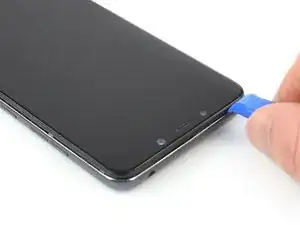
    • Desliza la herramienta de apertura a lo largo del borde superior del borde izquierdo del teléfono para liberar los clips de plástico restantes.

    • Intenta no quitar la tapa trasera del todo todavía, el cable flexible del sensor de huellas digitales sigue conectado a la placa madre.

  7. dlErD2xSfoRsQuM1
    dlErD2xSfoRsQuM1
    KMJXAnAlbmDiot4R
    5GwYmgFRp3BDSS3G
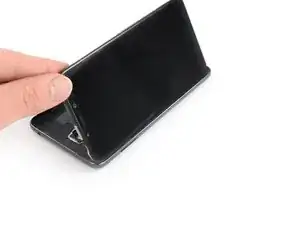
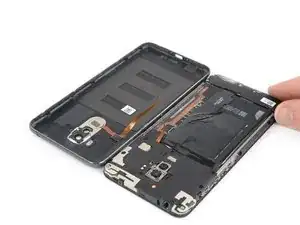
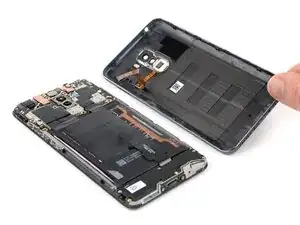
    • Dobla con cuidado el ensamblaje del teléfono a la izquierda de la tapa trasera como si abrieras una página de un libro.

    • Evita estirar el cable flexible de las huellas digitales durante este procedimiento.

  8. wLYd3aMILcV6pFL2
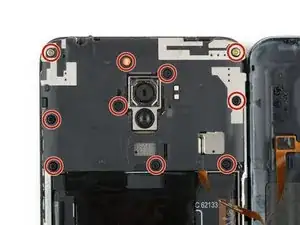
    • Remueve los diez tornillos Phillips de 3.2 mm de largo.

  9. iCDXedjbdKlMpP6I
    iCDXedjbdKlMpP6I
    vmwCOeHPRGb5exyB
    s1MITGp2vFAeP36r
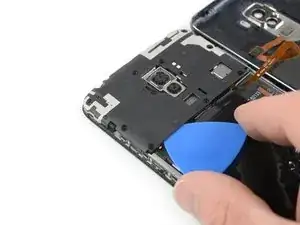
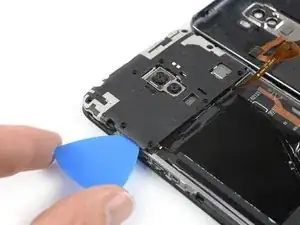
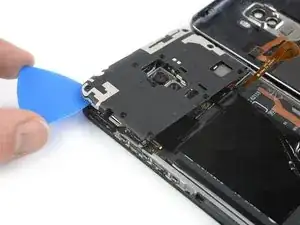
    • Desliza una púa de apertura debajo de la esquina inferior izquierda de la cubierta de la placa base.

    • Desliza la púa de apertura alrededor de la esquina y a lo largo del borde izquierdo de la cubierta de la placa madre para liberar los clips de plástico que la mantienen en su lugar.

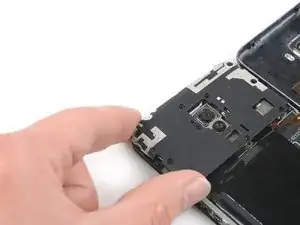
    • Usa la púa de apertura para levantar la tapa de la placa madre.

  10. jiHVHBKLpQVL2DL6
    jiHVHBKLpQVL2DL6
    RGkcjXJTrqU6AwIT
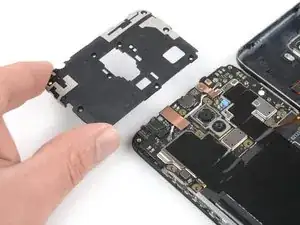
    • Remueve la tapa de la placa madre.

  11. 3C2G1CctZnCyK1wQ
    3C2G1CctZnCyK1wQ
    K1sLLJVh3GHjfqSH
    QxP4tC32xK1f36ry
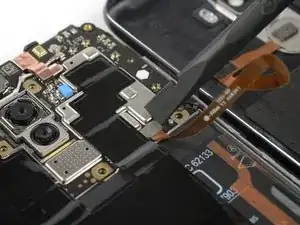
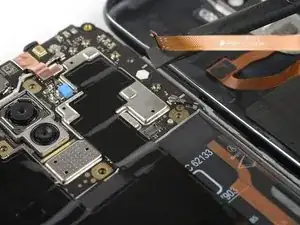
    • Usa el extremo plano de un spudger para levantar y desconectar el conector flexible de huellas digitales.

    • Remueve la tapa trasera.

  12. xrGX3TUKK1W4OwHl
    xrGX3TUKK1W4OwHl
    xv4iD6aWTTaUFU6u
    254LqM1UQymhTgif
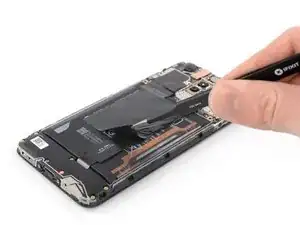
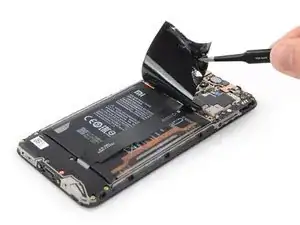
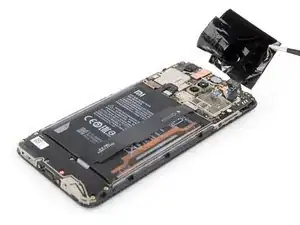
    • Utiliza unas pinzas para despegar la lámina protectora negra de la batería y la placa lógica y retírala.

  13. IpvbqPGVQfsPKWak
    IpvbqPGVQfsPKWak
    Y6UCMGV1iBRBgOPA
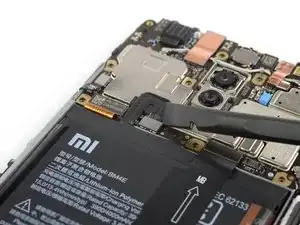
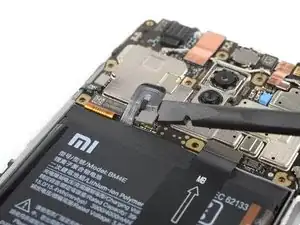
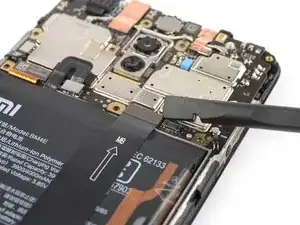
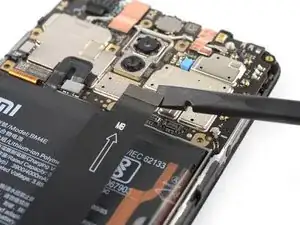
    • Usa el extremo plano de un spudger para levantat y desconectar el conector de la batería.

  14. 5SGIilHXATIqJhfx
    5SGIilHXATIqJhfx
    YrEakNHflSnxGBNd
    PUIegsTTS6vS1UIt
    • Usa el extremo plano de un spudger para levantar y desconectar el cable flexible de interconexión.

    • Dobla el cable flexible de interconexión fuera de su camino para poder acceder a la batería.

    • Es posible que quieras usar cinta adhesiva como Tesa y pegar el cable flexible en tu escritorio para mantenerlo en su posición doblada.

  15. SQtiLn4ZwxlQPR1p
    SQtiLn4ZwxlQPR1p
    AfvQxKJLiyFE3wb5
    1ABSOO2mp1FoWTAj
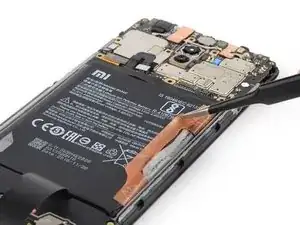
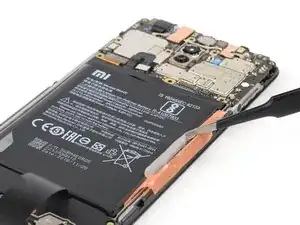
    • Usa un par de pinzas o las uñas para despegar la etiqueta naranja de la batería.

    • Despega la pequeña pegatina blanca de la batería.

  16. XFs1tT6nVL5xuiPm
    XFs1tT6nVL5xuiPm
    mu11bAqBMTn2Ftl2
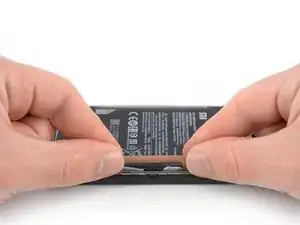
    • Agarra ambos extremos de la pegatina naranja.

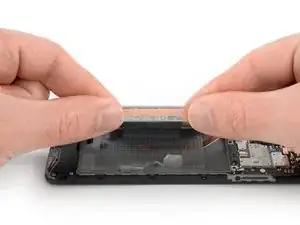
    • Tira de ambos extremos de la pegatina naranja hacia arriba para sacar la batería de su hueco.

    • Si tienes dificultades para quitar la batería, es posible que el adhesivo sea un poco demasiado pegajoso. Puedes colocar un iOpener caliente en la pantalla o usar una pistola de calor para suavizar el adhesivo debajo de la batería. Aplicar el iOpener durante al menos dos minutos.

  17. tLIZ1rXLWXeaUXr5
    • Quita el adhesivo restante de la batería.

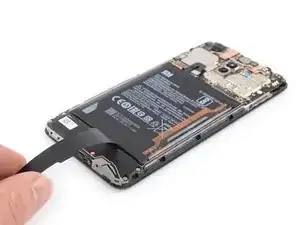
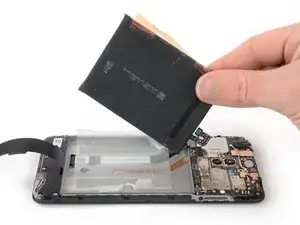
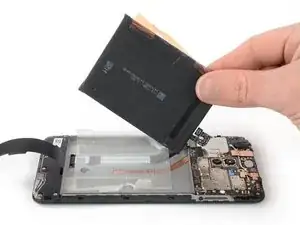
    • Remueve la batería

    • No reutilices la batería después de haberla retirado, ya que hacerlo es un peligro potencial para la seguridad. Reemplázalo con una batería nueva.

    • Puedes reutilizar la cinta adhesiva vieja si aún está pegajosa. Sin embargo, si deseas reemplazar su pantalla, debes quitarla y reemplazarla con una nueva cinta adhesiva de corte personalizado.

    What is the safety hazard with reusing the same battery ? If it has not been damaged, where is the risk ?

    Lionel -

Conclusión

Si es posible, enciende tu dispositivo y prueba la reparación antes de instalar adhesivo nuevo y volver a sellar.

Asegura la batería nueva con adhesivo precortado para ayuda.

Dominik Schnabelrauch

Miembro Desde 23/11/16

169012 Reputación

12 comentarios

I need advice wich battery to buy and from where.

I can't find a genuine or at least good replacement battery online.

Non of them have a working temperature sensor and most have a lower capacity than advertised.

Xiaomi isn't selling batteries directly to customers in germany.

Sam -

Did you find any reliable alternative? Having the same problem at the moment. Thinking about going to one of those repair Shops but actually they probably use the same batteries, that I am finding online.

wtoepfer3636 -

Hey, the guide was awesome. I was able to remove the battery.

Thanks

vishal -

Thanks for the awesome guide!

Joao Siqueira -

I also am not sure about where to get a genuine battery from

Sahar Avni -

Have you been able to sort anything out? Having the same problem at the moment.

wtoepfer3636 -

awesome. great simple guide. changed my battery. thanks

altomic -

Just bought one replacement battery at witrigs: https://www.witrigs.com/oem-battery-repl.... Available at https://www.battery-shop.org too, but never ordered in this shop.

Genuine model reference is BM4E.

Hope to receive it soon !

Alex -

I struggled with back cover removal. Eventually I've managed to insert the tool between the sim-tray slot and the screen. Just be careful not to break the thin section of plastic.

The battery itself was also harder to remove than expected. The original adhesive is quite strong and the angle you have to pull at is pretty bad.

In the end I was able to complete the battery swap. Thank you for the guide.

Roman -

Thank you for the tutorial.

After the battery exchange, le phone doesn't charge anymore! Neither with the new battery nor the old one. Charger and cable are OK, tested on another phone. I have double checked the cables in the phone, and loudspeaker is working. Can this be due to a software issue?

Thanks for your help

Regards

Vincent

Gary -

Thank You!

My Poco F1 has another life to spend.

Bojan -

Thanks for the effort put into this guide! While it may be "old" as the phone, it is still very much appreciated and hopefully will give my phone another couple years of use!

LIsMyName -