Introducción
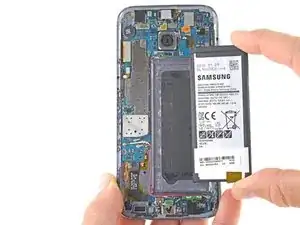
¿Se está agotando la batería demasiado rápido? ¿Estás obligado a recargar tu S7 más de una vez al día? Esta guía te mostrará cómo quitar la vieja batería gastada en su S7 y reemplazarla por una nueva.
Ten en cuenta que la guía de video recomienda quitar la tarjeta SIM. Esto no es necesario, pero no afectará negativamente la reparación si lo eliminas.
Antes de desmontar tu teléfono, descarga la batería por debajo del 25%. Una batería de iones de litio cargada puede incendiarse y / o explotar si se pincha accidentalmente.
Si tu batería está hinchada, toma precauciones adecuadas. No calientes tu teléfono, si es necesario usa un gotero o jeringa para inyectar alcohol isopropílico (90%) alrededor de los bordes de la cubierta trasera para aflojar el adhesivo. Las baterías hinchadas pueden ser peligrosas, así que usa gafas protectoras y tome precaución, o llévala a un profesional si no estás seguro/a cómo proceder.


-
-
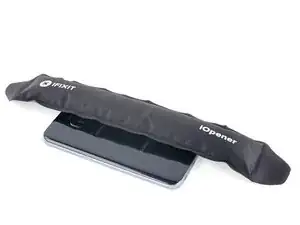
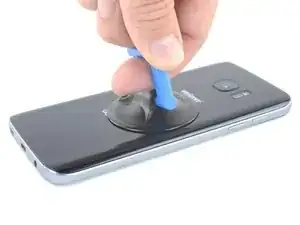
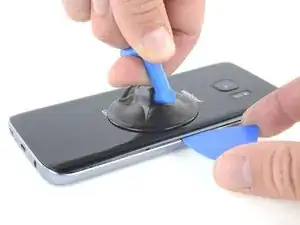
Una vez que el panel esté lo suficientemente caliente al tacto, coloca una ventosa lo más cerca posible del borde calentado, evitando la parte curvada.
-
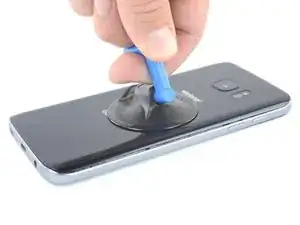
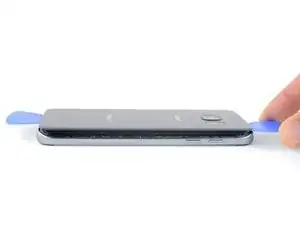
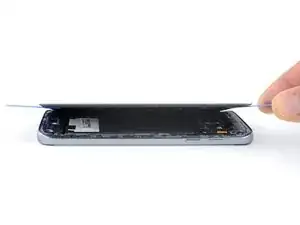
Levanta de la ventosa e inserta un spudger Haldberd o púa de apertura debajo del cristal trasero.
-
-
-
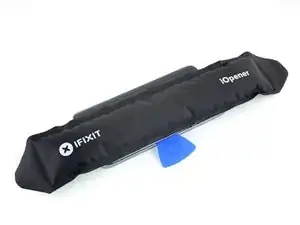
Una vez que esté firmemente introducida la púa, vuelve a calentar y aplicar el iOpener para ablandar el adhesivo.
-
-
-
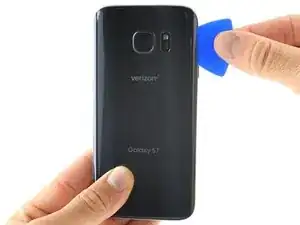
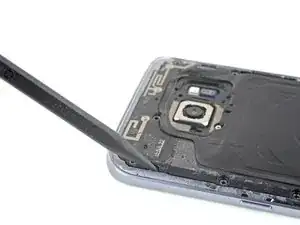
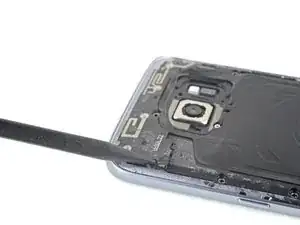
Desliza la púa de apertura a lo largo del borde del teléfono separando el adhesivo.
-
Deja la púa en su lugar y toma una segunda púa mientras continúas con el próximo paso. Si dejas la púa insertada previenes que el pegamento que has separado se vuelva a adherir.
-
-
-
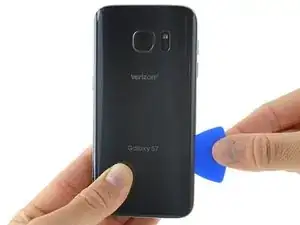
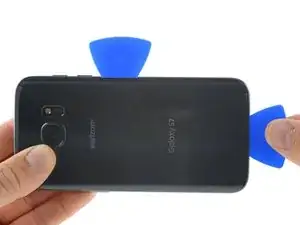
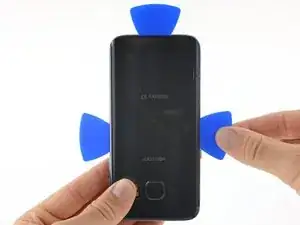
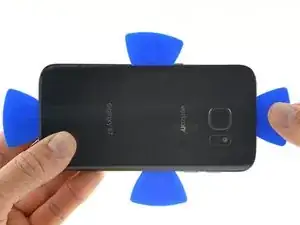
Repite el paso previo de calentado y corte del adhesivo en los tres bordes restantes.
-
Deja una púa de apertura en cada borde del dispositivo mientras continúas para evitar que se vuelva a unir con el adhesivo.
-
-
-
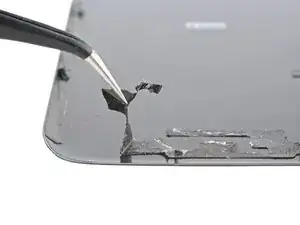
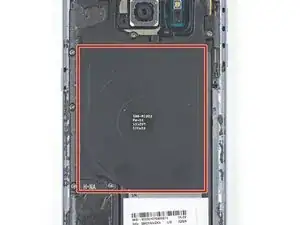
Si estás limpiando superficie intermedia con alcohol isopropílico, sé muy cuidadoso de no derramar nada de alcohol en el módulo de carga inalámbrica. El recubrimiento de carga inalámbrica puede dañarse si entra en contacto con el alcohol.
-
-
-
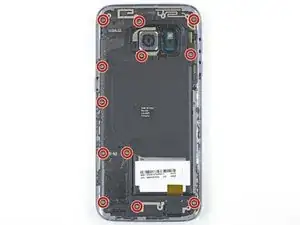
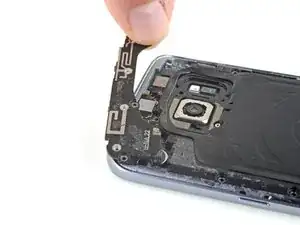
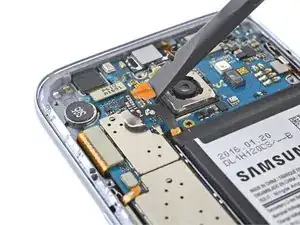
Inserta la punta de un spudger en la muesca del lado izquierdo del ensamble de la antena, y levanta el ensamble hacia arriba y afuera del marco
-
Retira el ensamble de la antena.
-
-
-
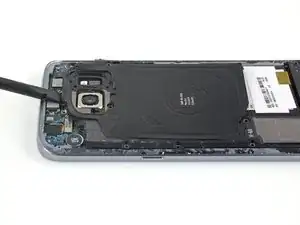
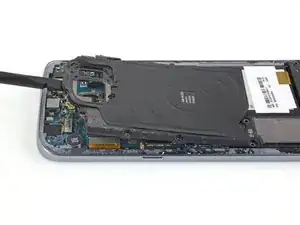
Usa el lado plano de una spudger para levantar el ensamble de la bobina de carga inalámbrica afuera del teléfono.
-
-
-
Aplica algo de alcohol isopropilico de alta concentración (>90%) debajo de cada esquina de la batería y permite que penetre por varios minutos para ayudar a debilitar el adhesivo.
-
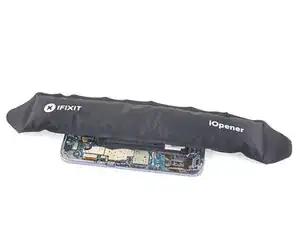
Alternativamente, prepara un iOpener y aplicado directamente a la bateria.
-
Aplica el iOpener por al menos un minuto para suavizar el adhesivo de la batería.
-
-
-
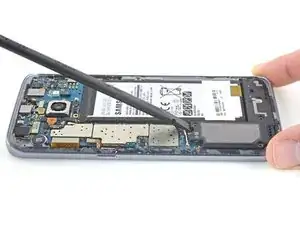
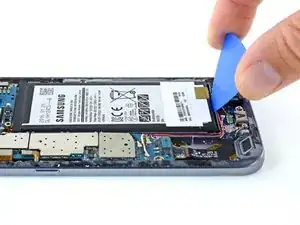
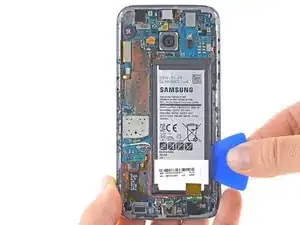
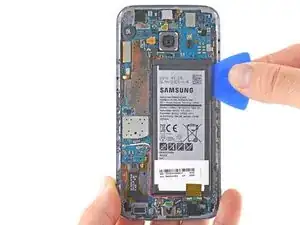
Usa una herramienta plástica con pico de apertura para levantar la batería desde la parte inferior.
-
Estarás haciendo palanca contra la caja directamente sobre la placa madre y los cables de antena. Haz palanca con cuidado para evitar dañar cualquiera de estos componentes.
-
-
-
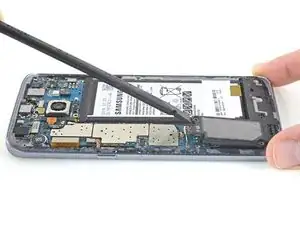
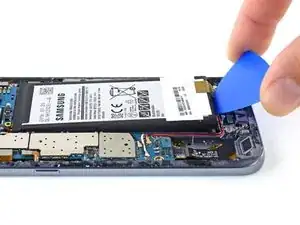
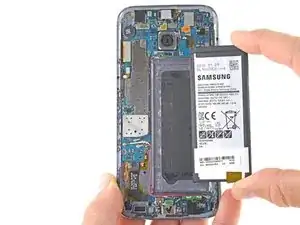
Desliza una herramienta de apertura por el costado de la batería para separar el adhesivo restante.
-
Retira la batería de la caja
-
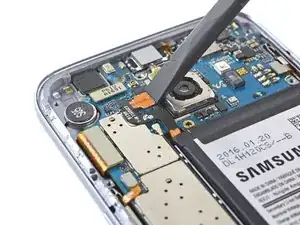
Para volver a ensamblar tu dispositivo, aplica el adhesivo en el cristal trasero y sigue las instrucciones en orden inverso.
Luego de completar esta guía, calibra tu batería nueva.

57 comentarios
After this is it still waterproof?
In theory, if you applied the replacement adhesive 100% correctly, it will retain its water resistant properties. However, I would never deliberately expose any device to water, as you can never be completely sure that all the seals are perfectly intact.
That is actually covered in the video. Did you actually watch it? If water resistant is important to you then what you would do is purchase new gasket material so that after you have opened up the phone and removed all the existing gasket you would apply the new gasket and then finish up and re-seal your phone. As to how water resistant it is after re-sealing the phone all depends on how careful you are and how exact your work is.
Sooooooooo why exactly did Samsung make it impossible to open the phone?
Because screws are unsightly :P… and repairing your old phone makes you not want to buy a new phone.
The display is coming off instead of the back panel. Do you have any suggestions if this happens?
I used a heat gun and heated it a little too much. The color of the rear glass is just a sticker on a clear cover. Due to this I tore the sticker off. Now the back cover is see through, which isn’t a bad thing but the repair was for a customer.
Kevin Bishop -
When using the iOpener, you may need more than 30 seconds, especially in compact or low wattage microwaves. Take this slowly, though, and be extremely careful, as it is easy to overheat your iOpener. Remember, you can always heat it up a tad more, but you cannot undo overheating it.
Jacob Pratt -
I used an adjustable heat gun and set it to 400 degrees (F). That was enough to seperate the glass without having to worry about exposure times of the heat. The front of the phone was just fine. Just be ready to use a bunch of picks to slide in between because they will be needed this way.
Ryan Schumerth -
I went from the bottom center up, using one ifixit tools, one suction cup and one pick.
Pick just popped in with some minor pressure.
Laid heat pack along base of phone 2 mins first and worked up slowly, rotating picks as I went. Had to heat iopener over several 30 second bursts
Lauren Burt -
This is useless because the phone does not recognize the new battery and will behave like on the old one
Search for “battery count xda"
Albert Einstein -
That is an interesting discovery! Thanks for pointing it out—I’ll have to look into it.
Even if this is true, replacing the battery should still give restore a significant amount of life, since the max voltage affects a minor amount of the battery’s capacity. If you charge a worn battery and a new battery to the same lower max voltage, the worn battery’s voltage will dip more under use and will be depleted faster.
Arthur Shi -
Thanks for the guide! It helped me replace a friend's battery with no problems!
Darren Crook -
I will never replace a screen again, and don’t recommend it. Not for phones nowadays. Once upon a time everything was screwed together, and you might even get the same quality or better screen when buying from eBay. And having the phone repaired was nearly the cost of the phone. Now, it’s the reverse. Removing the glued back and screen and cleaning off all the glue for a clean re-seal is an ordeal that takes multiple hours, AND, often the screen you buy on eBay is NOT OLED, but an LCD, and a blurry one at that. And the local phone repair store will replace the screen with an OLED, reliably, same day turn around, for not much more than the cost of an actual OLED screen, because they have the parts in bulk, and the tools and experience to do it quickly. Never again!
domarius -
have you ever had one that just wont open at all? i can not get mine to open to replace the battery i have heated with a heat gun and attached suction cup and it will not lift at all
Carla James -
Hi Carla,
I've definitely had that experience before. The adhesive is very strong, and the curved back makes getting the initial seam very difficult. I'd suggest focusing on one small area on the edge. Apply steady force when you pull, and repeat a few times to loosen the adhesive. Eventually it will give and present a small gap.
Arthur Shi -