Introducción

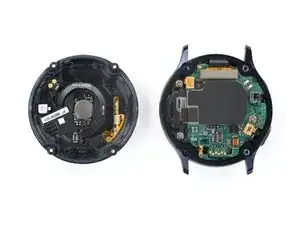
Usa esta guía para reemplazar una batería gastada o descargada en tu Samsung Galaxy Watch Active2.

Si tu batería está hinchada, take appropriate precautions. Por tu seguridad, descarga tu batería por debajo del 25% antes de desarmar tu reloj. Esto reduce el riesgo de un evento térmico peligroso si la batería se daña accidentalmente durante la reparación.

Es posible que necesites adhesivo de repuesto para volver a colocar la batería cuando vuelvas a ensamblar el dispositivo.

  1. PpZOv4HwIXocgyLa
    PpZOv4HwIXocgyLa
    URGisUyoLxnnOdxd
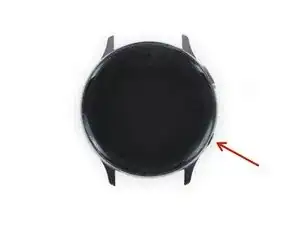
    • Apaga el Galaxy Watch Active2 manteniendo presionado el botón inferior durante aproximadamente 3 segundos. Deberías sentir una vibración corta.

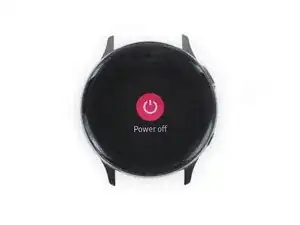
    • Cuando aparezca el símbolo de "Power off", toca el centro de la pantalla para que se apague. Deberías sentir una vibración más larga para confirmar.

  2. uu5BVXM3mPVqtxCV
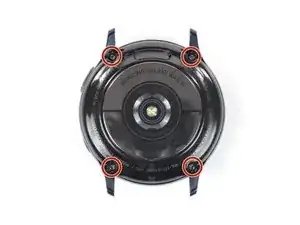
    • Usa un destornillador Tri-point Y00 para quitar los cuatro tornillos de 4 mm de largo en la parte posterior del reloj.

    Y1.5 works just as good

    BRIAN MIRANDA -

  3. gaLLXZL6PtTfeKTr
    gaLLXZL6PtTfeKTr
    R12EOStuFS1gSrnJ
    pEvRLZfPye6TlF5x
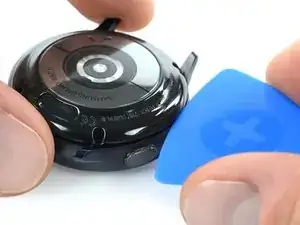
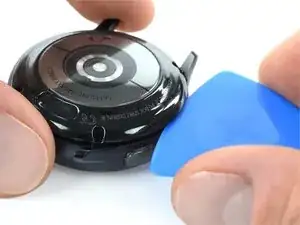
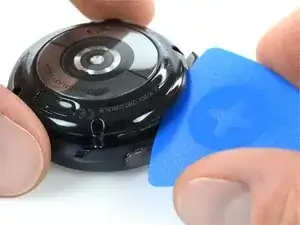
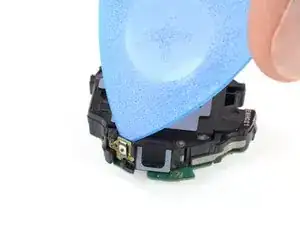
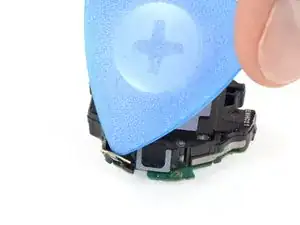
    • Usa una púa de apertura y colócala entre la tapa trasera de plástico y la carcasa de metal cerca de los botones.

    • Empuja la púa de apertura en el espacio para separar la tapa trasera de la carcasa.

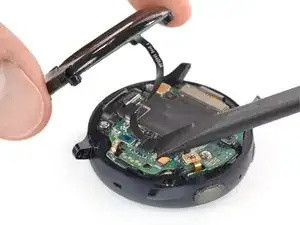
    • No quites la tapa trasera del todo todavía. Hay un cable que lo conecta a la placa base.

    There is a glue-ish gasket keeping it closed. I used an exacto knife to start it opening.

    BRIAN MIRANDA -

    This was super helpful thank you! Perfect timing

    this is trash -

    Waarmee kan ik de achterste oplaadplaat weer vast lijmen op de achterste behuizing

    Ilona Smit -

  4. bpWZC4dQSQhyoeRG
    bpWZC4dQSQhyoeRG
    HBeHnBVjm3DQi5vK
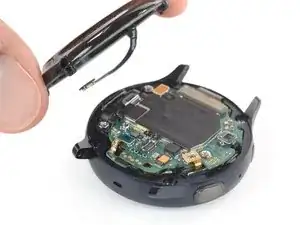
    • Levanta con cuidado la tapa trasera para acceder al conector del conjunto de sensores.

    • Usa un spudger para desconectar la matriz de sensores de la placa base.

    Ou je peu me procurer le tourne vis tri point 000

    grenierlulu -

  5. IgBIqAvjWTgdSyaX
    • Retira la tapa trasera.

  6. hLMRrQcln2F44EQC
    hLMRrQcln2F44EQC
    nO2YThO42whDToCV
    J1U56kAhiy32Q3hP
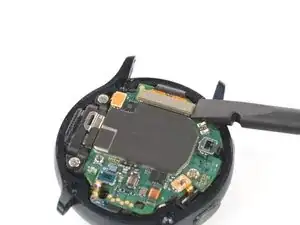
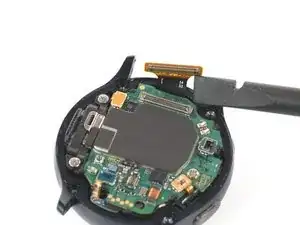
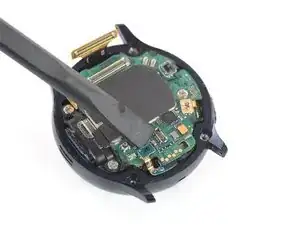
    • Utiliza un spudger para desconectar la pantalla y el altavoz

  7. ZyS3IXZroO6LiUpm
    ZyS3IXZroO6LiUpm
    vZEaGvB25hI1MnBW
    edFTAGtRlQHABfbw
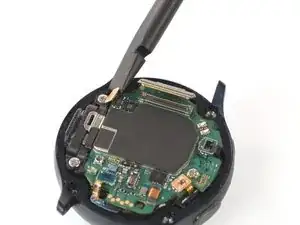
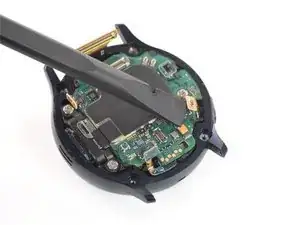
    • Usa un spudger para desconectar el sensor barométrico, los botones y el micrófono.

  8. 4qX2lhcADWyrkPW6
    4qX2lhcADWyrkPW6
    Ti3ToIYjPAZSBcck
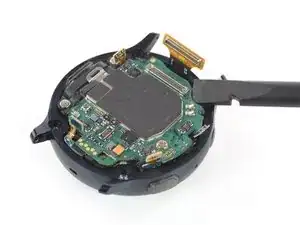
    • Coloca un spudger debajo de la placa base en la parte superior derecha al lado del conector de la pantalla.

    • Gira ligeramente y haz palanca con el spudger para aflojar el conjunto central.

    • Puede que te ayude revisar también los comentarios debajo de esto y el siguiente paso si tienes dificultades.

    I would not suggest to do so. There are components underneath the motherboard as well. There are none in this specific corner, but the core assembly does not come out that easily and people might try other corners and positions. Rather unscrew the motherboard and remove the battery from the core assembly directly.

    Nicola Tambascia -

  9. yUc2Y4nQihhPqWvT
    yUc2Y4nQihhPqWvT
    QNKTxIJwKFhonAco
    sdqNalvtlsoNgOk3
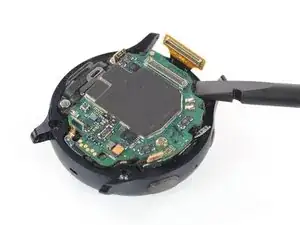
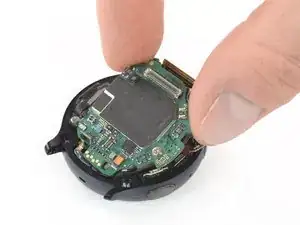
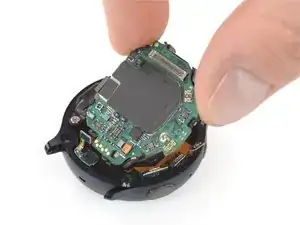
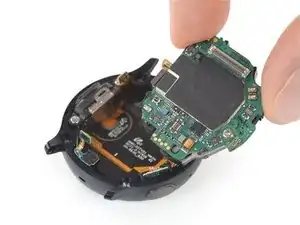
    • Toma el conjunto central y deslízalo con cuidado para sacarlo de debajo de los cables.

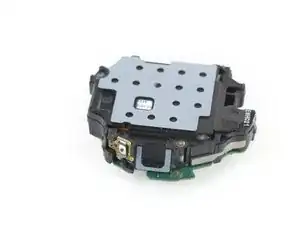
    • Retira el conjunto central

    I had to remove that screw on the core assembly using a Phillips 000. When I initially tried lifting, the core assembly started to bend. Mine also has a connector under the core assembly near the thumb in the picture. The connector goes from the underside of the core assembly to the screen/body. It prevents me from removing the core assembly as I'm not sure how it should be removed examining it

    Louis Finney -

    This step is really difficult, and I'm still not sure it was necessary. The core assembly is really packed in there, and it took me several attempts, lifting from various corners. Don't pull by the circuit board. It will bend if you're not careful. You've got to get under the core assembly. I had the most luck starting next to the display connector at the top, then moving to the sensor on the other end of the board (barometric sensor), then moving to the speakers on the left, and finally lifting from multiple points once it was out far enough. In really hoping I didn't damage anything.

    Karl Arp -

    I think the comments here should be added to the step before.

    Nicola Tambascia -

  10. LwmyOaWQLbfdTQI3
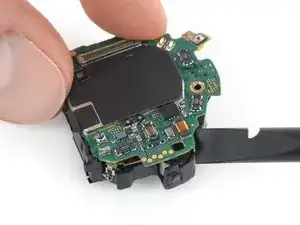
    • Dale la vuelta al ensamblaje central para que la placa base quede hacia abajo.

  11. kobjSYMmX51KYBtq
    kobjSYMmX51KYBtq
    fi5dgtKbbiHUu2MN
    • Usa la punta de una púa de apertura para despegar el botón superior del marco de plástico.

  12. Tv2oY3aGauOdqCKy
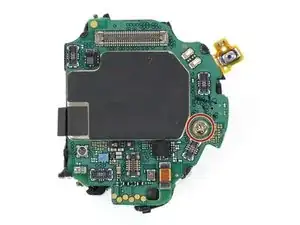
    • Usa un destornillador Phillips para quitar el tornillo de 4,4 mm de largo que sujeta la placa base en su lugar.

  13. 6HH51WJZ2dQjylPo
    6HH51WJZ2dQjylPo
    XXuCJFSYr2dUn5rL
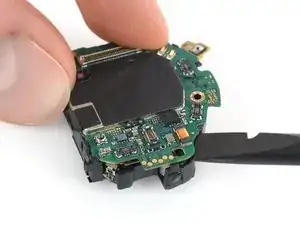
    • Coloca el extremo plano de un spudger entre la placa base y el marco de plástico cerca de la bobina de cobre en la parte inferior derecha.

    • Gira el spudger para liberar la placa base de las pestañas de plástico.

  14. NYyBCKNojcKthnxi
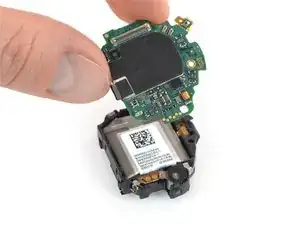
    • Desliza la placa base por debajo de las pestañas de plástico restantes para quitarla.

  15. VBVWhtHsH5A2eajm
    VBVWhtHsH5A2eajm
    BArdU2WulLuCcEHV
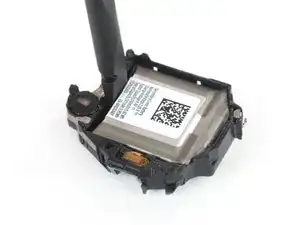
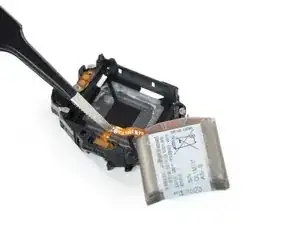
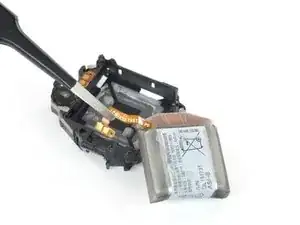
    • Inserta el extremo plano de un spudger entre la parte inferior de la batería y el marco del núcleo.

    • La batería está asegurada con un adhesivo suave. Si el adhesivo es demasiado fuerte, puedes usar un secador de pelo para suavizarlo.

    • Usa el spudger para levantar la batería.

    • Ten cuidado de no perforar o doblar la batería. Utiliza únicamente herramientas de plástico. Una batería perforada o doblada puede derramar sustancias químicas peligrosas o provocar un evento térmico.

  16. AKdTgJeAgsri4V1A
    AKdTgJeAgsri4V1A
    OZC3xaFp5PkCXtpO
    OEgZrs1sQmOyMRTK
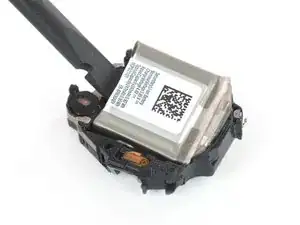
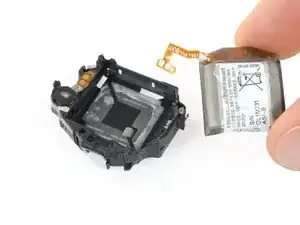
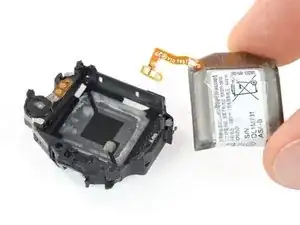
    • Utiliza un par de pinzas para sujetar el conector y tira de él lentamente para sacarlo del marco del núcleo.

    • El conector de la batería está fijado con un adhesivo suave.

    • Retira la batería del conjunto central.

    • Al instalar una batería nueva, asegúrate de que el pequeño orificio en el conector de la batería se alinea con el pasador en el marco del núcleo.

Conclusión

Asegura la nueva batería con adhesivo precortado o cinta adhesiva de doble cara. Presiona la nueva batería firmemente en su lugar.

Para reensamblar tu dispositivo, sigue estas instrucciones en orden inverso.

Para un rendimiento óptimo, calibra tu batería recién instalada: cárgala al 100 % y sigue cargándola durante al menos 1 hora más. Luego usa tu dispositivo hasta que se apague debido a la batería baja. Finalmente, cárgalo ininterrumpidamente al 100%.

Lleva tus desechos electrónicos a un centro de reciclaje certificado.

¿La reparación no salió como planeado? Trata unas resoluciones de problemas básicos, o pregunta nuestra Comunidad de respuestas por ayuda.

Tobias Isakeit

Miembro Desde 31/03/14

108306 Reputación

13 comentarios

Hi. How can I distinguish between battery rather than motherboard disfunción? My watch doesn't charge anymore. It appears to start charging but doesn't.

Dan Frank -

It doesn't appear swollen either. Took to the beach and swam on salty water and pool… didn't work after.

Dan Frank -

This is the SAME thing that is happening to me. Went to the beach, on the drive home it died, hasn’t charged since. I set it on the charger and it will say 0%, but never charge enough to power on. I took to best buy and they said I need to buy a new watch :(. Would also like to know if you think it is the battery or if the beach water could have fried the whole thing. I wouldn’t think it would since it occasionally will flash the 0% when try to charge it.

Branddy Hopkins -

Exact same thing in two separate cases. That's it. 0% flashing sometimes and completely dead. And as it seems nobody but us is posting our sad stories. We need to look further and find something on YouTube or online… there must be something…

Dan Frank -

I have been looking online and it seems that the battery has lower charge than what is chargeable. And by going deeper it also seems that there is a way to recharge that same battery at least to the point we're it might start again.

Dan Frank -

Not sure if this might work but worth a try. If the battery is depleted beyond (below) charging status maybe using a weaker charger/wall plug (less Ampere?) will kickstart the battery after a few hours or throughout the night, and then switch to the regular charger. Can’t say for sure if the motherboard was damaged by some salt water getting into the watch. But opening those up is easy for checking on corrosion. Good luck on the diagnosis and hopefully you’ll succeed in restoring charging function.

Tobias Isakeit -

So for losses of watches through salt water. Have had any luck finding something about it? In comparision to the problem i had with my gear s3 frontier it sounds similar, but without the salt water. In my watch the battery died, would not charge anymore. So i opend it, replaced the battery and left alone for later. So after putting it back together couple of weeks later, still same problem.

As it turned out, battery died and anlong with it the motherboard. I read something about a firm ware crash later. So anyways, properly the same. After replacing the motherboard and the battery the watch should work again.

a b -

Followed these instructions and they were spot on except for the seal that makes the watch waterproof. There were no instructions to remove the bottom without that sticking and it ended up getting streched and not re-useable. I watched a video and they recommended using a heat gun to slightly warm up the bottom to keep from sticking (will try that next time). That video recommended B-7000 to reseal it if needed so I purchased that.

David Hoag -

The display on my watch went black. I could still feel the vibrations and was able to check the Galaxy Wearable app on my phone. It got really hot when charging with the watch powered on. I did troubleshooting and after failing all attempts it was recommended I replace the battery. The initial disassembly was difficult but do-able. After disassembling and reassembling 3 times, the watch finally powered on but the display was still black. I let it charge and once it reached full charge the display was working!! Thank you so much for this detailed instructions!! I'm so happy to have my smart watch back!!

Gisele Forsyth -

Glad we could help you get your watch back to a functioning condition. Congratulations on the repair, keep on fixing stuff :)

Tobias Isakeit -

This was one of the more easier repairs I've ever done. Luckily the adhesive holding the back cover on wasn't too much of a pain, and the adhesive holding the battery in wasn't bad either. Love this watch and can't see spending $$$ on a new one when the battery was only ~ $40.

Eric Feldbauer -

Glad you could give your Galaxy Watch a new life with this guide and a $40 battery. Keep on fixing stuff

Tobias Isakeit -

Hello,

I have changed the old battery on Samsung Galaxy Watch Active 2 since it started to drain very fast. Initially it started to charge in very low or stopped at some percentage while charging. I have replace to new battery, but after replacement it started to charge at 27% and then the percentage started to decrease. I use original charger. Don't know what to do, any ideas are welcome. Thanks.

eimou55 -