Introducción
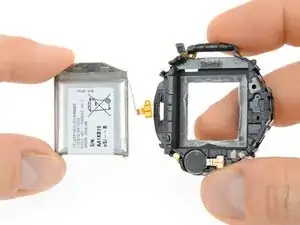
Usa esta guía para reemplazar una batería gastada o muerta en tu Galaxy Watch.
Si tu batería está hinchada, toma precauciones adecuadas. Para tu seguridad, descarga tu batería por debajo de 25%antes de desmontar el teléfono inteligente. Esto reduce el riesgo de un evento término peligroso si la batería se daña accidentalmente durante la reparación.


-
-
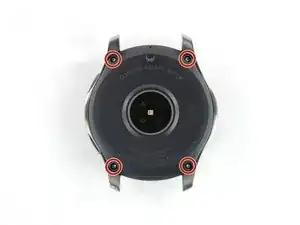
Retira los cuatro tornillos Tri-point #00 (de 4.2 mm de longitud) en la parte trasera del reloj.
-
-
-
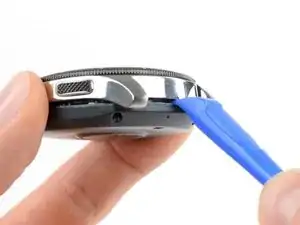
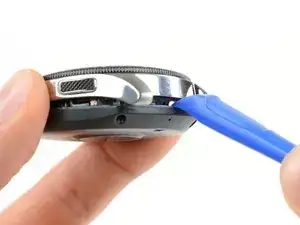
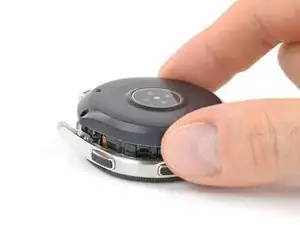
Utiliza una herramienta de apertura para pasar entre la tapa trasera y la caja metálica del reloj.
-
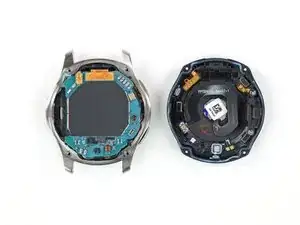
Abre con cuidado la tapa trasera de plástico.
-
-
-
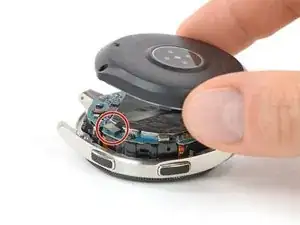
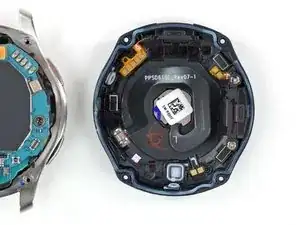
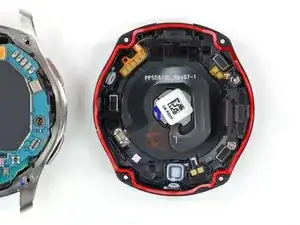
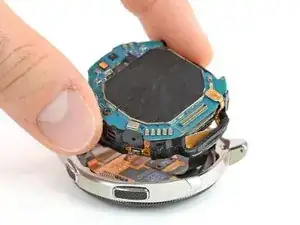
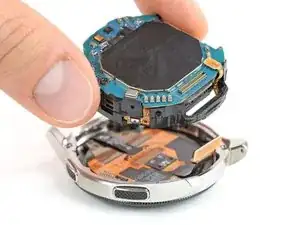
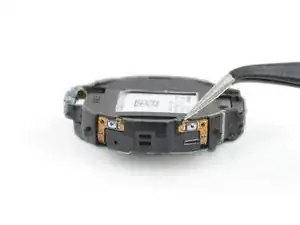
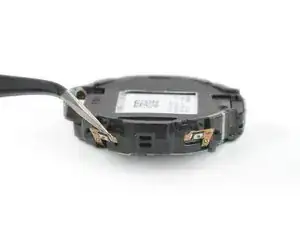
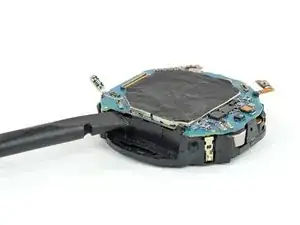
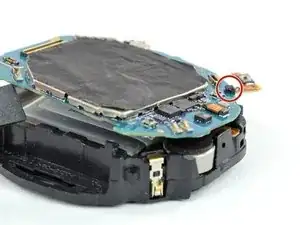
Pon el reloj y levanta la tapa trasera para acceder al conector del sensor en la placa madre.
-
-
-
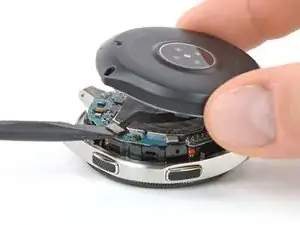
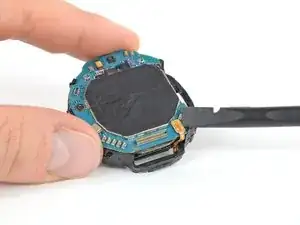
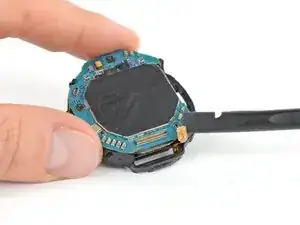
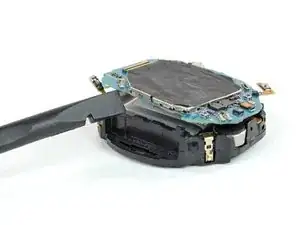
Inserta un spudger en una grieta pequeña por debajo de la placa madre donde se encuentra el marco de plástico.
-
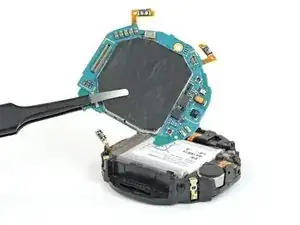
Levanta la placa madre torciendo el spudger.
-
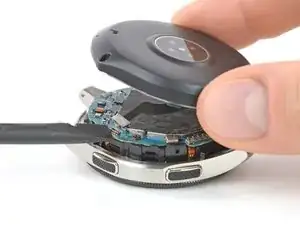
Desliza la placa madre por debajo de la lengüeta de plástico.
-
-
-
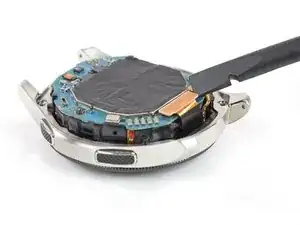
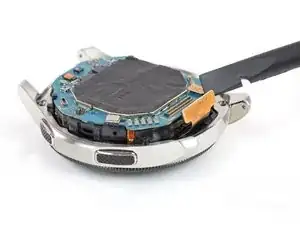
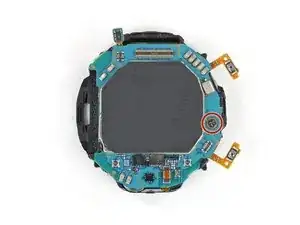
Saca la batería de su zócalo a través del recorte de su marco de plástico.
-
Remueve la batería.
-

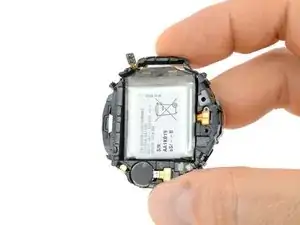
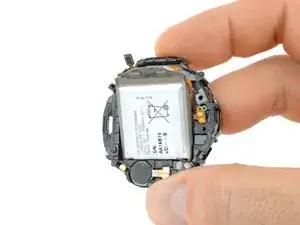
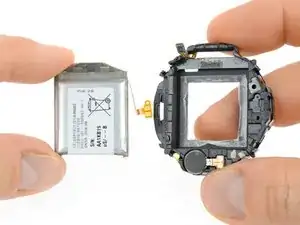
Si es posible, enciende tu dispositivo y prueba tu reparación antes de instalar un nuevo adhesivo y volver a sellar.
Asegura la nueva batería con adhesivo precortado o cinta adhesiva de doble cara. Para posicionarla correctamente, aplica el nuevo adhesivo en el dispositivo en los lugares donde se encontraba el adhesivo antiguo, no directamente sobre la batería.
Para volver a montar su dispositivo, sigue estas instrucciones en orden inverso.
Para un rendimiento óptimo, calibra tu batería recién instalada : Cárgala al 100% y sigue cargándola durante al menos 2 horas más. Luego utiliza tu dispositivo hasta que se apague debido a que la batería está baja. Finalmente, cárguela sin interrupción al 100%.
¿La reparación no ha salido como estaba previsto? Prueba con resolución de problemas básicos o pide ayuda en nuestra comunidad de respuestas.
Lleva tus residuos electrónicos a un centro de reciclaje certificado.

42 comentarios
thank you,it really help alot
Where can I buy the battery?
Where can you buy the battery 42mm version?
Thomas -
We hope to have them in our store soon. Check on our Samsung smartwatch parts over at https://www.ifixit.com/Store/Parts/Samsu...
I can't get them to budge
Irene -
Same here, its impossible to get the screws off. They’re almost stripped now too.
Prabhat -
Sorry to hear that. Here are some tips on how to get those screws off hopefully: Cómo quitar un tornillo barrido
Tobias Isakeit -
Just started working on watch. Can not get the screws out. I purchased the recommended tools. Screws won't budge. I have not stripped them yet. How do I get them to loosen up?
joyce c -
Same here. I did buy your Electronics repair Bundle. The Y000 is too pointy, we need a flatter tool
Robertob67 -
Hi Ladies & Gentleman, please try as follows:
Use a spray can of "WD 40" with a spray pipe/tube but DO NOT spray into the screw holes. Just spray shortly on a piece of paper, a drop of WD40 will remain at the end of the spray pipe. This drop I put into the screw hole position. Do this for each screw hole and leave the stuff approx. 10 minutes alone. Afterwards use the screw driver as normal to turn the screws out.
*** After the drop is placed into the hole do not wait too long as WD40 is crawling into "even not existing gaps"
*** just use a small drop of WD40.
*** I intend for using 4 new screws as the head (Tri-Pont profile) seems worn out. But if I get new screws for sure I will go for a TORX profile because its the best as you don't need to apply axial force on screw driver.
Very best regards from Harald (a German machine building engineer)
Harald -
Harald again to Robertob67:
It is NOT the Tool Y000 but the Y00
Best regards
Harald
Harald -