Introducción
¿La batería no dura mucho? Cámbiala.
Herramientas

Partes
-
-
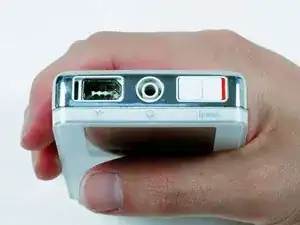
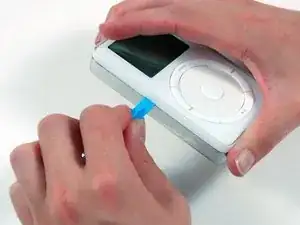
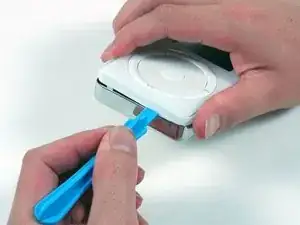
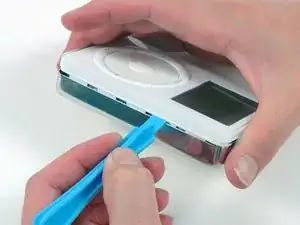
Inserta una herramienta de apertura de iPod de plástico en la costura entre el frente de plástico blanco y la parte posterior de metal del iPod. Una vez que hayas insertado la herramienta, pásala por la costura para liberar las cinco pestañas que sujetan el iPod.
-
-
-
Continúa ejecutando la herramienta de apertura a lo largo del costado de la caja hasta que se hayan liberado las cinco pestañas.
-
-
-
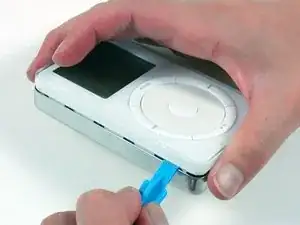
Trabaja alrededor de la esquina del iPod y suelta las dos pestañas que sujetan el iPod cerca del conector de la base.
-
-
-
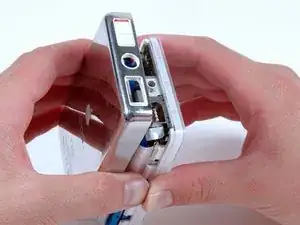
Libera las cinco pestañas que sujetan el iPod del otro lado. Es posible que puedas liberar las pestañas moviendo suavemente el panel frontal del iPod.
-
-
-
Levanta el panel trasero para separarlo del iPod, asegurándote de que no se enganche en el conector para auriculares.
-
-
-
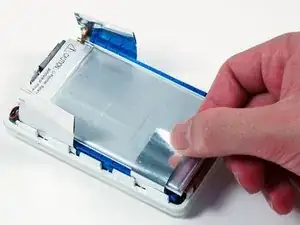
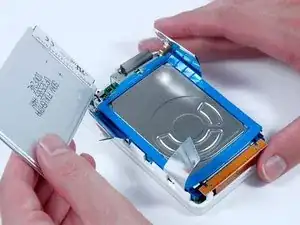
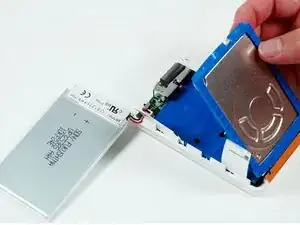
Levanta la batería del disco duro y colócala al lado del iPod (todavía está conectado a la placa lógica).
-
-
-
Levanta el extremo del disco duro cerca del puerto Firewire para permitir un fácil acceso al conector de la batería.
-
-
-
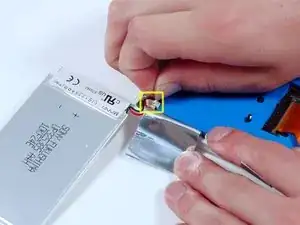
Desconecta con cuidado el conector blanco de la batería de la placa lógica. Asegúrate de tirar solo del conector y no de los cables.
-
Para volver a armar tu dispositivo, sigue estas instrucciones en orden inverso.

2 comentarios
Nice easy fix. Modern batteries are twice the capacity too. These old gen iPods are great. Nice to have an apple product not made in China.
For my 2nd Generation iPod A1019 I found the batteries linked to at the beginning of this tutorial to be too thick to close the iPod without considerable force that actually seemed to bend and distort the display. Side by side they are nearly twice the thickness of the original battery. I bought both the 2200 mAh version, then also the 1600 mAh version hoping it would be thinner. All these batteries are manufactured by Cameron Sino. I am hoping to be able to find the actual Sony item and my search continues.
Kupe -