Introducción

Usa esta guía para reemplazar la batería de tu Shuffle. Reemplazar la batería requiere un soldador de punta fina y conocimientos de soldadura de montaje en superficie.

  1. yu3R6ctSdYjnKKbU
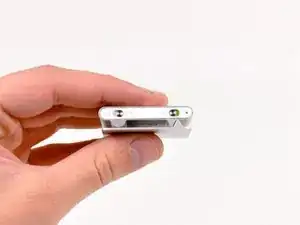
    • Antes de comenzar, asegúrate de que tu Shuffle esté apagado como se muestra.

  2. olvqPkbJWOhi2g6a
    olvqPkbJWOhi2g6a
    qSBrUYcPtlmKn6BA
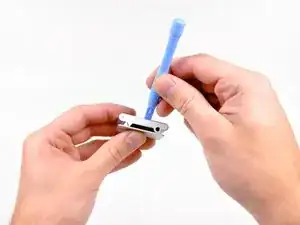
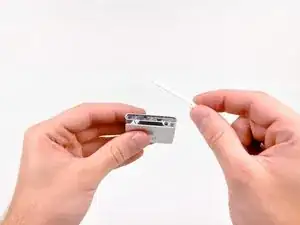
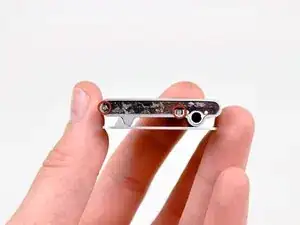
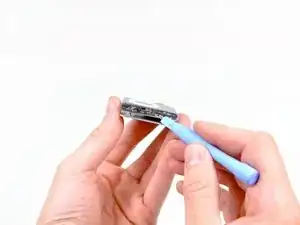
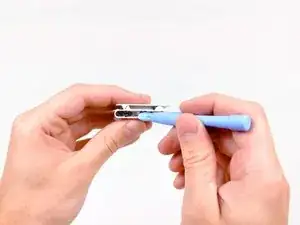
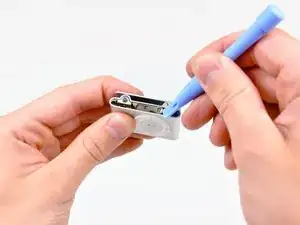
    • Usa el borde de una herramienta de apertura de iPod para hacer palanca en la cubierta de plástico del lado del conector para auriculares del Shuffle.

    • Retira la cubierta de plástico y déjala a un lado.

  3. nffFKTnWPCsHobTt
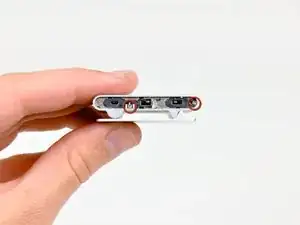
    • Retira los dos tornillos Phillips del lado del conector para auriculares del Shuffle.

  4. qBvayWrKREDhA4ot
    qBvayWrKREDhA4ot
    f4HYBEoLT2AKnTGm
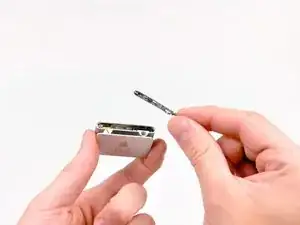
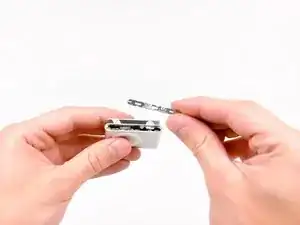
    • Usa el borde de una herramienta de apertura de iPod para quitar la cubierta de acero del lado del conector para auriculares del Shuffle.

  5. 3NK3TnFAUCiHRQsX
    3NK3TnFAUCiHRQsX
    p3DwX42N2l2sDF6F
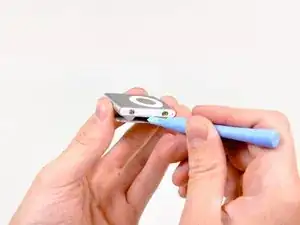
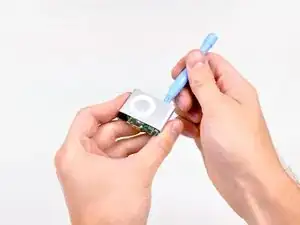
    • Usa el borde de una herramienta de apertura de iPod para hacer palanca en la cubierta de plástico del lado de los controles del Shuffle.

    • Retira la cubierta de plástico y déjala a un lado.

    The On-Off switch here is turn around. Usually it is green when the iPod is turned on.

    Nils Kober -

    The plastic cover has small clips at either edge in the middle and alongside the button. Put the iPod opening tool in about a third of the way in from either end to avoid breaking the clips.

    Daniel Foster -

  6. GZymyU1WiYZHWNkj
    GZymyU1WiYZHWNkj
    fHgqlQwQf5fI4eDw
    • Usa un par de pinzas para quitar los controles deslizantes de retención y reproducción aleatoria de la reproducción aleatoria.

    Thanks for this great instruction. Little note: Not important for the function, but contrary to the images the green side of the on/off-slider originally must point in the opposite (inner) direction.

    Martin -

  7. awgEW6YLvkEesK1o
    • Retira los dos tornillos Phillips del lado de los controles del Shuffle.

  8. V1UvFgLfwAEj2p3A
    V1UvFgLfwAEj2p3A
    dSHoHWk5lMud4Su6
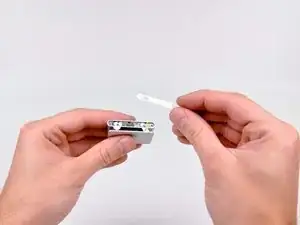
    • Usa el borde de una herramienta de apertura de iPod para quitar la placa de acero del lado de los controles del Shuffle.

  9. p3gTWTx1yxSsuRmo
    • Usa el borde de una herramienta de apertura de iPod para hacer palanca ligeramente en la placa de acero en el lado del conector para auriculares del Shuffle lejos del borde cortado en la carcasa exterior.

  10. SIIe1uGoCXT3ZtVd
    SIIe1uGoCXT3ZtVd
    hVIbeX2pftDmGJQE
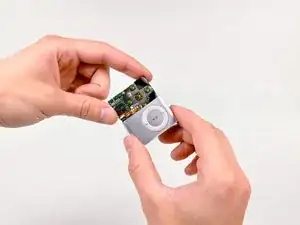
    • Usa la herramienta de apertura de tu iPod para empujar el ensamblaje de la placa lógica fuera de la carcasa exterior lo suficiente como para agarrar la placa lógica por los bordes.

    • Extrae el conjunto de la placa lógica de la carcasa exterior.

  11. PqVsjCjUVxVmPX2g
    PqVsjCjUVxVmPX2g
    LwuFKCj4UtFwUgum
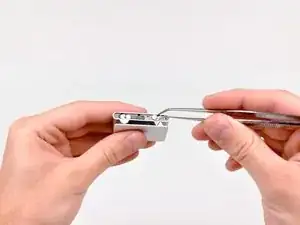
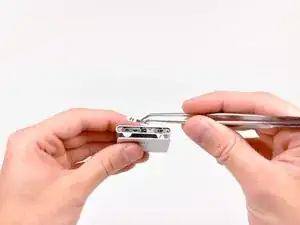
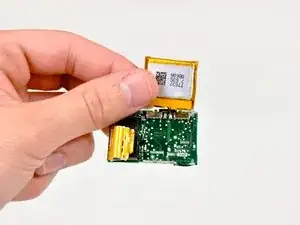
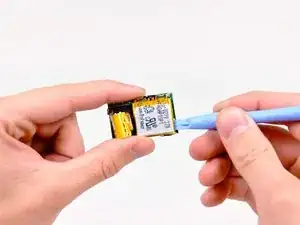
    • Usa el borde de una herramienta de apertura de iPod para despegar el adhesivo debajo de la batería que lo sujeta a la placa lógica.

    • Voltea la batería hacia arriba para revelar las almohadillas de soldadura soldadas a la placa lógica.

    • Antes de desoldar la batería, asegúrate de raspar la resina protectora de ambos puntos de soldadura.

    • Desuelda la batería de la placa lógica calentando la junta de soldadura con un soldador y, al mismo tiempo, usa un par de pinzas para sacar el cable de la batería de la placa lógica.

    • No toques los cables + y - que van juntos.

    • Si nunca antes has soldado, tenemos una guía que lo hace fácil.

    Using the Soldering tip to heat the resin covering the Battery Wire Connections will allow easy removal of the Resin Covering Without Damageing the Logic Board with Scraping.

    lloyd193 -

    Battery is Lithium 3.7 volt 100-120 mA dimensions 3mm x 23mm x 23mm

    Search on eBay for 3.7 v 032323

    chi tran -

    How do i know if the battery is faulty?

    jaithish -

    If after leaving the charger plugged into a known good power source overnight and the green indicator light on the shuffle is not lit, there’s a pretty good chance the battery is dead.

    Andrew Lisenby -

Conclusión

Para volver a armar tu dispositivo, sigue estas instrucciones en orden inverso.

Andrew Bookholt

578639 Reputación

19 comentarios

Followed your clear instructions and made a successful battery change. It would be helpful to explain that both cover plates are held ond by double sided sticky tape and to give caution on the location of the miniclips on the control cover - I cut through 2 of them by mistake. Thanks for the help.

Regards, Frank, North yorkshire, UK

FrankF -

I rarely find instructions so detailed and foolproof. I ended up with a "new" iPod saving a bunch of money.

Read on about the incidents I encountered.

The working end of the plastic pry tool snapped off rendering it useless, but not before it irreparably bent the pink housing. The suggested screwdriver for which I paid extra did not undo the tiny screws, and I eventually tapped them out with a miniscule eyeglass-repair screwdriver. (Is it a coincidence I did not see a screwdriver in any of the photos?)

Ditto on the suggestion that the super-sticky adhesive presents itself as an obstacle. A suggestion to apply pressure slowly as the adhesive releases would have been helpful.

robinondeck -

I loved that the instructions were really easy to follow. It would be helpful to mention that the logic board ought to be really carefully pushed out. It was difficult in my case and I had to apply a considerable amount of force to slowly push it out.

Despite taking care to control my strength and push it out, part of the protective yellow tape got torn and one of the components was dislodged and broken. It must've been pretty important cuz unfortunately my iPod didn't work after I put it together in one piece. I'm sure the fault lies in my carelessness, the instructions were great. I hope you guys have better luck with yours (:

Jane -

just to add what Frank said: the white plastic control cover has 6 tiny clips; two either side of the sliding switches and two in the middle. I found that gently levering the cover up by inserting the tip of an Xacto blade through the holes the sliders ride in avoids damaging the clips. Be careful not to turn the iPod on when you do this or scratch the green paint next to the on/off slider.

James -

Does anyone have what the best approach to removing the resin from the solder points?

Matt Rausch -

To remove the resin use a Q-tip and some solvent.

Rick -

We followed the instructions, it worked!!

I scraped the epoxy off of the solder points with the end of the #00 screwdriver (using it like a file).

My FIL did the soldering, with a big blunt tip, he's amazing.

Thank you!!

Running Around -

Do you know anyone who will perform this process for me? Also, is it still possible to get batteries for the 2nd generation Ipod shuffles?

burt34 -

Really.. I am thankful to you (Andrew Bookholt), Also it would be more helpful if you mention the link where the original battery will be available.

Senthilvelan K -

Mine had no clips at the plastic control cover because it was glued to the metal stripes with double-sided adhesive tape. It tooks a while until I realized this but I didn't damage something. I used a thin piece of metal, to separate the plastic cover from the metal stripes.

Andreas -

Does anyone know where I can buy a battery for this iPod?

Eva Cruz -

Taking apart didn’t seem too difficult with this instruction and the comments (glued covers). Lets see now for part 2 (getting a replacement battery and soldering) and part 3 ( putting it together).

Pesche B -

Where do you get a replacement battery for a 2nd gen shuffle?

formathe -

Ebay or Amazon. Generic size is 302323 Li-polymer 100mA to 110mA battery. Got mine for $3 each from aliexpress.

Herburger -

I have had success by soaking each end in 99% isopropyl alcohol for a few hours to let it break down the adhesive. That way you won’t break tabs on the switch side.

Also, to remove the resin - you can melt it off with the soldering iron instead of using a metal implement to scrape it off.

Herburger -

Thank you! Seems to have worked OK - charging the new battery now…. - I’ll see if it plays when it’s charged up I used alcohol to ease the sticky tape, as advised by another person on here…. VERY fiddly and I should have used a much smaller soldering iron tip - maybe a thin nail or something. Need good eyesight!.

Peter Quinnell -

Hi, change ipod battery’s is very hard but these instructions are very helpful.

Most harder is desoldering battery because the space between + and - is very little.

thanks a lot

A French guy

Aurélien Cassand -

This stops at taking the battery out. Is there nothing about putting a new battery in, and the process of reassembly (and what may be required, e.g. more soldering, epoxy, etc.)?

Phillip Clark -

Excellent tutorial!!!

bernard saucier -