Introducción
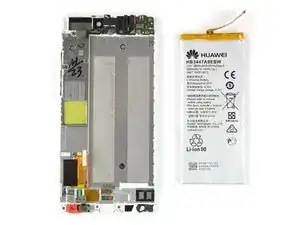
Usa esta guía para reemplazar la batería en tu Huawei P8.


-
-
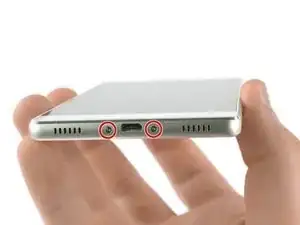
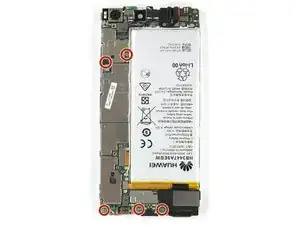
Remueve los dos tornillos Torx T2 ubicados en la parte inferior al lado del puerto Micro USB del dispositivo.
-
-
-
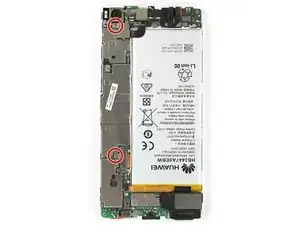
Remueve los dos tornillos Phillips #00 que sujetan la cámara frontal y los soportes de conector de pantalla/batería.
-
-
-
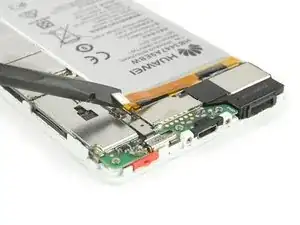
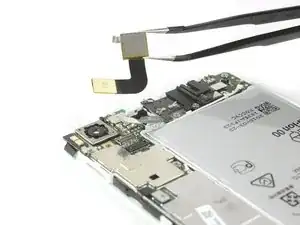
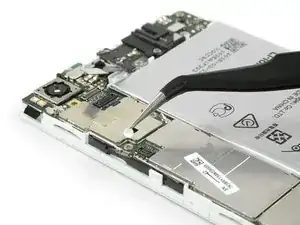
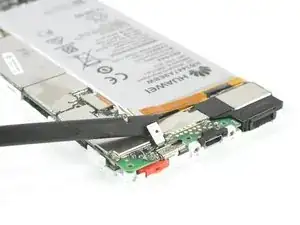
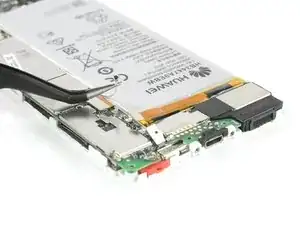
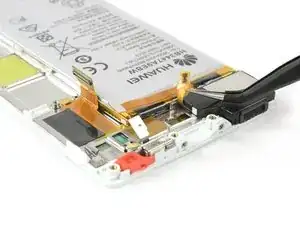
Usa una pinza para remover el soporte que cubre la pantalla y el conector flexible de la batería.
-
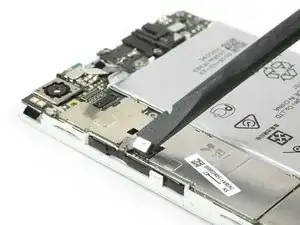
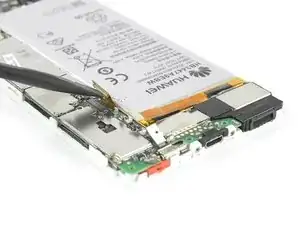
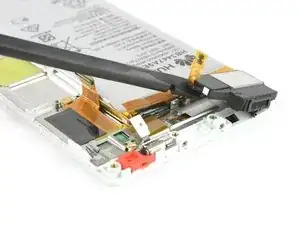
Desenchufa el conector flexible de la batería con un spudger.
-
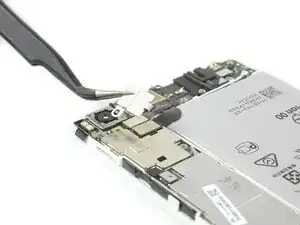
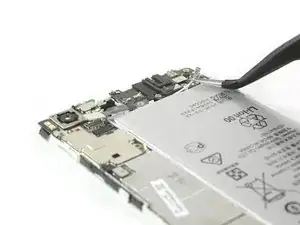
Remueve el soporte que cubre el conector flexible de la cámara frontal.
-
-
-
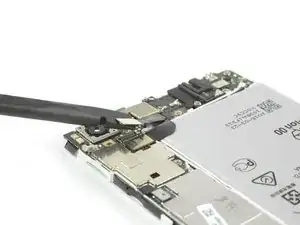
Desenchufa la toma de auricular y los conectores flexibles de cámara frontal.
-
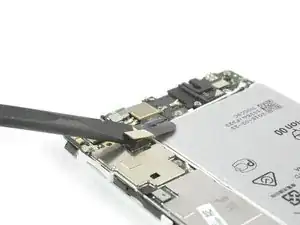
Remueve la cámara frontal.
-
-
-
Usa un spudger para desconectar el cable de encendido/volumen y apártalo del camino.
-
Remueve el indicador de contacto de líquido.
-
-
-
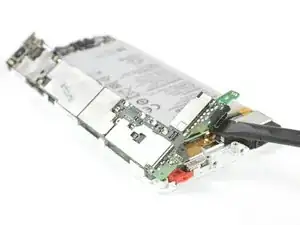
Desenchufa el conector flex de la pantalla de la placa madre con un spudger.
-
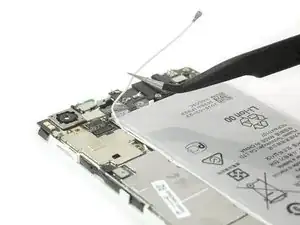
Desconecta y remueve el cable de la antena con una pinza.
-
-
-
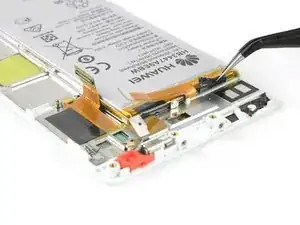
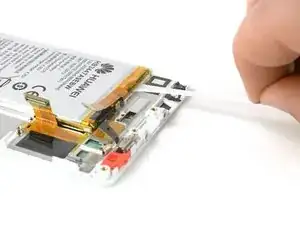
Libera el extremo de la primer lengüeta de adhesivo para lograr sujetarla bien.
-
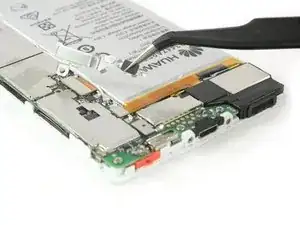
Jala la lengüeta de adhesivo con un movimiento lento y constante para liberar la batería.
-
-
-
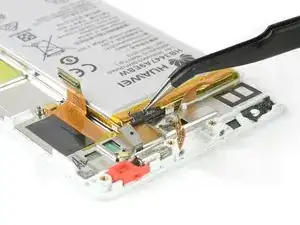
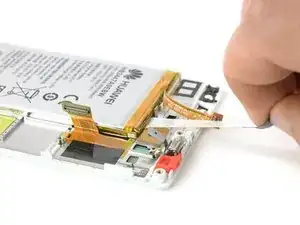
Libera el extremo de la segunda lengüeta de adhesivo.
-
Jala la lengüeta de adhesivo con un movimiento lento y constante.
-
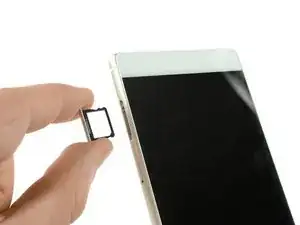
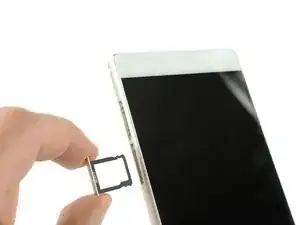
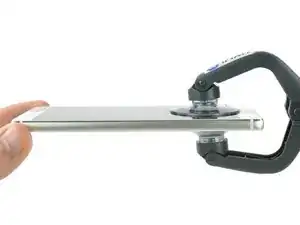
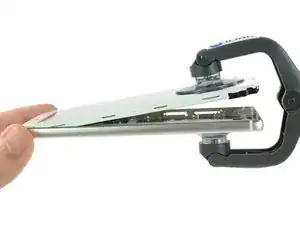
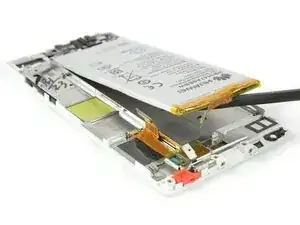
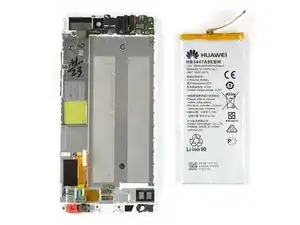
Para volver a ensamblar tu dispositivo, sigue estas instrucciones en orden inverso.

9 comentarios
Really helpful guide. Only hiccup was that on my handset the screws holding the casing together (Step 2) were Torx 2 rather than pentalobe, possibly a regional variation. I opted not to remove the loudspeaker (Step 10) as the ribbon cable was firmly stuck down and I worried it would break. This meant I could only cleanly remove the adhesive pad in line with the charging port. I was able to prise out the battery using spudger and screwdriver to scrape the other pad from the phone body. All now reassembled and working properly!
Overall a very helpful guide . I also had torx screws in mine . The torx screws are tiny , so make sure you have the right screwdriver before starting . We didn’t bother removing the loudspeader assembly either (Step 10) . You can just prise up the ribbon cable (carefully) . Add heat if necessary . Now to the biggest problem . Removing the old battery from the phone . What a nightmare ! It’s really stuck down .We took our time using a hairdryer (no heat gun) , and a flat head screwdriver , and went from one end to the other prising it off gently . It still took about 20 minutes . Saying that . Don’t rush it , as it’s the final stage . Also . If you do use a flat head screwdriver then don’t twist it , as you might damage the casing . Just slide it underneath it applying heat . Total time to remove the old battery was 90 minutes , but about 50 of those were spent just getting the first 2 screws out . 20 minutes to put the new battery in and reassemble . Make sure all flex connectors are properly reseated .
Paul -
My P8 battery has completely died on me. I cannot believe that to replace a battery, we have to now go to these lengths to do it. There must be a mountain of mobile phones, where the only issue with them is a flat battery. Surely, this cannot be allowed to continue. I know why the manufacturers want to make it hard to simply replace a battery, because it sells more mobile phones. But think of all that wasted technology, where a phone may have lasted just over a 24 month contract before the battery is done.