Introducción

Usa esta guía para remover o reemplazar la batería.

Si tu batería está hinchada, toma precauciones adicionales.

  1. rjhlmKL4roqDcNeD
    rjhlmKL4roqDcNeD
    ySIEOikDPMFCTh6j
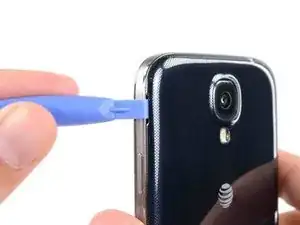
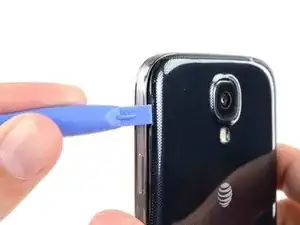
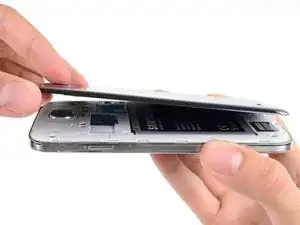
    • Haz palanca con una herramienta de apertura de plástico o tu uña en la ranura a la izquierda de la cámara trasera cerca del botón del encendido.

  2. QoGD1nhUjIK4SYhA
    QoGD1nhUjIK4SYhA
    mYdKICGURgG1VuPm
    EGyVAufYjRnV5oMH
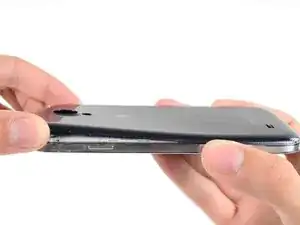
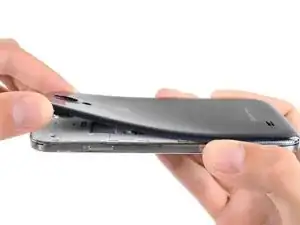
    • Levanta la caja trasera por la esquina más cerca de la ranura y remuévelo del teléfono.

    Where is the divot? Please let me know that

    James -

    I purchased a blue plastic opening tool(AKA: Spudge) like the one used in the above Step 1 rear cover pic and found the divot and was able to take off the rear cover as per the “Step 2 “ instructions.

    Terry Crawford, Jr. -

  3. crygJXPQtUYDKNlg
    crygJXPQtUYDKNlg
    qFUmmdiFJSbJncKZ
    24gAbT1EpiKW1ldS
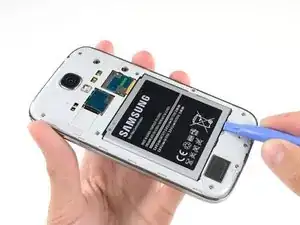
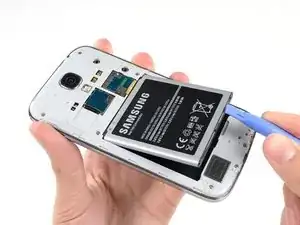
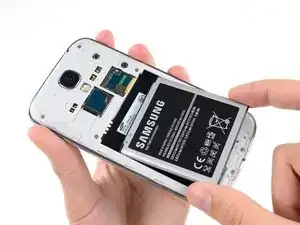
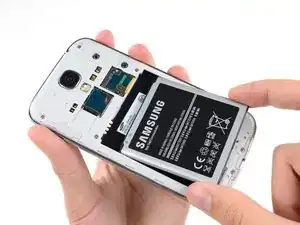
    • Inserta una herramienta de apertura de plástico o un dedo en la muesca del compartimiento de la batería y levanta la batería.

    • Remueve la batería de tu teléfono.

    it worked for me

    John Donovan -

Conclusión

Para volver a ensamblar tu dispositivo, sigue estas instrucciones en orden inverso.

Sam Goldheart

Miembro Desde 19/10/12

457951 Reputación

Un comentario

A great super cheap, easy fix for an older phone. Can’t thank you enough. AAA+++

Mark Cosenza -