Introducción

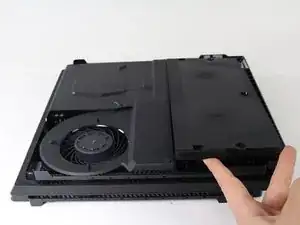
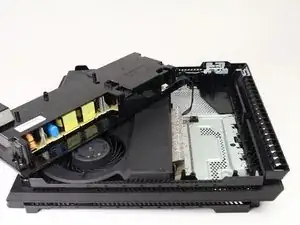
Esta guía te dará los pasos necesarios para quitar la fuente de alimentación de la PlayStation 4 Pro. Para ello, se requiere desmontaje, pero es una de las primeras piezas que se pueden quitar de la PS4 Pro.

  1. 3JGnbUUBReq54AG3
    3JGnbUUBReq54AG3
    NGWmfVbtvPcdvneY
    w3qOWIRpuZAIRspU
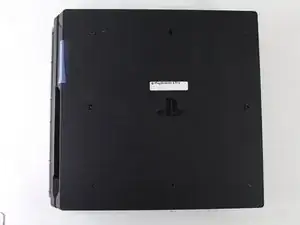
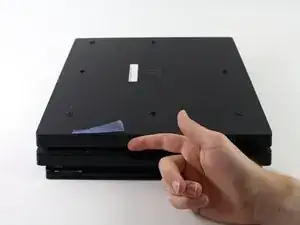
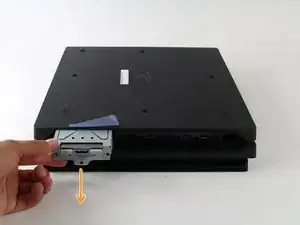
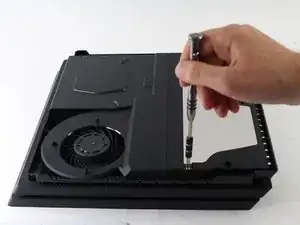
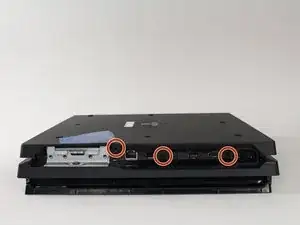
    • Empieza volteando la consola boca abajo.

    • Usa tu dedo para tirar de la cubierta de plástico que contiene el disco duro y sacarla.

  2. TGAXtTGNTIyioCYh
    TGAXtTGNTIyioCYh
    ZtHVoCdAjLHal5eP
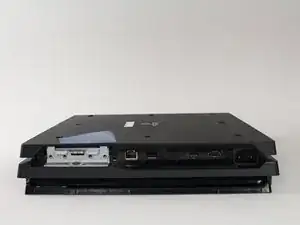
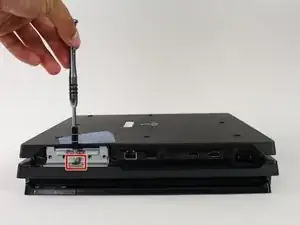
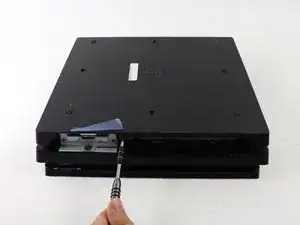
    • Usa un destornillador para quitar el único tornillo Phillips #0 que sujeta el carrito del disco duro.

    • Tira del carrito del disco duro hacia afuera.

  3. NUQOVFNGakyqFPTO
    NUQOVFNGakyqFPTO
    Iofj6FoSFmwjljGe
    Q34T6GRhDLp3NGXf
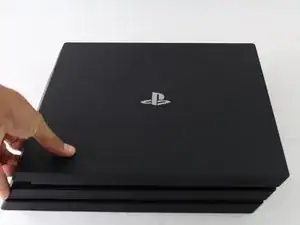
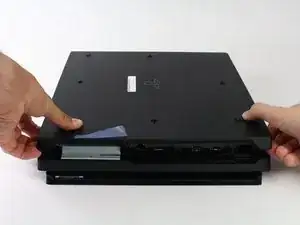
    • Voltea de nuevo la consola boca arriba.

    • Agarra las dos esquinas que se encuentran en el frontal de la consola.

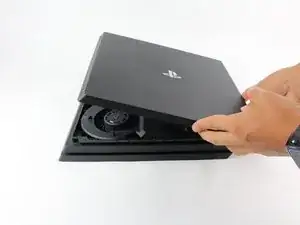
    • Tira hacia arriba hasta que se escuche un fuerte click.

    • Esto ppuede requerir bastante fuerza, asñi que no tengas miedo de ser un poco duro con tu consola.

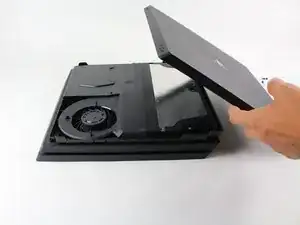
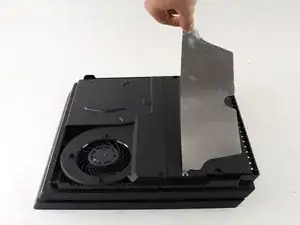
    • Después de que ambas esquinas se suelten, desliza la cubierta hacia atrás y levántala.

  4. gpoeCxokvOHEvxJF
    gpoeCxokvOHEvxJF
    KsZgtMo3KbBHUJRX
    vf5JKPxQZ4TJAZao
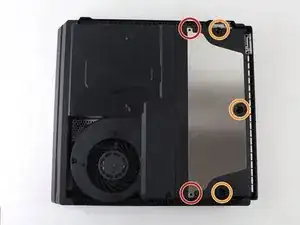
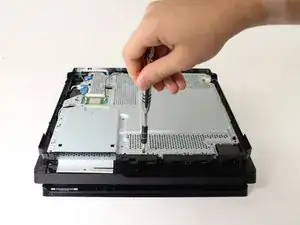
    • Usa un destornillador T8 Torx de seguridad para quitar los 5 tornillos.

    • Dos tornillos de 31 mm.

    • Tres tornillos de 10 mm.

    • Quita la placa de metal.

    I couldn’t open the middle 10mm screw with T8 Torx Security screwdriver :(

    Rifat Nabi -

    I can’t get that middle black screw out with anything. My torx isn’t doing anything.

    Cai Hayz -

    How do I get the middle plastic black screw out? It's not doing anything but stripping it.

    Mike Strong -

    it’s like rubber or something on that middle screw.

    Coker Lisonbee -

    On newer models the black screw in the middle is just plastic and does not have to be removed. Skip it or you’ll just drive yourself crazy and end up producing a small pile of plastic-dust and that’s it.

    Allan Paiste -

  5. mLAEtWCZeO4UO4Fm
    mLAEtWCZeO4UO4Fm
    UJcBEMB2HlmNF5EP
    YLqgVsetlscQjftH
    • Voltea de nuevo la consola boca abajo.

    • Usa un destornillador T8 Torx de seguridad para quitar los tres tornillos negros en el panel trasero.

    • Quita la cubierta inferior de la misma forma que la superior. Agarra de ambos lados, tira hacia arriba hasta que oigas el click y deslízala.

    If you have a console that has not been fixed before - these screws will be hidden under warranty stickers - so make sure you understand that completing this step will basically void the warranty.

    Allan Paiste -

  6. TtOs5ldfsCtNt1Ab
    TtOs5ldfsCtNt1Ab
    KQetTVHtM5WooLH2
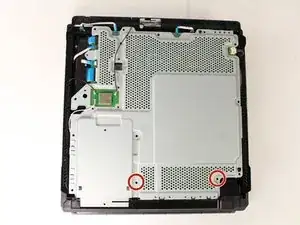
    • Usa un destornillador de seguridad T8 Torx para quitar los dos tornillos plateados de 10 mm de la placa de metal.

  7. HIbkGG3rCfSKH5Ak
    HIbkGG3rCfSKH5Ak
    TgiQX4CkTPGJMS25
    juDBuNiO6WlXRnWZ
    • Voltea la consola para continuar trabajando en la parte superior.

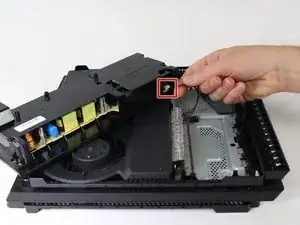
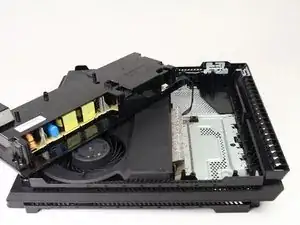
    • Coloca los dedos debajo del borde de la fuente de alimentación en ambos lados y tira hacia arriba.

    • Ten cuidado de no tirar demasiado, el conjunto todavía está conectado en un punto.

    • Sujeta el conector detrás de la fuente de alimentación y tira hacia afuera.

    If you are having trouble lifting the power supply from the system with all screws already out flip the system over and push inward and up on the plug

    blake -

    what kind of wire is that ive been looking everywhere for a replacement

    craclighterr -

    Are all ps4 pro power supply models compatible with all motherboard models? I want to change all the components from a newer ps4 pro to a white ps4 pro, but this one has different power cable and should keep its power supply. Is this possible?

    icaroxp -

    Nice, pretty detailed repair work done, thanks!

    kmsit -

    There are 3 different power supplies for the pro model.......... take it apart and read the numbers off it to make sure you get the correct one. 300ER, 300CR, 300FR

    Alan Sears -

Conclusión

Para volver a montar tu dispositivo, sigue estas instrucciones en sentido contrario.

Ashlyn Chow

Miembro Desde 25/04/17

3073 Reputación

10 comentarios

Thank you soooo much for helping me save my ps4 pro guys! At the moment I love you like no one before! ;D

Fayce D D -

Can you go further in your tear-down and show us how to open up the power supply without breaking the PSU plastic case? Thanks. ^_^

Matt -

I bought a PS4 power supply CR 300 and my PS4 has an FR 300 power supply will they interchange

joseph fish -

My PlayStation Pro has a power supply FR 300 and the power supply I bought was a CR 300 power supply will they interchange

joseph fish -

Hola como saber que tipo de fuente vida mi ps4 pro modelo 7215b

Tomás Javier -

Solucionaste el problema?

JUZZ0U_XIII -

for anyone attempting this please note that the motherboard connector for the power supply is very fragile and might break off will trying to disconnect. Try pinching the connector on the motherboard and gently pulling on the cables to try and keep that from happening

Markus Cevera -

When the power supply finally fails, is this a fire hazard?

dotcomtim -

Good morning do you have a number to call for I can call about a ps4 Pro

Pompanothekidd -

Because I need my PS4 to get fixed I think one of the cords inside of it is broken and it do not want to turn on and stuff like that so ya what is the number I can contact you on

Pompanothekidd -