Introducción
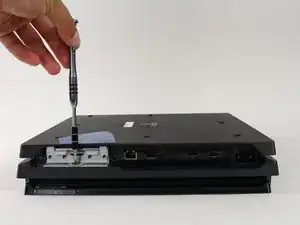
Esta guía le mostrará cómo se retira la unidad de disco duro Caddy de la PlayStation 4 Pro. Con nada más que un destornillador, la jaula del disco duro es uno de los componentes más fácil de la PS4 Pro de quitar y reemplazar.
Herramientas

Partes
-
-
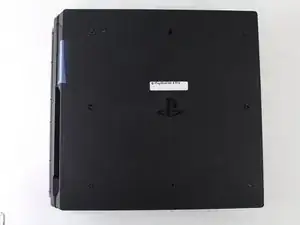
Voltear la consola al revés.
-
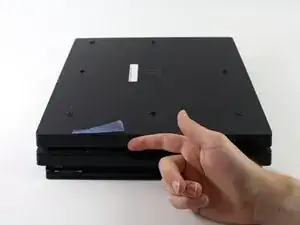
Utilice su dedo para tirar y quitar la tapa de plástico sobre el disco duro.
-
-
-
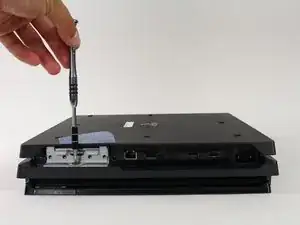
Utilice un destornillador Phillips # 0 para quitar el tornillo único que asegura la jaula de la unidad de disco duro.
-
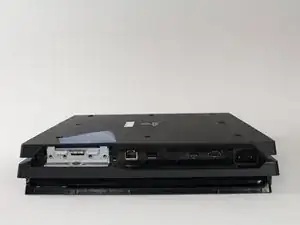
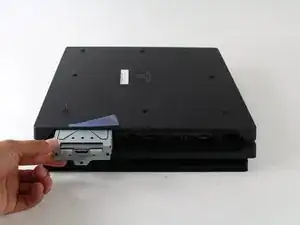
Tire de la jaula de la unidad de disco duro hacia afuera.
-
Conclusión
Para volver a montar el dispositivo, siga estas instrucciones en orden inverso.

DON’T FORGET TO HAVE THERMAL PASTE HANDY! It should be added to the “Tools Required” Section. You will NEED it!
Jaquell Chandler -
What if thermal paste is not applied again when remounting ? Will the playstation start and work anyway or not ?
Vincent Bee -
It will start and run normally until you put it under load. Then it will heat up and thermal throttle or it can overheat and destroy itself.
Jeremy Ivey -
I posted this down in another step too, but: if you have a very early North American PS4 Pro, with the exact optical drive shown here - the key way to tell is the very long data cable that’s folded a couple of times, see pictures in later steps - then the replacement drive iFixit offers WILL NOT WORK IN YOUR MACHINE. It has to be a very early model, apparently, but the model number isn’t enough to tell you.
Even if you swap the too-short cables in their replacement with the longer cables on your drive, it still will not work. At all. It’ll just sit there like the drive isn’t even getting power.
So if you do have this drive, what you probably need to do is get a replacement KES-496A Optical Pickup Assembly and replace that within your existing drive. That’s what I had to do after two different replacement drives sent by iFixit failed to work in my system. It worked immediately and I’m back online.
The optical pickup replacement is awfully fiddly, and adds a solid 20 minutes to the repair easily. But it does work.
Dara Korra'ti -