Introducción

Usa esta guía para reemplazar la placa de carga en tu Huawei P10 Lite. Al volver a ensamblar tu teléfono, aplica adhesivo nuevo donde sea necesario.

  1. YqiUymRKMTYinZcE
    YqiUymRKMTYinZcE
    1x5qv4HPtVGSmvpD
    byJlAME6WaXCgGa2
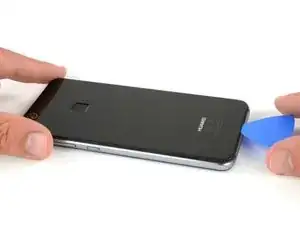
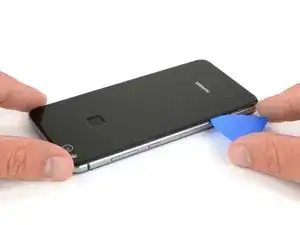
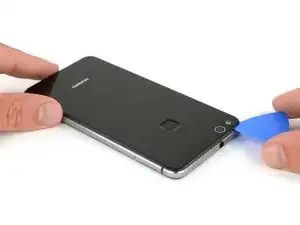
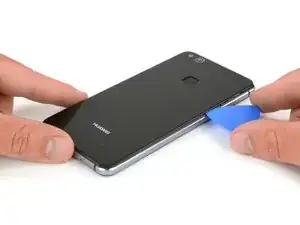
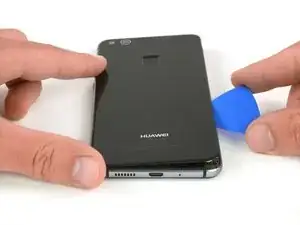
    • Introduce la punta de una púa de apertura entre la tapa trasera y el marco medio y deslízala alrededor del teléfono para cortar el adhesivo.

    • Usar un mango de succión para levantar la carcasa trasera podría ayudarte a generar un poco de espacio donde insertar la púa de apertura.

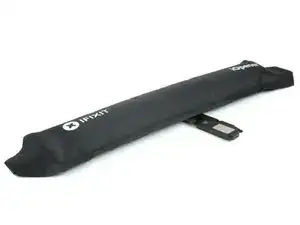
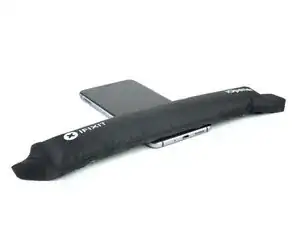
    • Si el adhesivo es difícil de cortar, usa un iOpener para ablandarlo.

    Mit dem Saugnapf die Rückseite anheben hilft ungemein…

    Matthias Eberle -

    Had to use blue wedge tool to wedge open bottom plate from the rim part in order to then use the tip of the blue opening pick under the back plate to then cut the glue. It’s like placing a pie server or knife under the plate once there’s a gap between the rim and the back plate.

    Jane -

    Be careful, there’s a cable to fingerprint sensor, very close to the edge (see pictures below)… It’s very easy to cut it through with the pick, as I just learned :)

    dambig -

  2. F5lCy2LZ2xfWDDqg
    F5lCy2LZ2xfWDDqg
    Na6gp15IRbPSW3Ll
    2xyqfXZApukGpaZe
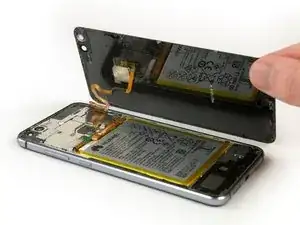
    • Luego de cortar el adhesivo en cada borde, tuerce tu púa de apertura para separar la tapa trasera del teléfono.

    • Voltea la tapa trasera hacia el lado derecho del teléfono.

  3. oPLqQqGCxyiCQ6oZ
    oPLqQqGCxyiCQ6oZ
    gZgRjiB2CuBip3Xu
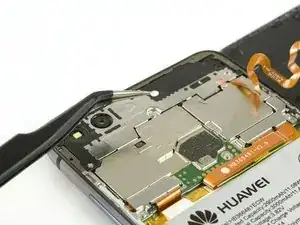
    • Usa un par de pinzas para remover el sticker.

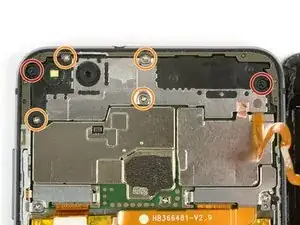
    • Remueve los dos tornillos Phillips #00

    • Remueve los cuatro tornillos Phillips de 2.5 mm.

    Schritt 3 und 4 kann man sich komplett sparen. Wozu auch. Kann gleich mit Schritt 5 weitergemacht werden, zuvor einfach das Flachbandkabel vom Fingerabdrucksensor an der Rückabdeckung abklemmen und fertig.

    Bobby mcgee -

    There are four silver screws and two black to be removed.

    Jane -

    Translate what Bobby mcgee said:

    Step 3 and 4 can be completely ignored. What for? You can continue with step 5, just disconnect the ribbon cable from the fingerprint sensor on the back cover and you're done.

    Antonio Sun -

    However, the reason step 3 and 4 should not be skipped is Step 6 — Use an iOpener to loosen the adhesive beneath the battery. I.e., the adhesive cannot be easily removed without heat, however, that heat might damage the electric chips. Thus they’d better be removed first.

    Antonio Sun -

  4. jMQb6f2oPStGtZUm
    jMQb6f2oPStGtZUm
    QdMRkHKjOFsRwEGW
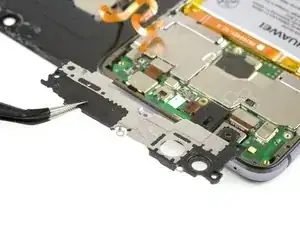
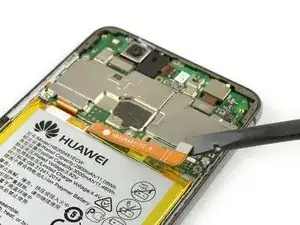
    • Usa una pinza para remover el escudo de la placa madre.

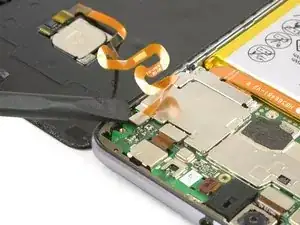
    • Usa un extremo plano de un spudger para desconectar el cable flexible de sensor de huella digital.

    • Cuando vuelvas a ensamblar, aplica un adhesivo nuevo donde sea necesario.

    Welchen Klebstoff soll man verwenden?

    josef navratil -

    Hallo Josef,

    sollte bei deinem Ersatzteil kein Klebstoff oder Klebeband dabei gewesen sein, kannst du dünne Streifen Doppelseitiges Klebeband verwenden. Es gibt für das Huawei P10 Lite auch schon zugeschnittene Klebestreifen zu erwerben, hierbei gilt aber je nach Händler Rezessionen zu lesen, ob die Klebestreifen auch wirklich halten.

    Dominik Schnabelrauch -

    Note that there is a copper-colored sticker to lift up near the flat cable connected from the phone the finger pad. Lift the main board plate (shield) up SLOWLY from the camera side to the other end as the plate is wedged in place.

    Jane -

    what adhesive is recommended? thanks

    darren -

    Hi darren,
    pre-cut adhesive would be the best solution if you can source it. Otherwise a two-sided adhesive tape or carefully used E6000 adhesive glue will be your friend.

    Tobias Isakeit -

  5. nTMw5AX5g1nyqUwM
    nTMw5AX5g1nyqUwM
    mAFuE2UeYPHsL42O
    qSBmSxYoBbbj6NBB
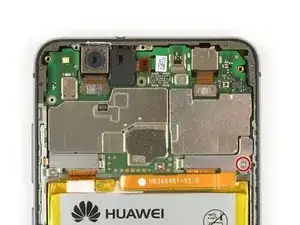
    • Remueve el tornillo Phillips #00 .

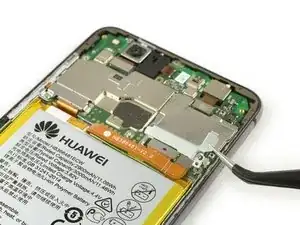
    • Remueve la placa del conector de la batería.

    • Usa un extremo plano de un spudger para desconectar el cable flexible de batería.

    Very gently lift the silver connecter that was under the battery connecter plate and is at the end of the orange battery cable with the flat end of the spudger as indicated.

    Jane -

  6. MxnBO6lHFNDgPwlF
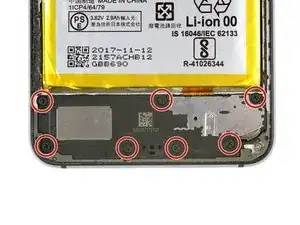
    • Remueve los siete tornillos Phillips #000.

  7. HWEFfRMDxm1ROC2Q
    HWEFfRMDxm1ROC2Q
    OgeMTjVrpxOXfCm4
    GA2HQUYT6Kf5eECq
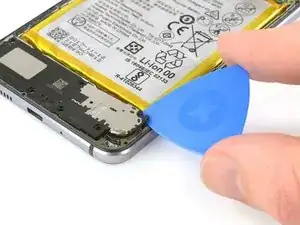
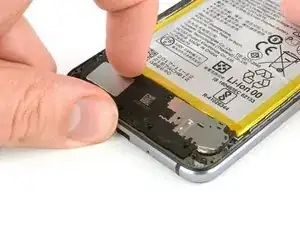
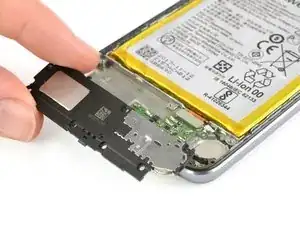
    • Inserta una púa de apertura debajo del borde derecho de la unidad del altavoz y levántalo.

    • Toma la unidad del altavoz y remuévelo.

  8. EUvuHBxIYmvYXZFY
    EUvuHBxIYmvYXZFY
    EOnngZCPAOC6HaxJ
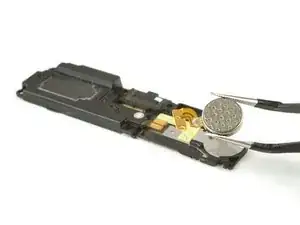
    • Usa un iOpener para ablandar el pegamento debajo del motor de vibración.

    • Remueve el motor de vibración.

  9. euZEYGJYNSLASf2e
    euZEYGJYNSLASf2e
    aL31yGnq1tWHiQ33
    • Usa el extremo plano de un spudger para desconectar el cable de interconexión.

    • Usa pinzas para desconectar el cable de la antena.

  10. XcO5EHgZFDsXwJRW
    XcO5EHgZFDsXwJRW
    O5E52KyOJncLHVHZ
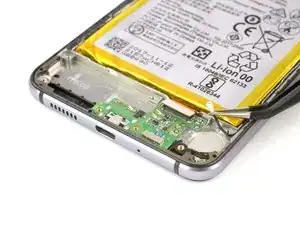
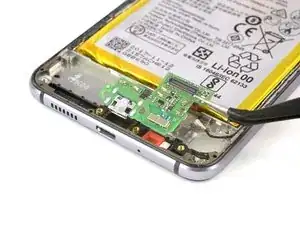
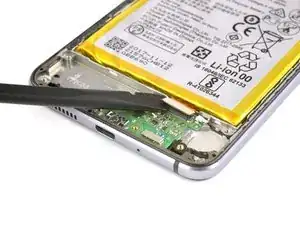
    • Usa un iOpener para ablandar el adhesivo debajo de la placa de carga.

    • Remueve la placa de carga.

Conclusión

Para volver a ensamblar tu dispositivo, sigue estas instrucciones en orden inverso. Al volver a ensamblar tu teléfono, aplica adhesivo nuevo donde sea necesario.

Dominik Schnabelrauch

Miembro Desde 23/11/16

169012 Reputación

3 comentarios

thanks and very nice

mj41574 -

thanks to all team

mj41574 -

p10 lite charging ic change daigram

mj41574 -