Introducción
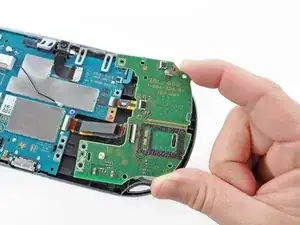
Esta guía le llevará a través del proceso de instalación de la placa del botón izquierdo. Esta placa controla el pad direccional (D-pad) y el botón PS.
Herramientas


Partes
-
-
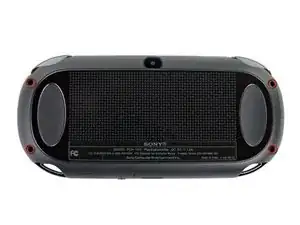
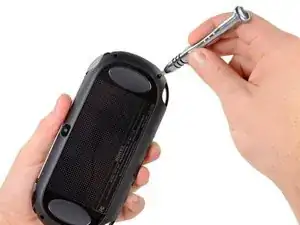
Usando un destornillador Phillips # 00, retire los cuatro tornillos de 6,4 mm en la carcasa trasera
-
-
-
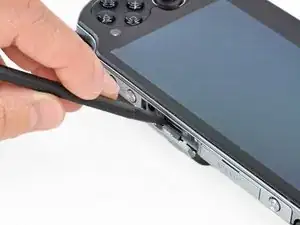
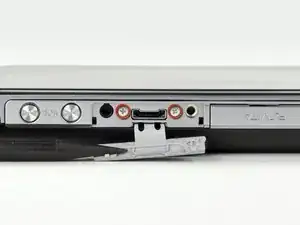
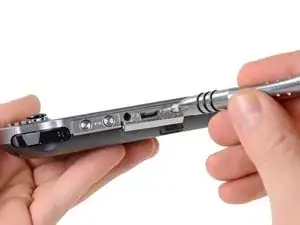
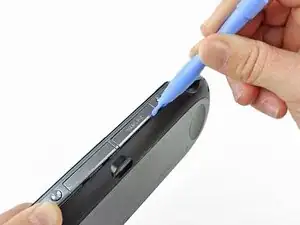
Usando la uña o un spudger, abra la cubierta del puerto de accesorios en la parte superior del dispositivo.
-
Usando un destornillador Phillips # 00, retire los dos tornillos de 5.4mm ocultos debajo de la cubierta del puerto de accesorios.
-
-
-
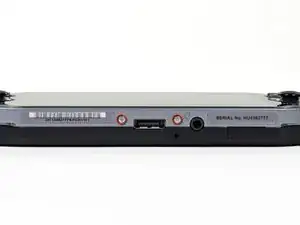
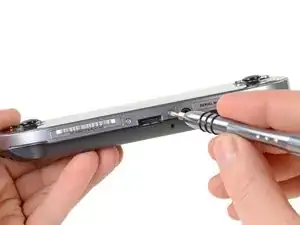
Retire los dos tornillos Phillips # 00 de 5.4mm en la parte inferior del dispositivo cerca del puerto de carga.
-
-
-
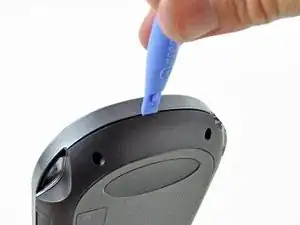
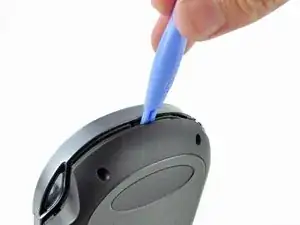
Comenzando a los lados del dispositivo, utilice una herramienta de apertura de plástico para separar la carcasa delantera y trasera.
-
Continue deslizando la herramienta de apertura al rededor del borde.
-
-
-
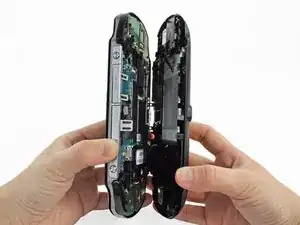
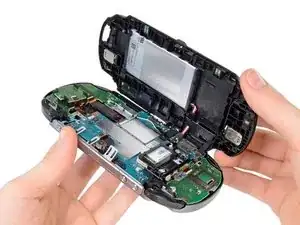
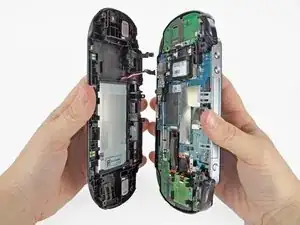
Suavemente separar las dos carcasas, teniendo en cuenta la batería y los conectores del controlador de pantalla táctil que mantienen las carcasas juntas..
-
-
-
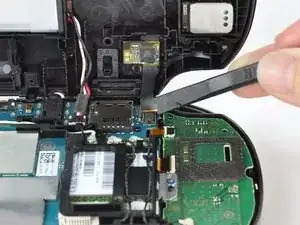
Utilizando un spudger, libere el cable flexible del controlador de la pantalla táctil suavemente levantando la conexión.
-
-
-
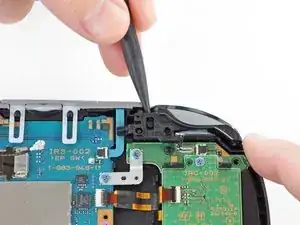
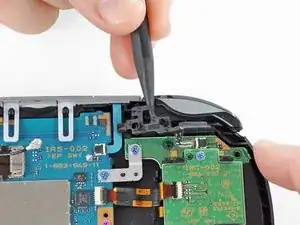
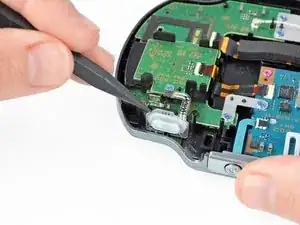
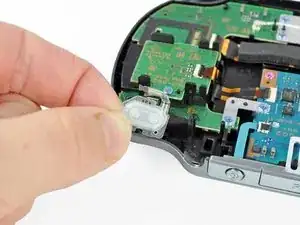
Levante la cubierta del botón del hombro izquierdo con un spudger.
-
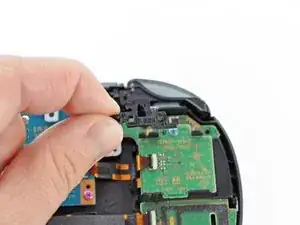
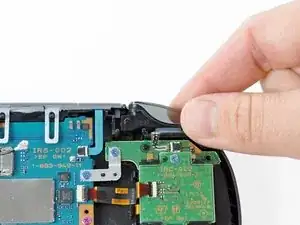
Retire la carcasa del botón del hombro izquierdo.
-
-
-
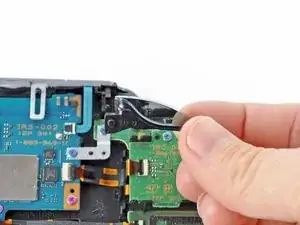
Suelte el zócalo del cable flexible del botón del hombro izquierdo usando un spudger para abrir la lengüeta.
-
Con las pinzas, deslice el cable flexible del zócalo. ¡No tire de la lengüeta negra! En su lugar, tire del cable delgado flex de distancia del conector (a la izquierda en esta imagen).
-
-
-
Usando un spudger, levante suavemente el botón del hombro izquierdo del adhesivo ligero que lo conecta a la carcasa.
-
-
-
Usando un spudger, levante y suelte la lengüeta en el zócalo ZIF sentado en el lector de tarjetas SIM.
-
Extraiga con cuidado el cable flexible del zócalo ZIF y déjelo fuera del camino.
-
-
-
Utilice un spuder para liberar la lengüeta entre el lector de la tarjeta SIM y el conjunto de la carcasa trasera.
-
Levante el lector de tarjetas SIM del conjunto de la carcasa trasera.
-
-
-
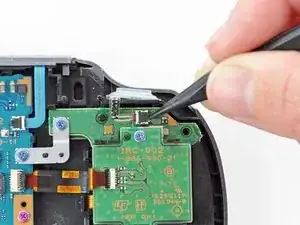
Suelte la lengüeta plástica en el zócalo pequeño del cable flexible levantándolo con un spudger.
-
Usando pinzas, retire suavemente el pequeño cable flexible del zócalo y déjelo fuera del camino.
-
-
-
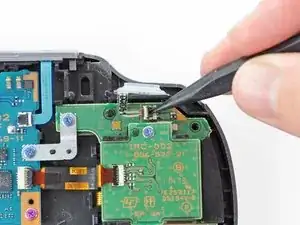
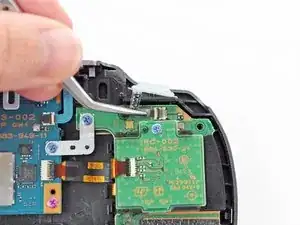
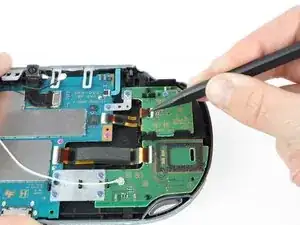
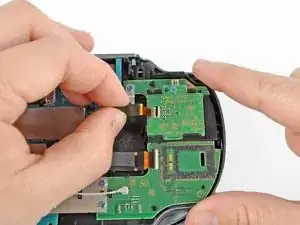
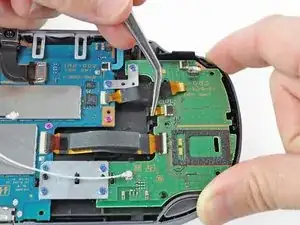
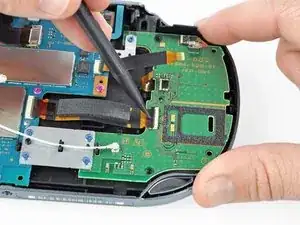
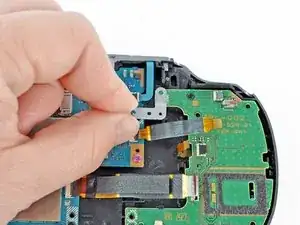
Utilice un spudger para levantar la pestaña en el zócalo ZIF grande.
-
Tire suavemente del cable flexible del zócalo ZIF y déjelo fuera del camino.
-
-
-
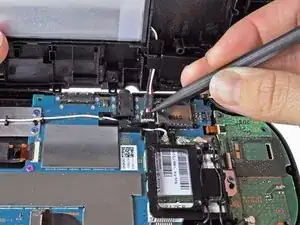
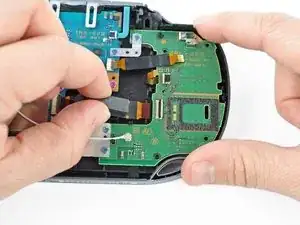
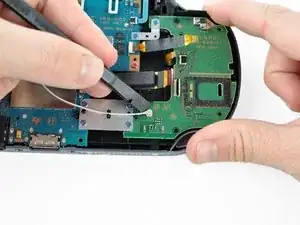
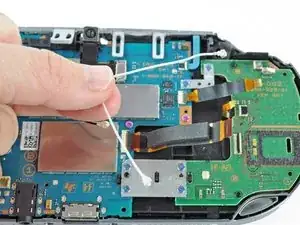
Desconecte el cable de antena Wi-Fi blanco con un spudger
-
Retire el cable de la antena Wi-Fi.
-
-
-
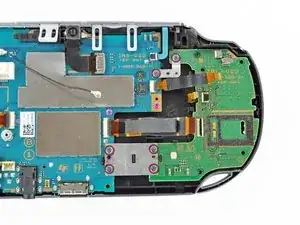
Usando un destornillador Phillips # 00, retire los seis tornillos de los dos soportes metálicos:
-
Dos tornillos de 5,0 mm, azules en el soporte en L que aseguran la placa superior izquierda del botón a la placa base.
-
Cuatro 5,0 mm, tornillos azules en el soporte cuadrado de fijación de la placa del botón izquierdo inferior a la placa base.
-
-
-
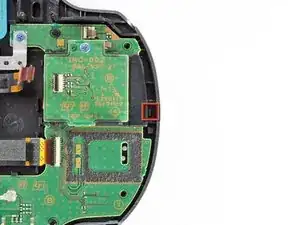
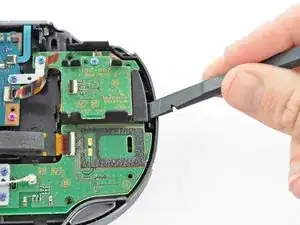
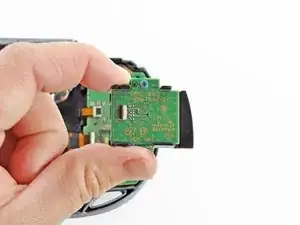
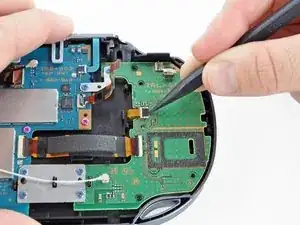
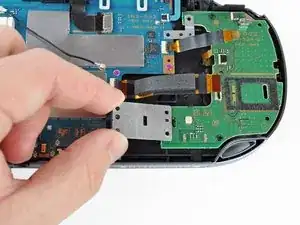
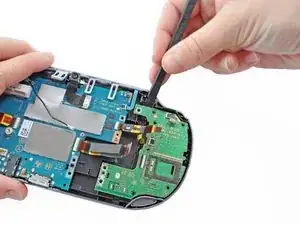
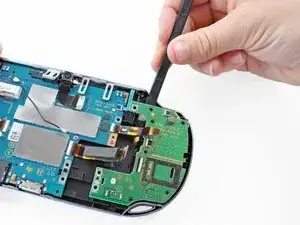
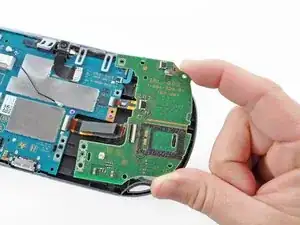
Iniciando en la esquina superior izquierda, use un spudger para levantar y quitar el tablero del botón izquierdo.
-
Para volver a armar el dispositivo, siga estas instrucciones en orden inverso.

3 comentarios
good idea but i need help with the big fat one on the left because it went into water by an accsident and its not moving and its like locked or like jammed. I put it in the boiler for a while and i took it out after then it still was jammed locked.
please can you tell me how to fix the big fat button on the left because water went in it and i tryed putting it in the boiler for a while then i took it out and the button was still not working it like jammed locked it dosn't work. PLEEEEEEAAAAASSSSEEE HEEELLLPPP MEEEEEE!!!!!!!!!!!!!!!!!!
Make a video of it please!!!!