Introducción
Utiliza esta guía para quitar la puerta de acceso.
Herramientas
-
-
Desenchufa el cable CA de tu iMac junto con cualquier otro dispositivo periférico.
-
Coloca su iMac boca abajo sobre una superficie suave y limpia como se muestra.
-
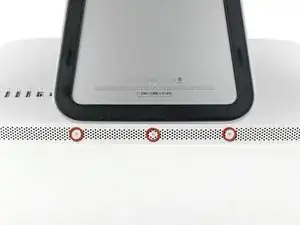
Afloja los tres tornillos Phillips que sujetan la puerta de acceso al borde inferior de su iMac.
-
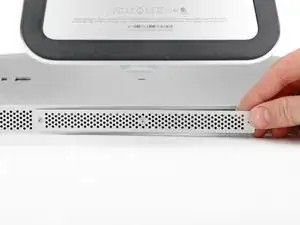
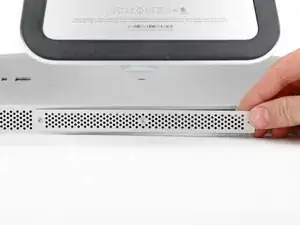
Retira la puerta de acceso.
-
Conclusión
Para reensamblar tu dispositivo, sigue estas instrucciones en el orden inverso.

Before beginning unplug your iMac.
Henry Barnett -
The screws are not phillips #1 as implied above. My phillips#2 bit fit.
John McWilliams -
Yes phillips #2 is the correct Bit
Heath -
Whenever I go this “deep” into any computer that has a motherboard battery, like the CR2032 for this iMac, I’ll add a new battery to my workflow. I’m in the “neighborhood” anyway.
The battery is in a spring-loaded compartment, which requires patience and persistence.
I make sure to test the new battery before installation. (The “3-2-1 Rule” applies: 3 of something means 2, 2 means 1, and 1 means none - I keep spare batteries on hand.)
When I took part in my dual-drive adventure, I also added a thorough dusting (outside/outdoors) - phew!
Carrick -