Introducción

Usa esta guía para reemplazar una tarjeta microSD en tu Samsung Galaxy S4.

  1. rjhlmKL4roqDcNeD
    rjhlmKL4roqDcNeD
    ySIEOikDPMFCTh6j
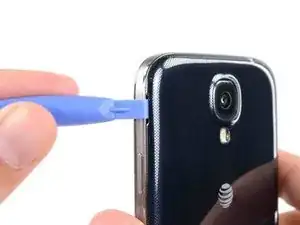
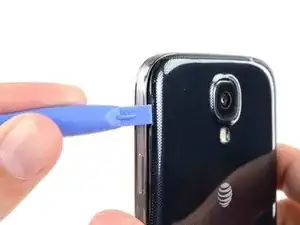
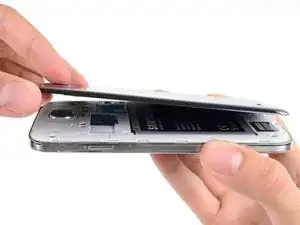
    • Haz palanca con una herramienta de apertura de plástico o tu uña en la ranura a la izquierda de la cámara trasera cerca del botón del encendido.

  2. QoGD1nhUjIK4SYhA
    QoGD1nhUjIK4SYhA
    mYdKICGURgG1VuPm
    EGyVAufYjRnV5oMH
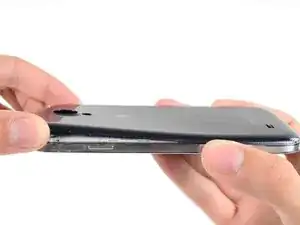
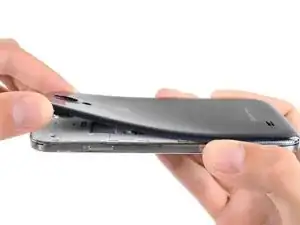
    • Levanta la caja trasera por la esquina más cerca de la ranura y remuévelo del teléfono.

    Where is the divot? Please let me know that

    James -

    I purchased a blue plastic opening tool(AKA: Spudge) like the one used in the above Step 1 rear cover pic and found the divot and was able to take off the rear cover as per the “Step 2 “ instructions.

    Terry Crawford, Jr. -

  3. MDC6e1YyIBLkTSJq
    MDC6e1YyIBLkTSJq
    r4qIuNXi4DRJBNYO
    alOZWSSKuQtAOYyx
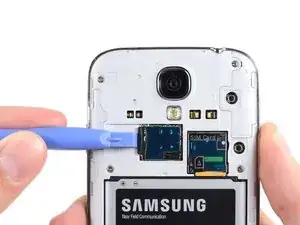
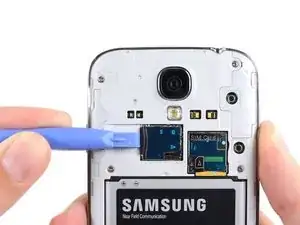
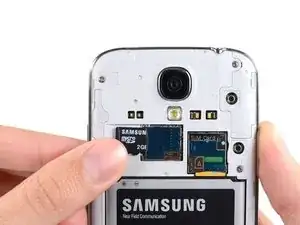
    • Usa el extremo plano de un spudger, o tu uña para presionar la tarjeta microSD un poco más en su ranura hasta que escuches un clic.

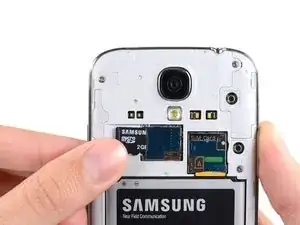
    • Luego del clic, libera la tarjeta y saldrá de su ranura.

    • Remueve la tarjeta microSD.

    • Para volver a ensamblar, empuja la tarjeta microSD en la ranura hasta que encaje en su lugar.

    I was able to remove the MicroSD Card as per the Step 3 MicroSD instructions with no problems.

    Terry Crawford, Jr. -

Conclusión

Para volver a ensamblar tu dispositivo, sigue estas instrucciones en orden inverso.

Sam Goldheart

Miembro Desde 19/10/12

457951 Reputación

Un comentario

If you use Micro SD card the you must know to How to Recover Memory Card

we are not going to use any app/softwares we only use CMD and 5 exclusive methods

http://www.gogorapid.com/how-to-recover-...

Ramal jayaratna -