Introducción

Esta guía te ayudara a reemplazar tu tarjeta Wi-Fi del modelo original de la Nintendo 2DS.

  1. 3EL36ruxJSncPSp3
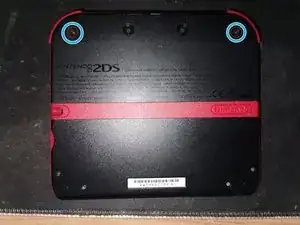
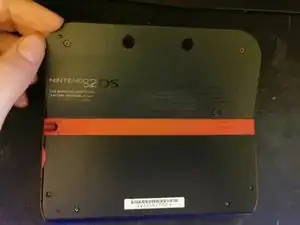
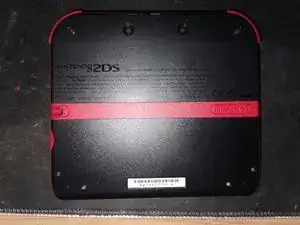
    • Coloca la consola 2DS boca abajo.

  2. lPJqelZj4ruWkiWZ
    lPJqelZj4ruWkiWZ
    W2hyKaXDPiEuPmtm
    4OtYhUdUTZopFxXp
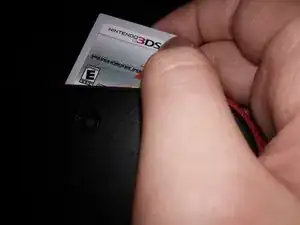
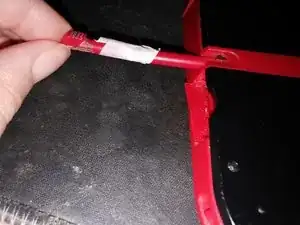
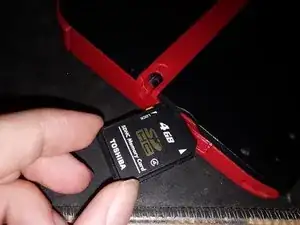
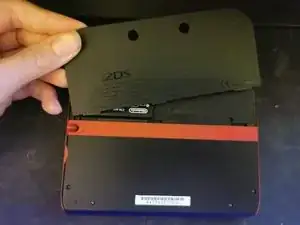
    • Remueve el cartucho, tarjeta SD y lápiz stylus si tu consola lo tiene insertado.

  3. C2YptD4ZgBsNcFWg
    • Desatornilla los 2 Tornillos Phillips #00.

    • Los tornillos no saldrán completamente de la tapa de la batería.

  4. GX4Qs63WfFkTv2FF
    GX4Qs63WfFkTv2FF
    WawpAjo6NnLyoraO
    • Levanta la tapa de la batería y remuévala.

  5. BTHs3miqkerkwks5
    BTHs3miqkerkwks5
    vBUoGPwvZbJ6DJxo
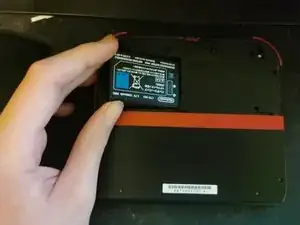
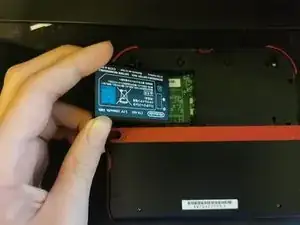
    • Levanta la batería y remuévela.

  6. rJYrq3HOtElSQOXy
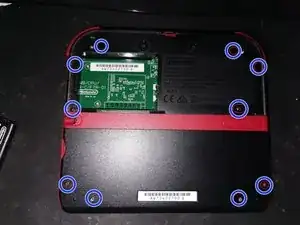
    • Remueve los 10 Tornillos Phillips #00.

  7. g6vOebVVtShm3a1O
    • Cuidadosamente remueve la tapa trasera.

    • Hay un flexor conectado a la tarjeta madre en la tapa trasera, ten cuidado e intenta no dañar el flexor!

  8. e1ULv32oOIpEtRAP
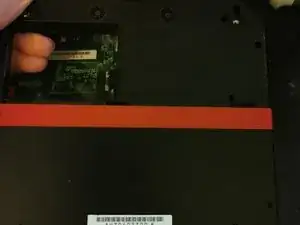
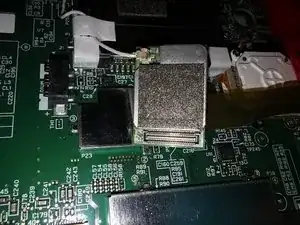
    • Levanta la tarjeta Wi-Fi desde el lado izquierdo

  9. OjZTAmdOLfQjZGCP
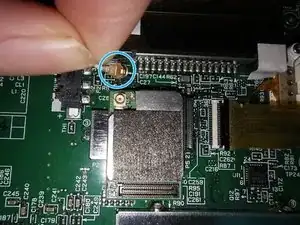
    • Usa un separador o tu uña para levantar cuidadosamente desde el lado derecho. Esto desconectará tu tarjeta Wi-Fi

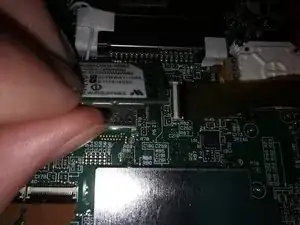
    • Hay un cable atrás de la tarjeta Wi-Fi, ten cuidado al removerlo!

  10. OEElOSlBGLk5FsZ4
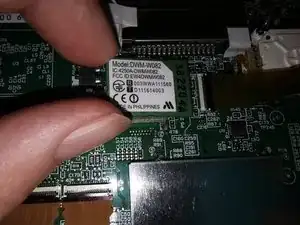
    • Gira tu tarjeta Wi-Fi.

  11. 3JxILOhs5SnK1SxJ
    • Usa un separador o tu uña para sacar el cable de la tarjeta Wi-Fi.

Conclusión

Para re-armar tu dispositivo, sigue las siguientes instrucciones al revés.

Ella

Miembro Desde 26/08/19

1909 Reputación

2 comentarios

Where is the guide for the 2DS Zelda version? I just opened mine up, and there IS NOT a wifi module card anywhere to be seen?! Did they move it UNDER the motherboard? I can not find any guides to the green and brown Zelda 2DS. Mine won’t update or connect to anything now.

Jeremy Patton -

It is the same. If you cannot see a Wi-Fi card, there probably is no Wi-Fi card.

Ella -