Introducción

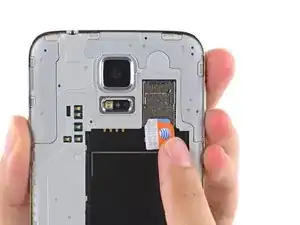
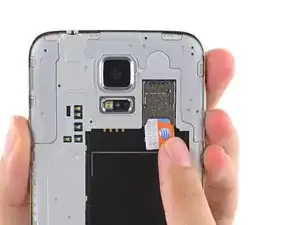
Usa esta guía para remover la tarjeta SIM.

  1. 3mEZDqNpHP1NAoQS
    3mEZDqNpHP1NAoQS
    xTO64DCaMsQFpJBm
    HC3JrUgL6QVjhELX
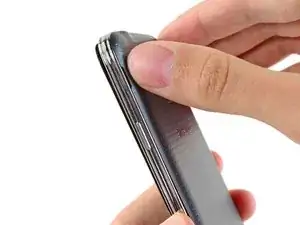
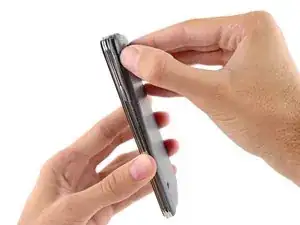
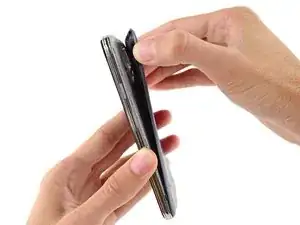
    • Inserta una uña o una herramienta plástica en la muesca ubicada a la izquierda de la cámara trasera.

    • Gentilmente presiona y gira la tapa posterior de la parte trasera del teléfono.

  2. fbRApTyubdGpQqcI
    fbRApTyubdGpQqcI
    YQWaDPslkNAgJIpd
    dk6dXbpPRGWWgFDv
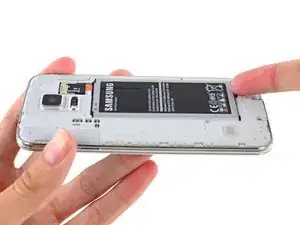
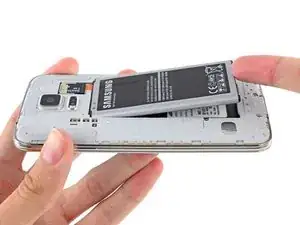
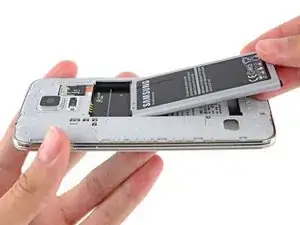
    • Introduce una uña o herramienta de apertura de plástico en el hueco en la esquina derecha inferior de la batería y levanta.

    • Remueve la batería del teléfono.

    The battery will need to be charged after it is placed in the phone. No one told me that and I bought a battery and thought it was bad. Keep the phone off and insert the charger. You will need to charge it for several hours before you can use the phone.

    Diane Schumacher -

  3. AAawVymjqARQpSCD
    AAawVymjqARQpSCD
    BHdA4xn3H5rChNAu
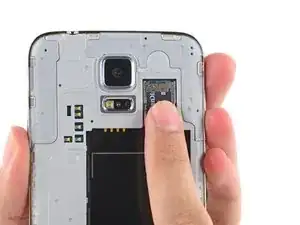
    • Utilizando una de tus uñas, saca la tarjeta microSD directamente desde su ranura.

    • Remueve la tarjeta microSD desde el teléfono.

    I found removing the SIM/SD card with my fingertip a little difficult – not enough friction. So I used a 'rubber' (in US English it's called a pencil eraser or just simply, an eraser.

    Simple, cheap (zero) and effective! :)

    Cheers.

    John

    johnsg0053 -

  4. QxalaCOh3lW5ekjC
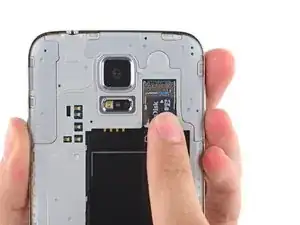
    • Repite el procedimiento de arriba para remover la tarjeta SIM.

    Actually this isn’t as easy as it appears in the photo and instructions, since the SIM card does not have a notch that you can use to pull it out. In my experience I’ve found that the best way to remove the SIM card is by pressing down somewhat hard on the SIM card, and then push-pulling it outward.

    OmniWeb Technical Education -

Conclusión

Para volver a ensamblar tu dispositivo, sigue estas instrucciones en orden inverso.

Sam Goldheart

Miembro Desde 19/10/12

457951 Reputación

3 comentarios

Use a Post-It Note's sticky backing to get a grip on the SIM card's smooth surface.

Chris Ward -

"Use a Post-It Note's sticky backing to get a grip on the SIM card's smooth surface"

Good suggestion. Alternatively..........use a pencil eraser!

johnsg0053 -

Why is my galaxy s5s screen black..I can get the buttons to light up but the screen won't come on..

Misti Weatherwalk -