Introducción

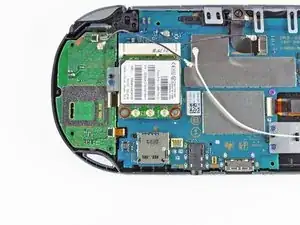
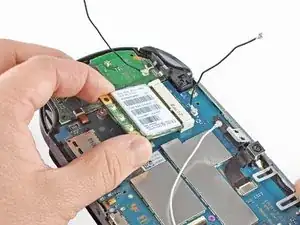
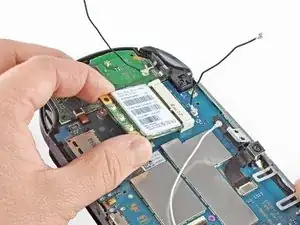
Esta guía le llevará a través del proceso de instalación de la tarjeta inalámbrica en la PlayStation Vita.

  1. bXHPdJvmOqwnRZ5W
    bXHPdJvmOqwnRZ5W
    Kxh4sK2xMaaiHQtJ
    • Apague y retire la tarjeta de memoria.

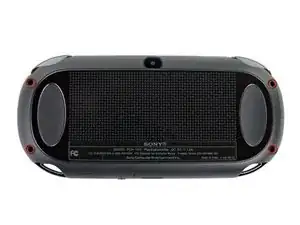
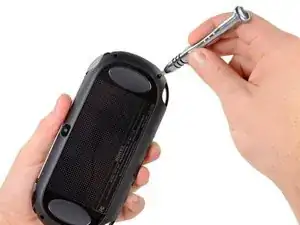
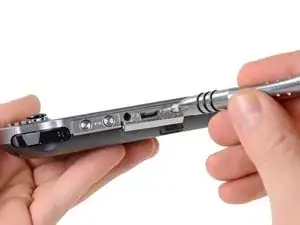
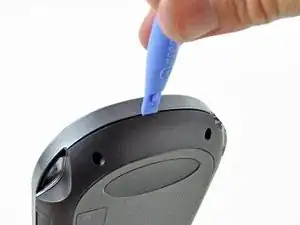
    • Usando un destornillador Phillips # 00, retire los cuatro tornillos de 6,4 mm en la carcasa trasera

  2. WwpKNcKBHnx3iwJP
    WwpKNcKBHnx3iwJP
    36FYDevnAqBvbNY3
    mjh2iFATaa2BKMEs
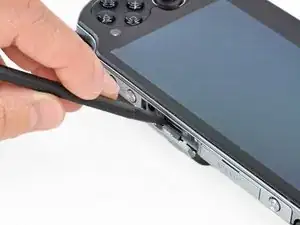
    • Usando la uña o un spudger, abra la cubierta del puerto de accesorios en la parte superior del dispositivo.

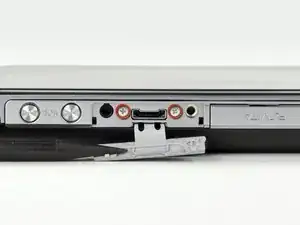
    • Usando un destornillador Phillips # 00, retire los dos tornillos de 5.4mm ocultos debajo de la cubierta del puerto de accesorios.

  3. AH6yWSkBJ4VWv3RB
    AH6yWSkBJ4VWv3RB
    aXih4BBWrQN2fmOK
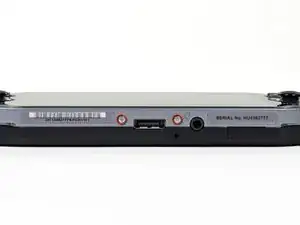
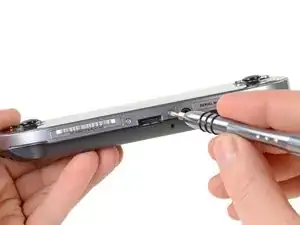
    • Retire los dos tornillos Phillips # 00 de 5.4mm en la parte inferior del dispositivo cerca del puerto de carga.

  4. bEJVmiEky4mHiDcb
    bEJVmiEky4mHiDcb
    aQOOn4pkOrVFR3hw
    vEQhcA4OEHFKVYLS
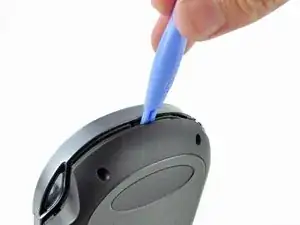
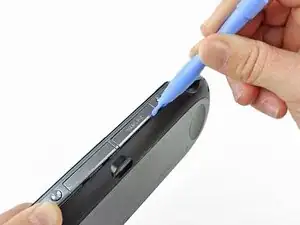
    • Comenzando a los lados del dispositivo, utilice una herramienta de apertura de plástico para separar la carcasa delantera y trasera.

    • Continue deslizando la herramienta de apertura al rededor del borde.

    • Todavía hay alambres que mantiene juntas las carcasas delantera y trasera. Usted puede dañar las conexiones si separa las carcasas de forma brusca.

  5. 3BBZJmwmjKVUDiJa
    3BBZJmwmjKVUDiJa
    EpjUlyY4L4GWcaLS
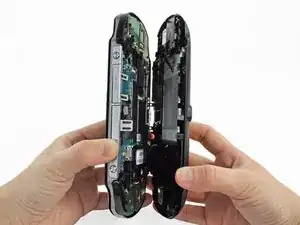
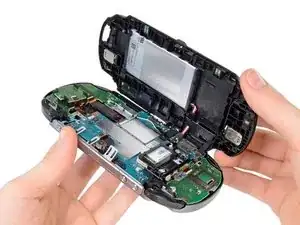
    • Suavemente separar las dos carcasas, teniendo en cuenta la batería y los conectores del controlador de pantalla táctil que mantienen las carcasas juntas..

    One of the shoulder buttons fell out when I was doing this step, along with the piece holding it in place. They go back in just fine when reassembling but make sure that they are oriented properly, of course.

    klung -

  6. NeowybD4slFqYmiM
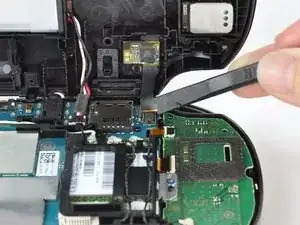
    • Utilizando un spudger, libere el cable flexible del controlador de la pantalla táctil suavemente levantando la conexión.

  7. DtebpV1FIAkm4AUj
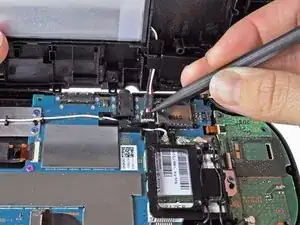
    • Libere el cable de la batería levantando suavemente la conexión con un spudger.

    Any idea what type of pcb header is on the board for the battery? I have a motherboard with a broken header but I cant source a replacement

    Jimbo Jones -

    This is where I screwed up so I recommend extra caution for other newbies. Only the black part is supposed to come off. Don't be an idiot like me and pry off too much...

    ylimakiminna -

    Yea I messed up there too. Is there a way to fix it?

    Alethia Henry -

    This component was far more stubborn than the screen connector when it came to removal. I opted for a smaller tool than the spudger (small flat-head) and managed to disconnect it after determining the best bit size for the job. Screwdriver is metal, obviously, so being gentle helps to avoid damaging anything.

    klung -

  8. fkyIaVUrPDRIlhZV
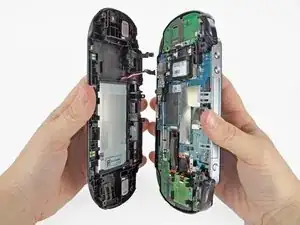
    • Separar las carcasas delantera y trasera.

  9. vlXZZ4MfiNjWSFqf
    vlXZZ4MfiNjWSFqf
    sQ1gbc2E5BkZFX2R
    1HAJbEsQW1AOGbmI
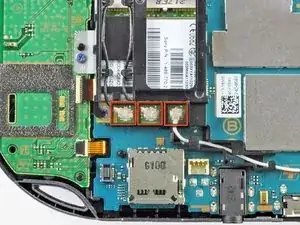
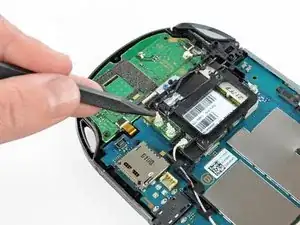
    • Utilizando el extremo puntiagudo del spudger, desconecte los tres conectores del cable de la antena en la parte superior de la tarjeta inalámbrica.

    • Deruta los cables de la antena de modo que estén fuera de la carcasa de la tarjeta inalámbrica. Ponga los cables lejos.

    Step 9-11 only apply to the 3G version of the PS Vita.

    logicj83 -

    Hello, I have the PCH-2001 model of the PS vita and the right analog stick went out. I ordered a replacement and the stick is slightly larger than the original. The original has a black rectangle on the back, the new version has the star version, which is what you have on this website as the replacement part. Any help here would be much appreciated. Thanks.

    Ben Ragains -

    Can I install a WiFi motherboard on a 3g ps vita model 1100?

    fmind11 -

  10. yKBmQZ5D12sRhGXX
    yKBmQZ5D12sRhGXX
    JH6WVtknwNbxKhD5
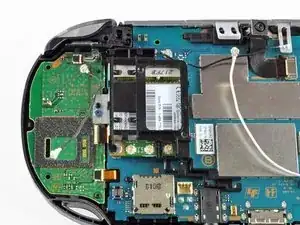
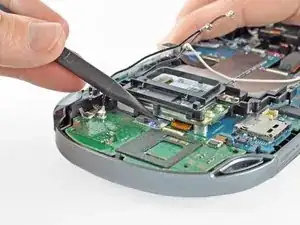
    • Enganche el spudger debajo de la lengüeta de la carcasa de la tarjeta inalámbrica y suelte la lengüeta.

    • Descubra y quite la carcasa de la tarjeta inalámbrica.

  11. JutjPPe6MLOg26PI
    JutjPPe6MLOg26PI
    jerqgQIbknJfbPur
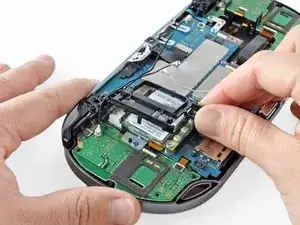
    • Retire los dos tornillos Phillips # 00 de 4.4mm de la tarjeta inalámbrica.

    • La tarjeta inalámbrica saldrá naturalmente hacia fuera en un ángulo.

    • Saque la tarjeta inalámbrica.

    My screwdriver does not want to unscrew those. They won’t turn at all.

    Rei -

    My screwdriver does not want to unscrew those. They won’t turn at all.

    Got the same, used PH #0 and grabbed wireless card casing with fingers from the top to release pressure on screen and avoid (possibly) breaking it.

    Yuriy Zhyromskiy -

    Some PS vita models seem to use a T2 screw instead of a PH#00. I’ve encountered this twice now.

    kaosjr kaosjr -

    I replaced de wifi card but is still difficult to connect to wifi. Could it be the wifi antenna? which cable model is it?

    Fernando Diaz -

Conclusión

Para volver a armar el dispositivo, siga estas instrucciones en orden inverso.

Brittany McCrigler

Miembro Desde 05/03/12

88184 Reputación

3 comentarios

i am takig my vita apart (moving all boards/chips into new oled lcd screen/ front part) and am having trouble taking the wifi chip out in order to take out the right button board, the screw closest to the right button board is i think stripped, is there an easy and non harming way to the motherboard of taking that screw out?

Saul Calderon -

Rubber band .

Duck -

umm, just took mine apart and there isnt a card nor a card holder.... what?

Joe The total Lord -