Introducción
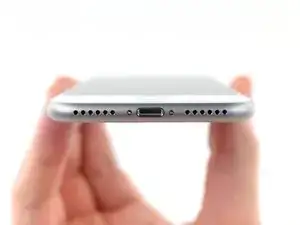
Usa esta guía para quitar o reemplazar los dos tornillos pentalobe (cinco puntos) que aseguran la pantalla del iPhone. Estos tornillos son un diseño exclusivo de Apple que requiere el uso de un destornillador P2 especializado.
Herramientas

-
-
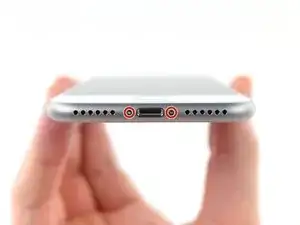
Retira los dos tornillos pentalobe de 3,5 mm en el borde inferior del iPhone.
-
La apertura de la pantalla del iPhone comprometerá sus sellos de impermeabilidad. Ten listos los sellos de repuesto antes de seguir adelante con este paso, o ten cuidado de evitar la exposición a líquidos si vuelve a ensamblar su iPhone sin reemplazar los sellos.
-
Conclusión
Para volver a montar tu dispositivo, sigue estas instrucciones en orden inverso.

just how long are those screws- i turn and turn and turn and the lift off is soooo slight, seemingly insignificant…
An. Jahnke -
I would recommend, from the very beginning, dumping all tools out of the kit (if you got it) and using that white paper tool box as a tray to organize the screws and braces in. It’s nice to work over because it catches screws well and makes it easy to see them if you drop any.
Johnny Emrica -
That’s a great idea thank you
Mohamed Dekkiche -
Screw to the left of the charging port will not come out. Screw on the right came out no problem. Any ideas?
Bill Maher -