Introducción
Retira el panel de la pantalla para acceder al disco duro, la unidad óptica y la fuente de alimentación.
Herramientas

-
-
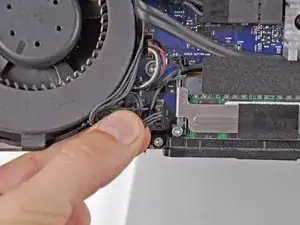
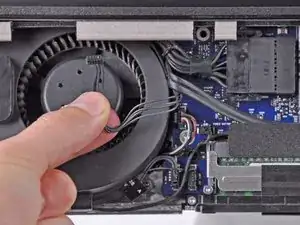
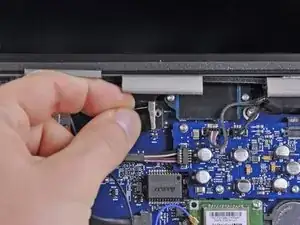
Desconecta el sensor de temperatura de la pantalla LCD sacando el conector de su zócalo en la placa lógica.
-
-
-
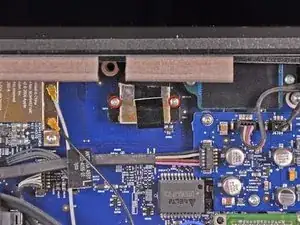
Retira los dos tornillos Torx T6 de 5,3 mm que sujetan el cable de datos de la pantalla a la placa lógica.
-
-
-
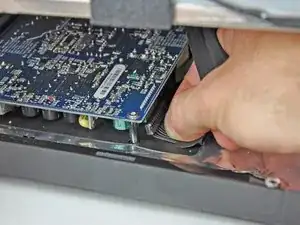
Desconecta el conector del cable de datos de la pantalla de su zócalo en la placa lógica tirando de la pestaña de plástico adjunta hacia ti y alejándola del iMac.
-
-
-
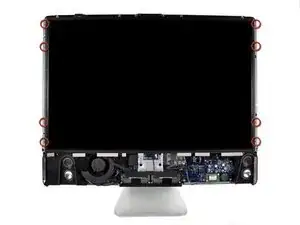
Retira los ocho tornillos Torx T8 de 12 mm que sujetan el panel de la pantalla a la carcasa trasera.
-
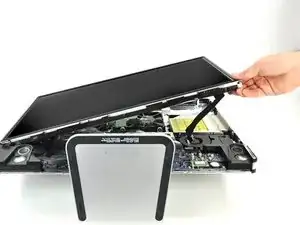
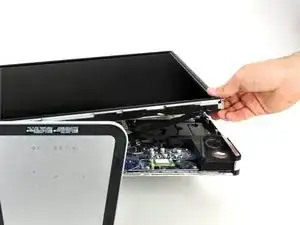
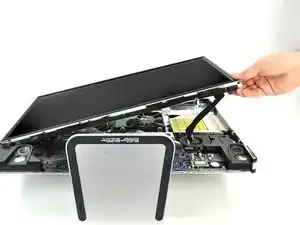
Levanta el lado derecho del panel de la pantalla unos centímetros hacia arriba del iMac.
-
-
-
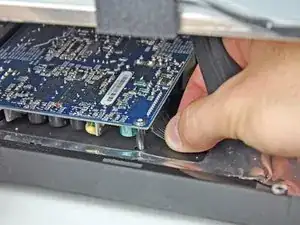
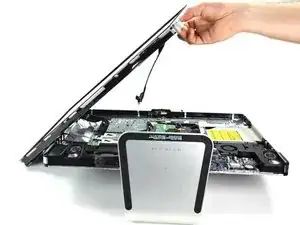
Con la pantalla LCD levantada, desconecta el cable de la pantalla tirando hacia abajo.
-
Alternativamente, el cable de alimentación de la pantalla LCD se puede desconectar de la pantalla LCD, en lugar de la fuente de alimentación.
-
Para volver a armar tu dispositivo, sigue estas instrucciones en orden inverso.

The temp sensor on my EMC2134 is located underneath the LCD and the cable is not very long. I propped up the LCD to facilitate removal.
Pierre Scerri -
I got an error for the LCD thermal sensor(4sns/1/40000000: TLOP-130.000), and now the fan runs full tilt all the time! I guess I may have damaged the cable...
morgandan -
there are two connections together; picture does not make that clear or which one to remove.
jay -
You have to be extremely careful when pulling out the LCD Temp connection as it doesn't want to come easy. I almost pulled the entire connection off the logic board using too much force. I therefore, used a pair of hemostats to grab the male end (the very top of the connector) and used a small screwdriver to hold the base of the connection in-place (female end attached to the logic board) in order to pull the connector apart.
tpolak -
There apparently is a variant of the EMC2134, like Pierre Scerri said. It has its LCD temp sensor underneath the LCD; the thin wires are about 5 in / 13 cm long and taped to the back of the LCD, and only about 2 in free, so lift the LCD gently.
There is a connector on the place where the LCD temp connector is on the iFixit photo, but in this variant it is marked 'CPU FAN' and there is no reason to disconnect it.
The logic boards in my computer are black, not blue.
goosveen -