Introducción
Herramientas

-
-
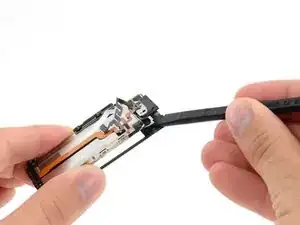
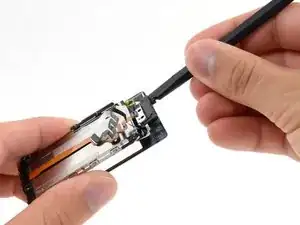
Inserta un spudger debajo del marco medio de metal y muéstralo en el lado izquierdo del botón de inicio.
-
Gira el spudger alrededor del botón de inicio y por el panel frontal, liberando el adhesivo que sujeta la pantalla en su lugar.
-
-
-
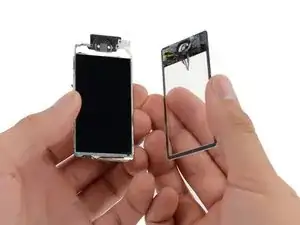
Una vez que se haya liberado todo el adhesivo, separa suavemente el ensamblaje de la pantalla del cristal frontal/digitalizador.
-
Conclusión
Para volver a armar tu dispositivo, sigue estas instrucciones en orden inverso.

Is not easier to remove the LCD first from the metal midframe?
I think this will prevent any damage to the LCD while trying to release adhesive around the home button and and the metal midframe
rallenfl -
I am trying to put it my LCD back on my dgitizer and there is a wire on the digitizer and i cant figure out witch way to bend it.
Scott P. -
esta es la manera dificil de hacerlo. Para que quitar el marco metalico del touch?
Andreu Bonafonte -