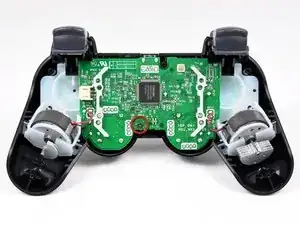
Introducción
Herramientas

-
-
Remueve el único tornillo Phillips de 7.2 mm que asegura la tarjeta madre a la cubierta frontal.
-
-
-
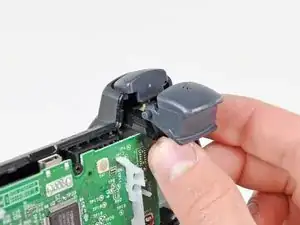
Desliza los retenedores de los gatillos ligeramente de la carcasa frontal.
-
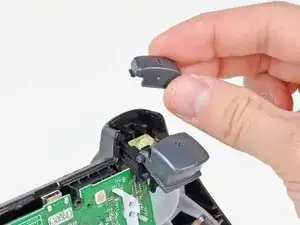
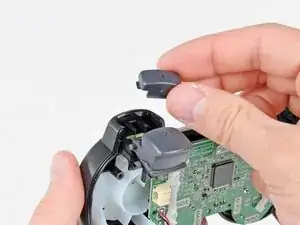
Remueve el botón #1 en cada lado.
-
-
-
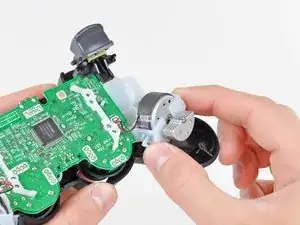
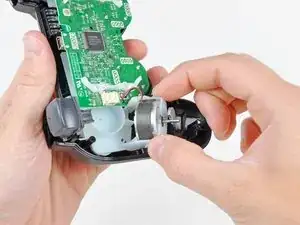
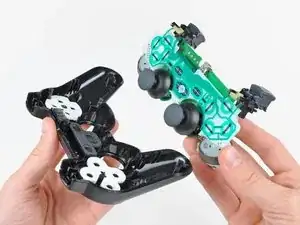
Jala los retenedores del motor vibratorio de la carcasa frontal para remover el conjunto de tarjeta madre.
-
Conclusión
Para reemplazar tu dispositivo, sigue estas instrucciones en orden inverso.

Most of the times, the only thing you need to repair to fix random key-presses is the soft plastic under the input-board connector to the motherboard.
At step 6 just move the motherboard upwards and you'll be able to see the connector.
Take the black soft-plastic-thing under it, and make it thicker with some tape. ( roll some tape around it 3-4 times - cut the tape properly so it can fit afterwards )
Now put everything back.
Random Presses are gone. Both of my controllers had this problem after a few hot summers and many hours of gameplay... both are fixed now.
Nick Preveza -