Introducción

Error

Enlace de servicio de video no reconocido.

Example:

[video|http://vimeo.com/1234] or [video|http://vimeo.com/1234]Optional Caption[/video]

Current text:

[video | https: //www.youtube.com/watch? v = vXhy48pBk-M & feature = youtu.be |]
  1. sVDs4c3AwnCxHeD4
    sVDs4c3AwnCxHeD4
    Ah4CxbFTsoS1RuSj
    uJZoO1eiFQRnsWOQ
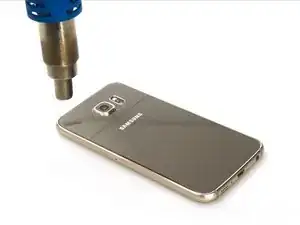
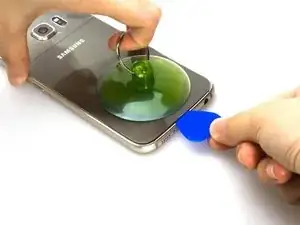
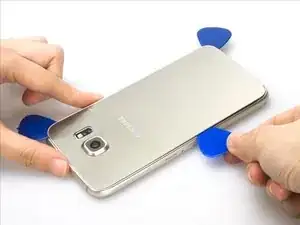
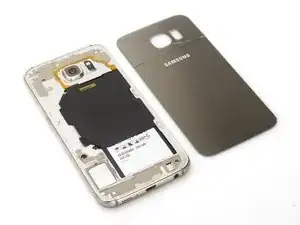
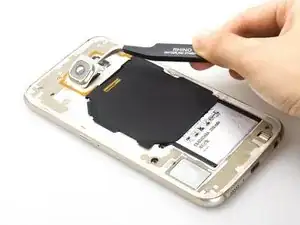
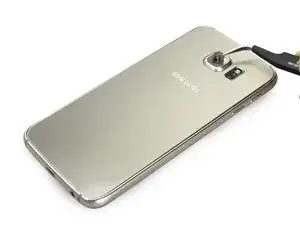
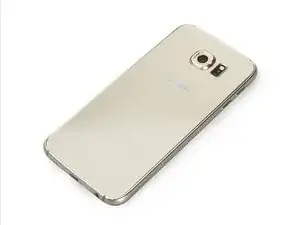
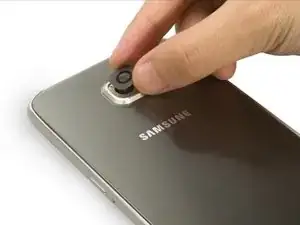
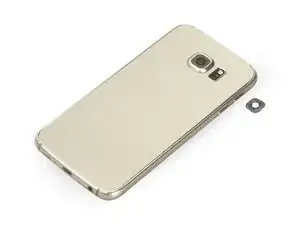
    • Retire la cubierta posterior al principio. Es una lástima que solo tengamos un S6 con la cubierta trasera rota para mostrar cómo reemplazar el cristal de la lente de la cámara.

  2. VyhND2TJPXaKOcoV
    • Tenga cuidado cuando retire la cubierta posterior. Es un poco débil.

  3. jU3PwBGnEifwpWm1
    jU3PwBGnEifwpWm1
    qgJvpAY6IrOlmvcD
    62KHelEcTQkvGQGQ
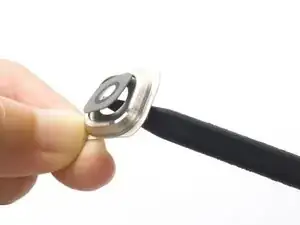
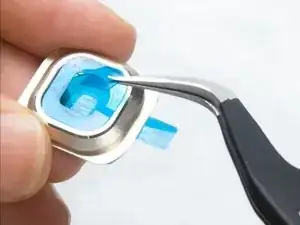
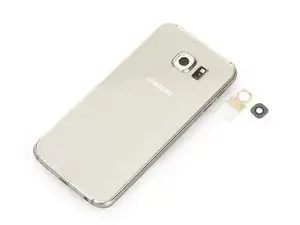
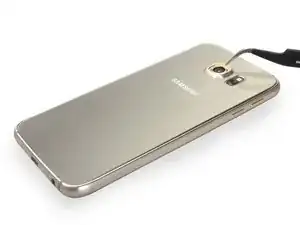
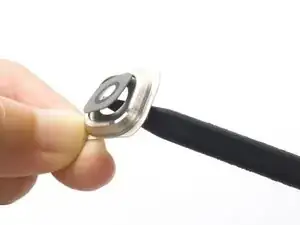
    • Y luego levante el anillo de la lente de la cámara desde la esquina inferior derecha. Hay un poco de adhesivo debajo. Tenga cuidado y evite arañar el anillo de metal con pinzas afiladas.

    • Por último, empuja el lente del lente de la cámara con el dedo o con un spudger y retíralo finalmente.

  4. Mu3pTavnTAHaWw3I
    Mu3pTavnTAHaWw3I
    OgQvmEcsdm2UyB2d
    ZKjauYs1WJfAKYyi
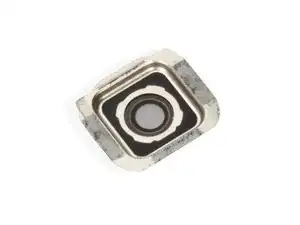
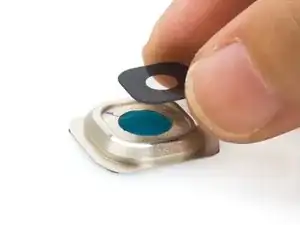
    • Ahora es el momento de colocar la nueva lente de la cámara. Quite la película superior y ensamble el vidrio con el anillo.

  5. 6NfNUVYRFHlfw3MN
    6NfNUVYRFHlfw3MN
    KuxjxgaEocDvCEya
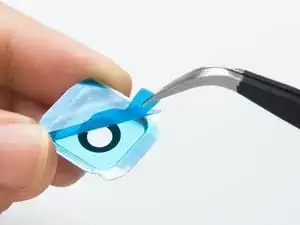
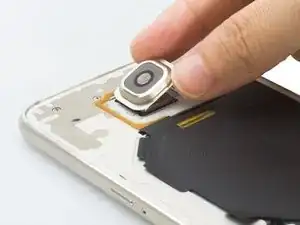
    • Despegue la película inferior y podemos volver a colocar el nuevo conjunto de lente de la cámara.

    • Y un consejo: necesitarás una nueva pegatina de tapa trasera porque la anterior quizás no se pueda usar más.

    • Esa es la guía para reemplazar el vidrio de la cámara S6 y el anillo de la cámara.

    Un morceau d’adhésif pour coller la protection à l’appareil photo ? Vous ne le vendez pas ?

    Abé -

  6. spVZEutuUbsh52AY
    • Si la lente de tu cámara S6 está rota, simplemente quítala directamente pero con mucho cuidado. No lastime la cámara ni raye el anillo de metal.

  7. ySXJ6DGLZPfHjsM5
    ySXJ6DGLZPfHjsM5
    ZNOBNHgMXOEg6hNt
    BiCi3tj21EqXeHye
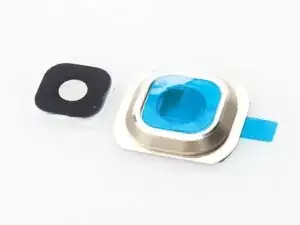
    • Coloque la pegatina en el anillo de la cámara al principio.

  8. NeapVGskgxQRMDfG
    NeapVGskgxQRMDfG
    PlQMPujrAPRxiDgX
    • Y luego colóquese el nuevo vidrio de la cámara y haga el reemplazo.

    • Esa es la guía para reemplazar el vidrio de la cámara S6 solamente.

Conclusión

Para volver a armar su dispositivo, siga estas instrucciones en orden inverso.

Sophia

Miembro Desde 25/03/14

43756 Reputación

27 comentarios

Is it possible to replace just the lens without taking off the back cover? Like can I just use a suction tool to pull off the broken lens and put in the new one?

Alex Sangue -

Yes, that is possible!

Robin -

I am wondering the same thing. I believe it would work. Don't see the need in pulling the back cover to replace a piece of exposed glass.

4freese -

Yes. It can be done. I did it using a hair dryer to warm the lens and peel if off gently, starting in one corner. If it seems reluctant to come off you may need to heat it a little more. Be careful not to damage to outer metal ring (as I did) and then replace the glass lens as described.

vicbliz -

The guide for replacing a heavily broken camera lens is starting from step 6.

tkuilman1 -

does anyone know where to purchase just the adhesive for the glass ( as shown in step 7) ive already removed the glass lens becuase of how heavily it was shattered. I don't want to open the phone.

cootie100 -

Any luck with this?

Shane Sullivan -

Hi Guys,

Are the S6 and S6 Edge plus rear camera glass the same size?

Thanks in advance

Paul Walsh -

Dear Paul, Yes, Samsung galaxy S6 camera glass is compatible with s6 Edge.

Witrigs -

After replacing the camera lense after it was stepped on I keep getting the warNing camera failed. Tried all of the software fixes. Any suggestions? Thank you! This is for a galaxy s6 edge.

Steven pagano -

Does anyone know if a similar procedure can be done to replace the camera glass in the S6 Active? Obviously it would be harder to remove the back entirely but steps 6 though 8 look similar so would it be possible on the S6 Active or would it require a different technique to maintain its waterproofing?

Joshua Fisher -

Can you make a guide on how to replace the flash lens/bezel? I know this probably isn't a common thing but mine is cracked and I'd like to replace it

Ryan Eckhoff -

Hi,Im using a s6 edge plus.My rear camera lens cover broke.Can we fix it getting an original one?Because out of an analysis i understood that original lens cover is not available & we can only get a copy of it.If we fix the copy cover the picture quality will be effected badly is what i heard.So is there any chance to get an original rear camera lens cover?If so how much would it cost me?

Abhiram Chilukuri -

Hey men,i have a same problem and I bouhgt fake camera glass.My picture quality is very bad.Please help.Where I can buy original glass for camera?

Milutin Zonjic -

Hi,

Any luck on this issue?

I got a fake camera lens and the picture quality is very bad, indeed.

I also noticed that on the back of the glass is written a "code". For example, the fake one has "V1". I can't remember what was the code for the original one.

Alin M -

Hi Sophia,

Are the S6 and Samsung Galaxy J7 2016 plus rear camera glass the same size?

Thank you.

Ali Baba Jr -

Here in Nigeria i can get dthe camera glass can any other samsung camera glass match

Andrew -

Where can I get these lens?

I broke the glass and I can't find it anywhere

Ritvick Kapoor -

I dropped the phone and the glass film of the camera broke but my camera is still working does it affect the focus of the camera?

chris.murr13 -

how do I determine whether or not I need just the glass replacement or a whole new Camera replacement.. I smashed the glass heavily on something and when I open the camera app It still works just won't focus? is replacing the glass help it focus or what?

Bobby fresh -

So I purchased the repair kit for the galaxy S6 camera bezel & lens cover. I was wondering if it is supposed to come with the sticker to attach the lens cover to the camera bezel as mine came with a sticker which is only sticky on one side. Maybe i received a dud? I believe the sticker is supposed to be sticky on both sides.

joseph han -

any recommendations on where I can buy the lens from

Nicola -

I broke the glass lens on my phone the camera still works but the picture not clear is the glass lens will fix it or the camera is damage to

Eric Dupont -

I broke the glass of my camera samsung s6 the camera work i took of the broken glass and the picture is not clear is the camera damage or with the new glass the picture is goin to be clear thank alot

Eric Dupont -

Is the rear camera lens for the samsung edge g925 the same for samsung s edge plus g928? Any other models that is compatible or has the same lens size for the samsung s6 edge plus? Thanxx

joxx -

I just needed to replace the lens cover. There was no need to remove the back of the case. I heated the lense cover with a hair dryer and remove the cracked lens with tweezers. The replacement kit did not come with an adhesive sticker. I assume it is already on the bezel. Since I wasn’t replacing the bezel, I applied 3M Scotch Clear Glue to the four corners of the black side of the lense and hoped there would be no off-gassing that clouded the lens or the cover. After cleaning my existing bezel with rubbing alcohol, I applied the glue, removed access and attached it to the bezel. I noticed some glue crept in towards the camera lense, but I was able to let it dry at an angle so that the glue would not get on the camera lens. I let it dry over night and tested the camera. The camera lens was unable to focus. I smacked the backside of the phone against the palm of my hand a few times. The camera has worked fine since.

Keith Donaldson -

Success, but was different to the guide for a heavily broken lens!

My lens was heavily broken so rather than taking the back off the phone, I removed the broken pieces working round the edge and prying them up with a craft knife then removing them with tweezers (wear safety goggles if you're prying glass shards!). I then removed the glue ring with tweezers after lifting it with the end of the craft knife.

That all worked but at step 7 there's a problem: The repair kit doesn't have a separate adhesive ring, it comes attachet to the bezel.

Personally - I pryed the glue ring off the new bezel then applied it to the orginal bezel, however this was super fiddly as it immediately tried to stick to itself! Once I'd got it on I followed step 8 and it looks fine, I just hope the glue ring sticks it properly despite being pulled off one thing (and itself) beofre being stuck down.

The other option would be to use some other type of glue - but not super glue as that goes misty.

The post could do with a warning note!

Fred -