Introducción
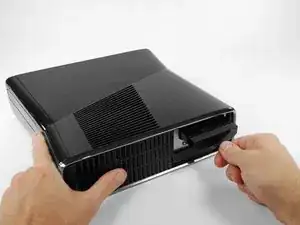
No hay tal cosa como mucho espacio en disco duro, y nada tan frustrante como muy poco. Esta guía te mostrará cómo reemplazar el disco duro de tu Xbox 360 S
Partes
-
-
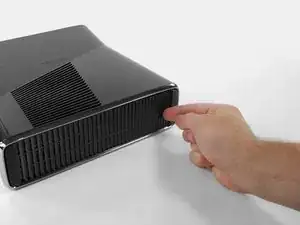
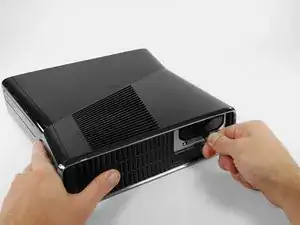
Empuja hacia la izquierda el pestillo que sostiene la cubierta del disco duro
-
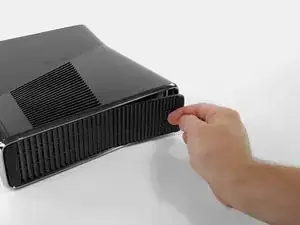
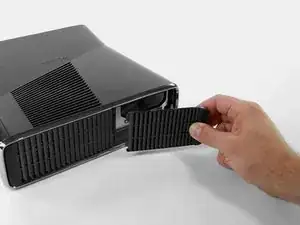
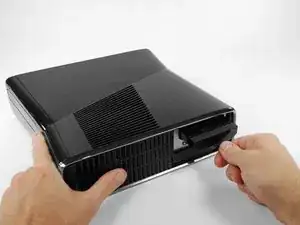
Tira la cubierta del disco duro hacia afuera de la consola
-
-
-
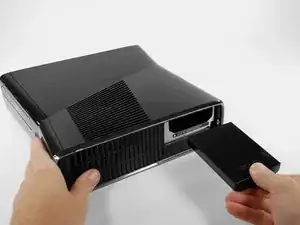
Agarra firmemente la etiqueta de tela que dice 250 GB, esta etiqueta está unida al disco duro
-
Tira el disco duro hacia afuera de la consola
-
Para reensamblar tu dispositivo sigue estas instrucciones en sentido inverso

3 comentarios
do you have to transfer the OS? or data? if so what utility is used? do you need a data transfer cable?
Can I just add an external drive to supplement the existing HDD?
no the os is on the internal drive all the hard drive is doing is adding more storge space
My hardrive says its unformated but its not and i dont want to loose content